Try Tidyflow
Get your firm organized.
Watch a 4-minute demo, or start a free trial. No credit card required.
A repeatable onboarding process is the difference between a firm that scales smoothly and one that drops the ball every time a new client signs up. This guide gives you a complete onboarding checklist and a client intake form template you can copy and customize for your firm.
The Complete Onboarding Checklist
Use this as a job template in your practice management software. Each item should be a task assigned to a team member with a due date. Tick boxes as you go, your progress is saved in your browser.
Get this as a printable PDF
Drop your email and we'll send you the printable checklist plus an editable intake form template. No spam.
No spam. Unsubscribe anytime. See our privacy policy.
Check your inbox
We've sent the template to your email. If it doesn't arrive in a few minutes, check your spam folder or reply to support@tidyflow.com and we'll resend.
Phase 1: Engagement & Setup (Days 1-3)
Phase 2: Information Gathering & Due Diligence (Days 2-7)
This is your know-your-client (KYC) step: verify identity, confirm beneficial ownership, and assess AML risk before you start work on the books.
Phase 3: Setup & Review (Days 7-10)
Phase 4: Kickoff Meeting (Days 10-14)
Phase 5: Post-Onboarding (Day 30)
Want the printable PDF and intake form template?
We'll email you a printable PDF version of this checklist plus an editable intake form template you can copy for your firm.
No spam. Unsubscribe anytime. See our privacy policy.
Check your inbox
We've sent the template to your email. If it doesn't arrive in a few minutes, check your spam folder or reply to support@tidyflow.com and we'll resend.
Try Tidyflow
Onboard new clients without the chase.
Watch a 4-minute demo, or start a free trial. No credit card required.
Email and Document Templates
Three ready-to-adapt templates for the touchpoints in the checklist above. Click each one to expand.
Engagement Letter Template (Key Sections)
Show engagement letter template Hide engagement letter template
Services: [List specific services, e.g., monthly bookkeeping, quarterly tax filings, annual tax return]
Fees: [Monthly/annual fee amount, payment terms, when invoices are issued]
Out of Scope: [List exclusions, e.g., financial advice, audit, legal compliance]
Client Responsibilities: Provide complete and accurate financial records by [specific date each month/quarter]. Respond to information requests within [X] business days.
Term: This engagement begins on [date] and continues until terminated by either party with [30] days written notice.
Welcome Email Template
Show welcome email template Hide welcome email template
Subject: Welcome to [Firm Name]: how we work together
Hi [Client Name],
We’re excited to have you on board. Here’s everything you need to know about working with us:
Your Client Portal Access your portal here: [link]. This is where you’ll upload documents, view reports, and sign documents. You can also email files to [email] if that’s easier.
What We Need From You To get started, please upload the following through your portal:
- [List of initial documents needed, see intake form]
- Deadline: [date]
How We Communicate
- Your primary contact at our firm is [name] ([email])
- We typically respond within 1 business day
- For urgent matters, call us at [phone]
Recurring Schedule Here’s what we’ll need from you on a regular basis:
- Monthly: [Bank statements, invoices, receipts by the 5th of each month]
- Quarterly: [Any additional quarterly documents]
- Annually: [Tax documents, insurance statements, etc.]
Questions? Reply to this email or book a call: [scheduling link]
Looking forward to working with you.
[Your Name]
Post-First-Job Check-in Email
Show check-in email template Hide check-in email template
Subject: Quick check-in: how’s everything going?
Hi [Client Name],
We’ve just completed [your first monthly bookkeeping / your tax return / etc.]. I wanted to check in and make sure everything went smoothly from your end.
A few questions:
- Was the document upload process easy to follow?
- Is our communication cadence working for you?
- Anything we could improve?
If you’re happy with how things are going, no need to reply, we’ll continue with the same process going forward. If anything could be better, I’d love to hear it.
Thanks, [Your Name]
Accounting Client Intake Form Template
Copy and customize this for your firm. Send it as a form, PDF, or through your client portal’s document request feature. For a standalone version with guidance on what to include and paper-vs-digital intake, see our full accounting client intake form template.
Business Information
| Field | Response |
|---|---|
| Legal business name | |
| Trading name (if different) | |
| Tax / business ID number | |
| Business structure (sole trader, partnership, company, trust) | |
| Date business established | |
| Industry / type of business | |
| Business address | |
| Number of employees | |
| Annual revenue (approximate) |
Primary Contact
| Field | Response |
|---|---|
| Full name | |
| Role / title | |
| Email address | |
| Phone number | |
| Preferred communication method (email / phone / portal) |
Additional Contacts
| Field | Response |
|---|---|
| Name & role (e.g., bookkeeper, office manager) | |
| Email address | |
| Should this person have portal access? (Yes / No) |
Current Financial Setup
| Field | Response |
|---|---|
| Accounting software used (e.g., QuickBooks, Xero, or other) | |
| Who currently does the bookkeeping? (In-house / outsourced / no one) | |
| Are bank accounts reconciled and up to date? | |
| Do you have a payroll system? If so, which one? | |
| Previous accountant’s name and contact (for record transfer) |
Services Required
| Service | Needed? |
|---|---|
| Monthly / quarterly bookkeeping | Yes / No |
| Indirect tax filings (sales tax / VAT / GST) | Yes / No |
| Payroll processing | Yes / No |
| Annual tax return preparation | Yes / No |
| Financial statement preparation | Yes / No |
| Tax planning and advisory | Yes / No |
| Other (please specify): |
Key Dates
| Date | Details |
|---|---|
| Financial year end | |
| Next tax return due date | |
| Next indirect tax filing due date | |
| Other important deadlines |
Additional Notes
Is there anything else we should know about your business or financial situation? Any immediate concerns or priorities?
Automating the Onboarding Process
Once you’ve onboarded 5-10 clients manually, it’s time to automate. The right systems make onboarding repeatable, see our guide to building an accounting firm tech stack. Here’s what to systematize:
Create a Job Template
In your practice management software, create an “Onboarding” job template with all the checklist items above as subtasks. When a new client signs up, create a new job from the template and it’s ready to go, every step pre-loaded with the right assignments and due dates.
Use Client Requests for Document Collection
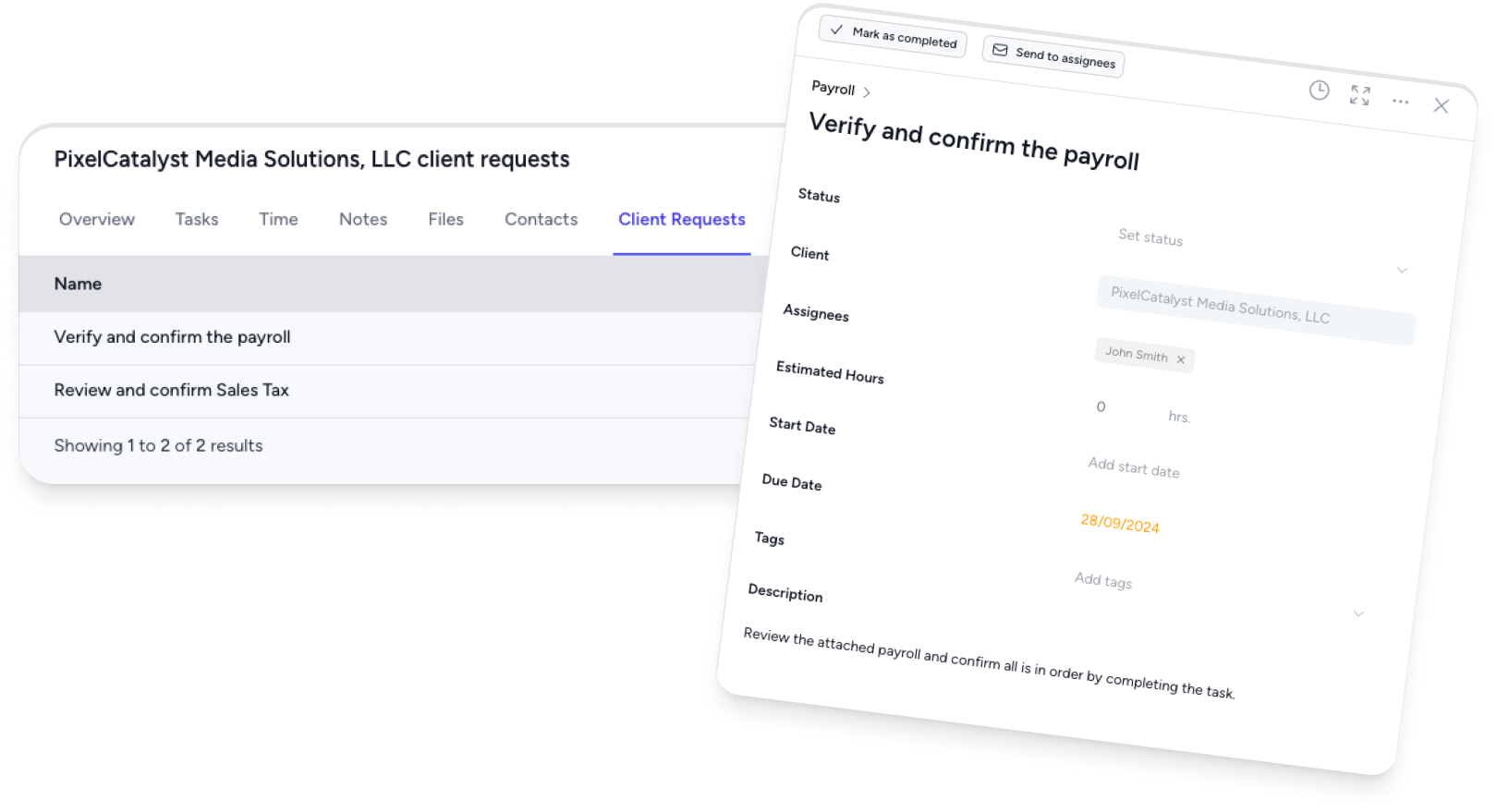
Instead of emailing clients a list of documents and hoping they send everything, use a client request feature that:
- Lists exactly what documents you need
- Lets clients upload directly (no email attachments)
- Tracks what’s been received and what’s outstanding
- Sends automatic reminders for missing items
This alone can cut your document collection time in half. For more on this, see how to let clients upload files without logging in.
Build a Welcome Email Template
Write your welcome email once, then reuse it. Include:
- A brief introduction to your firm and the team member they’ll work with
- What to expect in the first 2 weeks
- A link to complete the intake form
- A link to the client portal (if applicable)
- Your standard response time (e.g., “We respond to all emails within one business day”)
For more on effective client communication, see our guide on communication skills for accountants.
Common Onboarding Mistakes
Starting work before the engagement letter is signed. This creates scope ambiguity and billing disputes. Always get the letter signed first.
Not requesting documents early enough. Don’t wait until you need them. Request everything in Phase 2 so it’s ready when you start the actual work.
Skipping the kickoff meeting. A 30-minute call at the start prevents hours of back-and-forth later. Use it to align on expectations and show the client how to work with you.
No follow-up after onboarding. The first 30 days set the tone. A quick check-in shows clients you care about the relationship, not just the work.
Not using a repeatable process. If every new client is onboarded differently, quality will be inconsistent and things will get missed. Use a template.
Frequently Asked Questions
How long should client onboarding take?
Plan for 2 weeks from signed engagement letter to “business as usual.” Complex clients (messy books, multiple entities, switching from another firm) may take 3-4 weeks. The goal is to have recurring work running smoothly by the end of the first month.
What if the previous accountant won’t release records?
Clients have a right to their records. If the previous accountant is unresponsive, have the client send a formal written request. In most jurisdictions, accountants are required to return client records regardless of outstanding fees. If needed, contact your professional body for guidance.
Should I charge for onboarding?
It depends on your pricing model. If you charge fixed fees or packages, the onboarding cost is typically included in the first period’s fee. If you bill hourly, consider absorbing the onboarding cost as a goodwill gesture, it’s an investment in a long-term client relationship. Some firms charge a one-time setup fee for complex onboardings.
What’s the minimum I should collect before starting work?
At bare minimum: signed engagement letter, completed intake form, access to accounting software, and prior year tax returns. Without these, you’re working blind.