
Bill faster. Get paid automatically.
Turn unbilled work into invoices that charge themselves. After a client's first payment, future invoices are charged automatically. New clients pay online in one click. Recurring invoices and optional Xero or QBO sync.
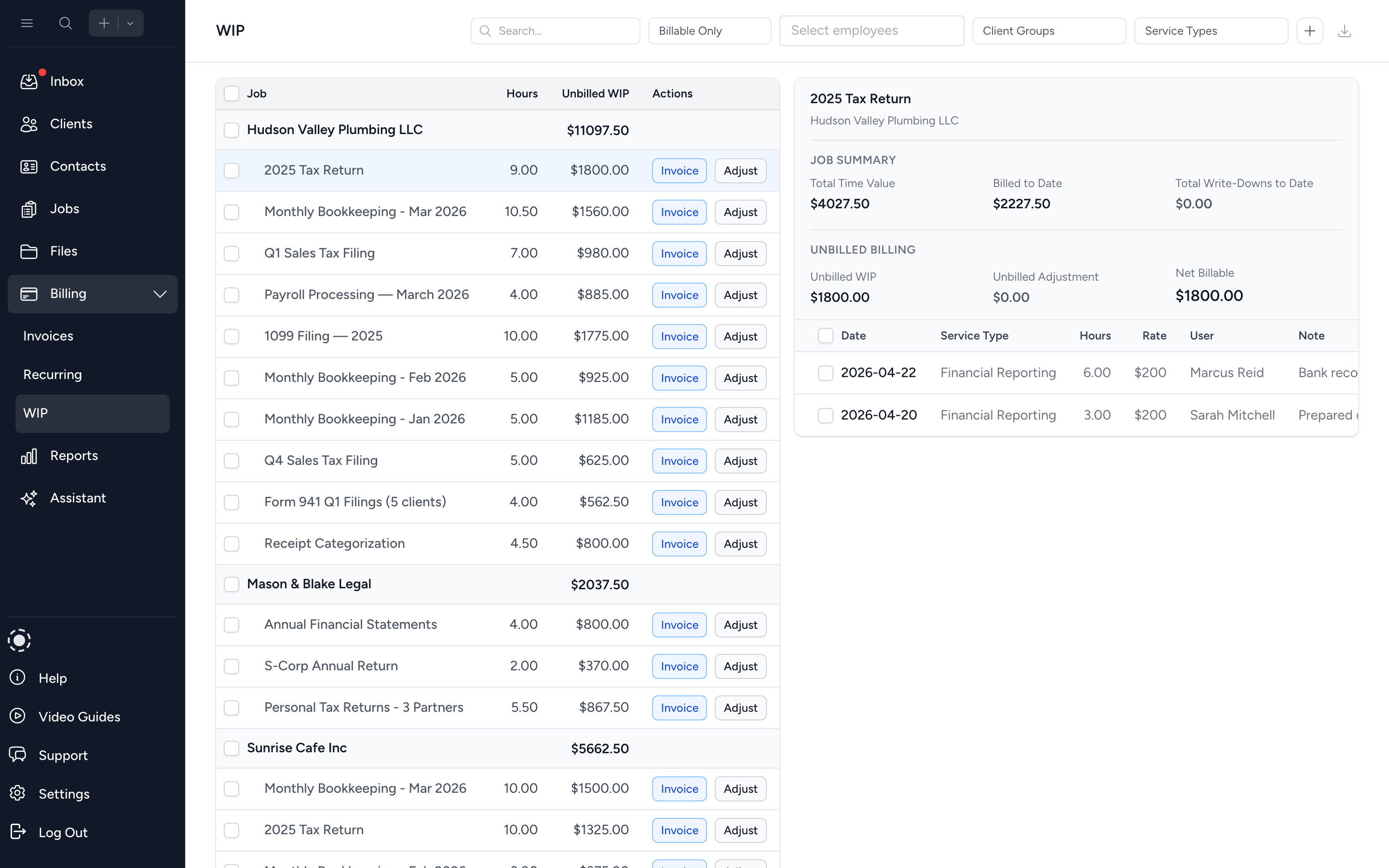
Turn WIP into invoices
See every unbilled hour and fixed fee in one list. Adjust, batch select, and create invoices in a few clicks.
Get paid automatically
After the first payment, future invoices auto-charge the saved card on the due date. New clients pay online in one click. Cash flow speeds up the moment you hit send.
Keep AR under control
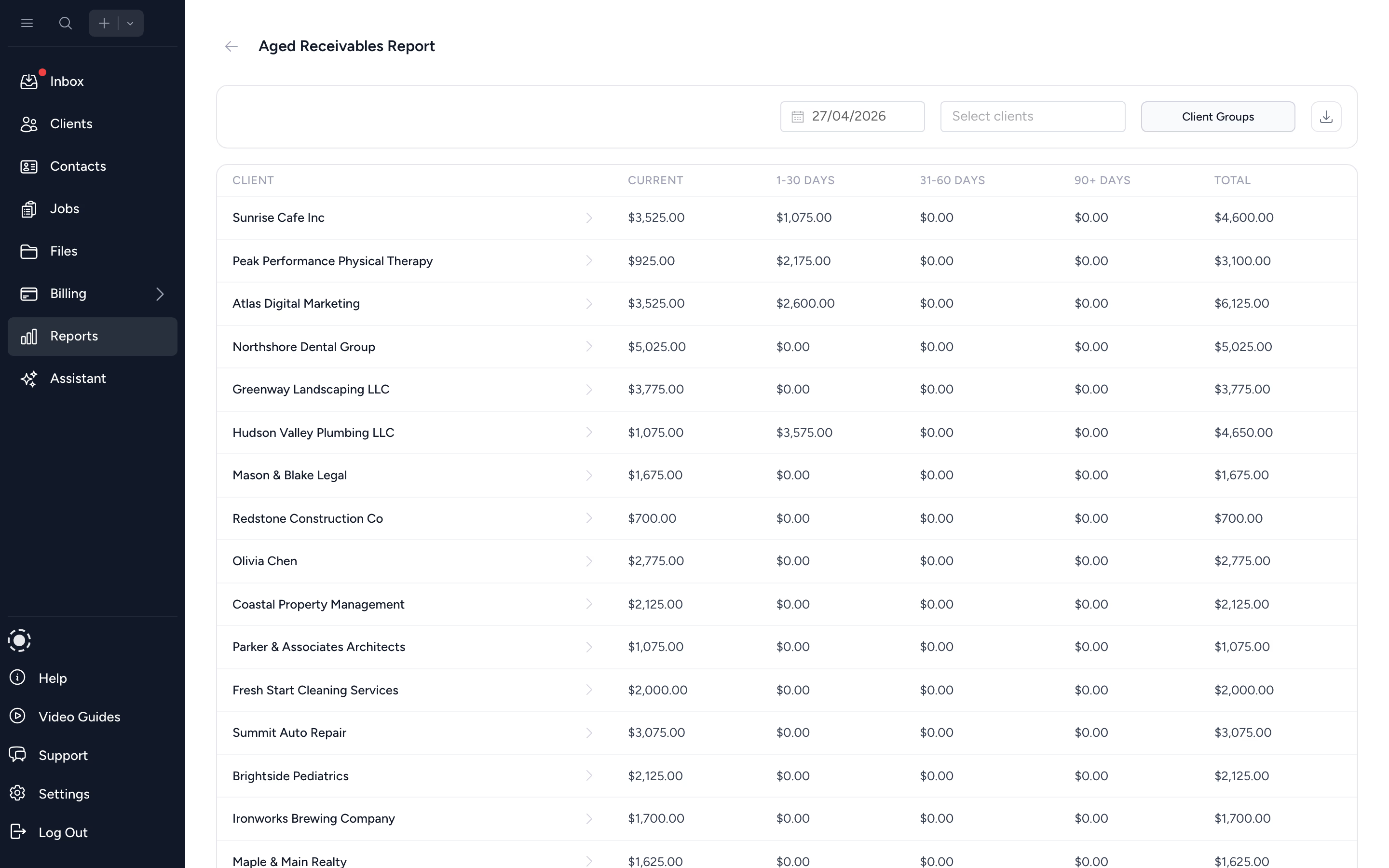
Aged receivables bucketed at 30, 60, 90+ days. Filter by client or owner and triage overdue accounts in seconds.
Turn tracked time and fixed fees into invoices in one pass.
Open the unbilled WIP view to see every hour logged, every fixed fee outstanding, every client ready to be billed. Select what's ready, batch-create the invoices, and send them branded with your firm's logo. No double entry into a separate system.
- ✓ Unbilled WIP view across all jobs and clients
- ✓ Adjust hours, write off, or hold back before billing
- ✓ Batch-create invoices from selected entries
- ✓ Manual and fixed-fee invoices for non-time work
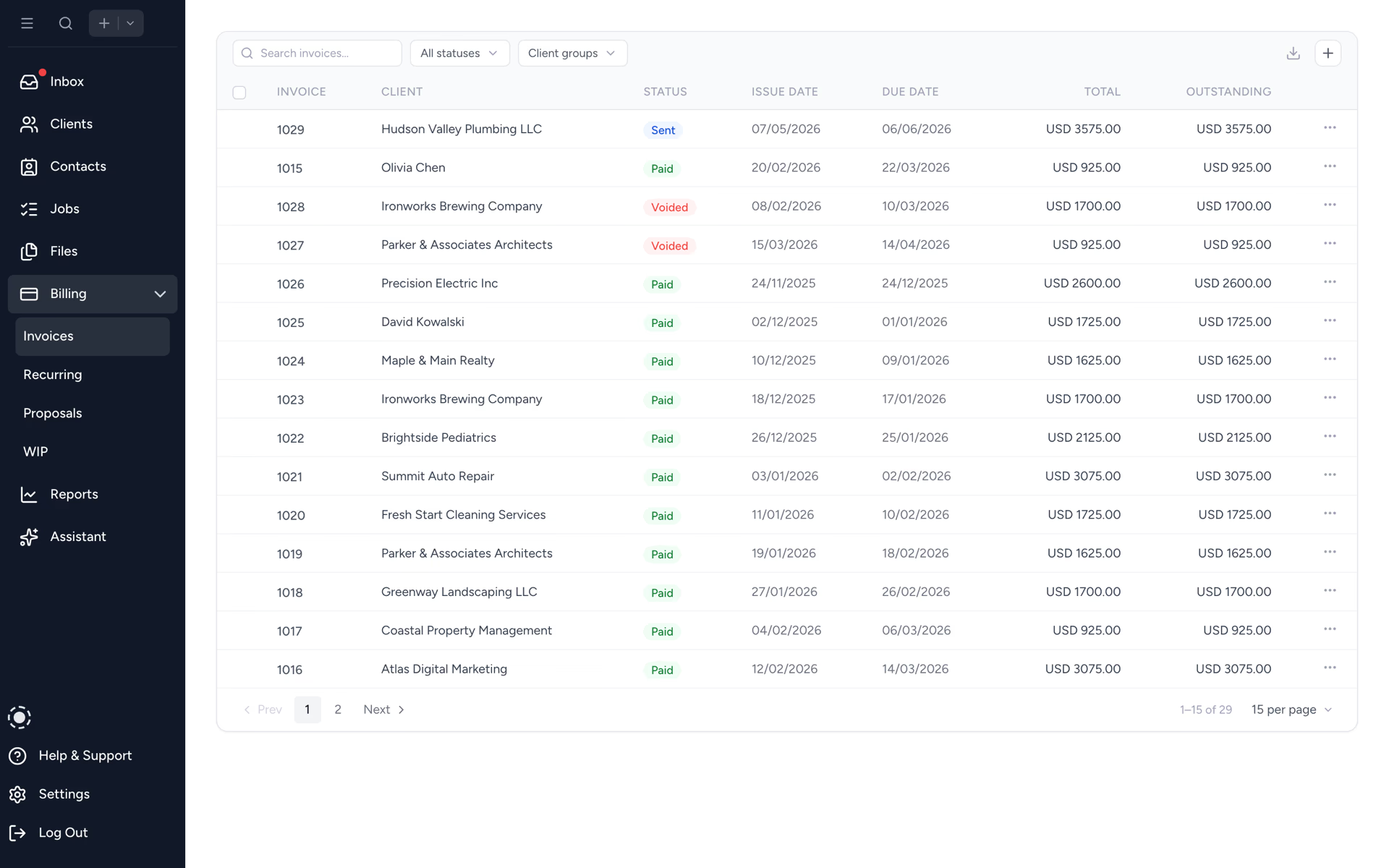
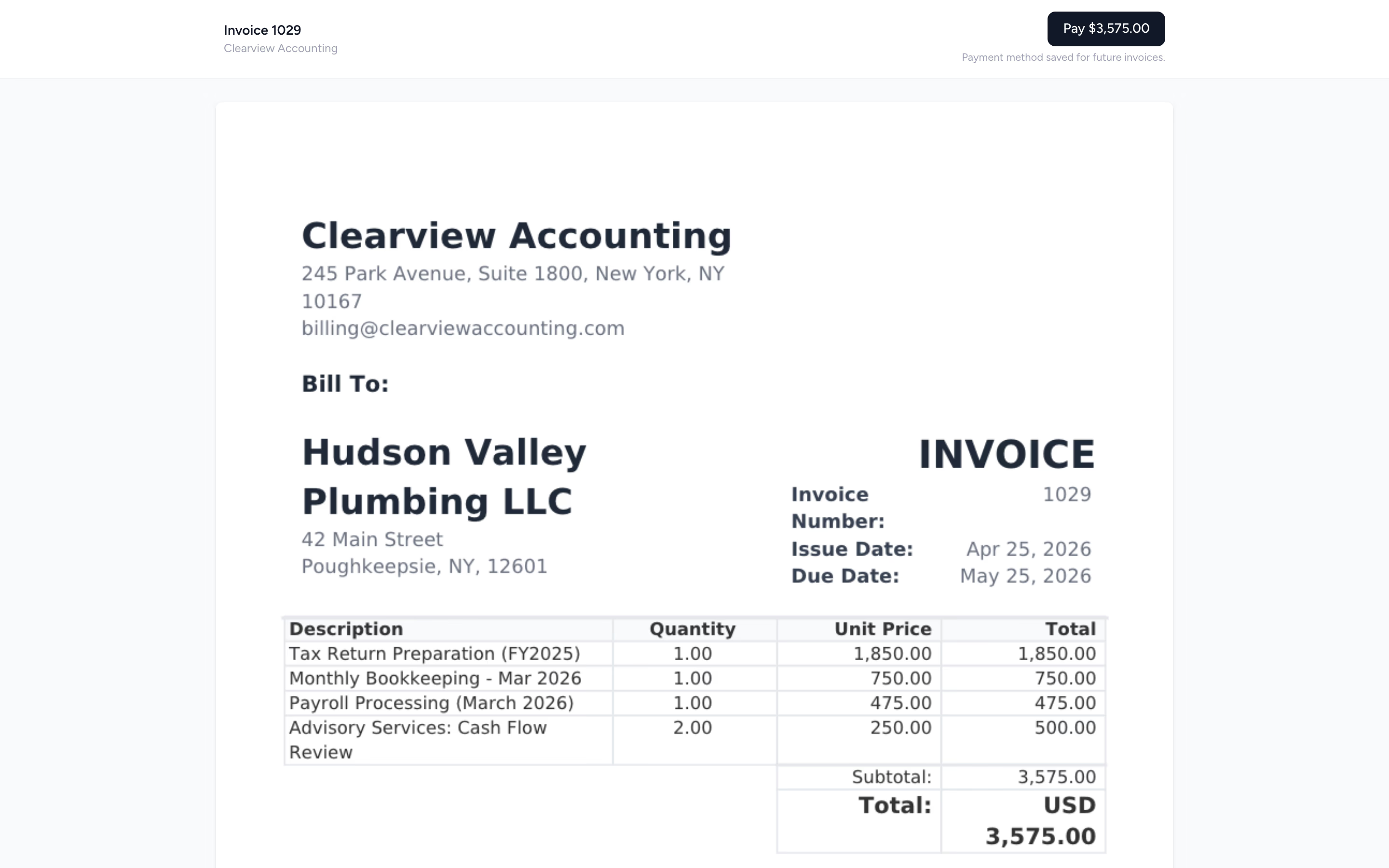
Send the invoice. Cards on file charge themselves.
After a client pays once, every future invoice auto-charges their saved card on the due date. No reminders, no chasing, no portal logins. New clients pay via a one-click link to a Stripe-powered payment page. Your AR ages stop creeping up.
- ✓ Auto-charge cards on file on the due date
- ✓ One-click pay link to a Stripe-powered page for new clients
- ✓ Manual payment recording for cheques and bank transfers
- ✓ Partial payments tracked accurately
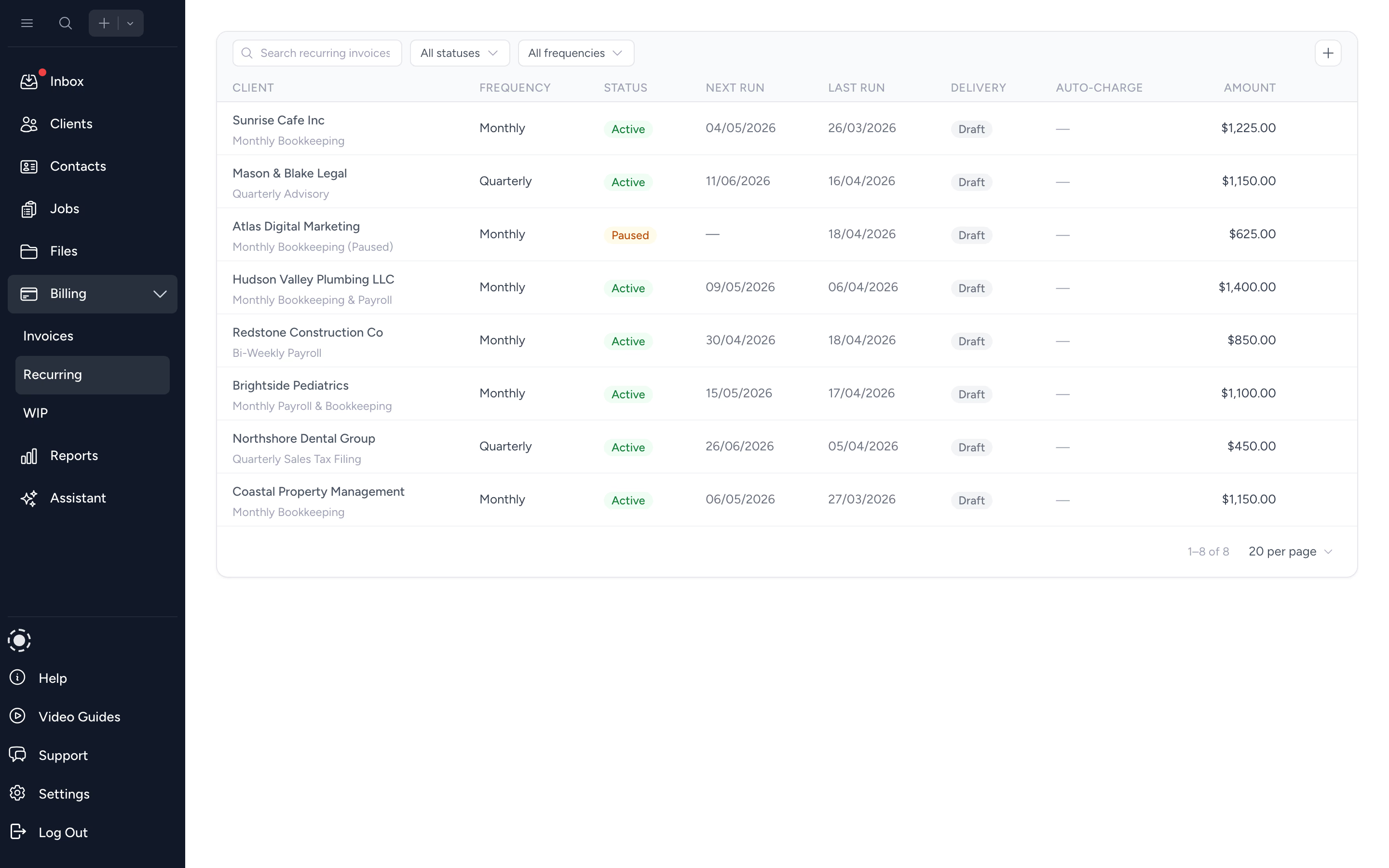
Set monthly bookkeeping retainers once. The invoices run themselves.
Build the recurring invoice once with the line items, schedule, and client. Tidyflow generates and (optionally) auto-sends each cycle. Bookkeeping, payroll, monthly close, advisory retainers. Less manual billing every period.
- ✓ Daily, weekly, monthly, quarterly, or custom cadence
- ✓ Auto-generate or auto-send each cycle
- ✓ Edit a single instance without breaking the schedule
Know exactly who owes you what, and how long it's been.
Aged receivables bucketed at current, 30, 60, and 90+ days. Group by client or service. Drill in to chase the oldest balances first, or hand the list to whoever owns AR this week. No more fishing through QuickBooks for the same answer.
- ✓ Bucketed by 30 / 60 / 90+ days
- ✓ Group by client, service type, or owner
- ✓ Export to Excel for partner meetings
From WIP to paid in four steps.
- 1
Track time and fees
Log time on jobs or set fixed fees. WIP populates automatically.
- 2
Batch-create invoices
Select unbilled entries and turn them into branded invoices in seconds.
- 3
Send and get paid
New clients pay online in one click. Returning clients auto-charge on the due date.
- 4
Track AR
Aged receivables and revenue insights live in built-in reports.
What changes when billing lives where work lives.
Without Tidyflow
- ×Tracked time exported to spreadsheet, then to QBO
- ×Clients pay by bank transfer, three weeks late
- ×Recurring invoices typed manually each month
- ×AR aging only visible after a partner-asks-an-export
With Tidyflow
- ✓WIP to invoice in one batch, no re-keying
- ✓Auto-charge cards on file, pay link for new clients
- ✓Recurring invoices on the schedule you choose
- ✓Live AR dashboard, exportable any time
Trusted by accounting firms managing thousands of invoices.
5,000+ clients managed on Tidyflow today.
"The user-friendly interface and solid features have become essential in streamlining our accounting firm's operations, ensuring consistent and reliable service delivery."
 Andre CoutinhoAccounting Manager
 "Great for team collaboration, accountability, keeping track of information and ensuring nothing falls through the cracks."
 Kristine IsmaelPartner

Built for the way firms actually bill.
Bill
- WIP management
- Batch create from time
- Manual & fixed-fee invoices
- Recurring invoices
- Custom invoice numbering
Collect
- Auto-charge saved cards on the due date
- One-click pay link via Stripe
- Partial payments
- Email invoices direct
- Branded invoice PDFs
Report
- Aged receivables
- Billing report
- Realization report
- Revenue insights
- Optional Xero / QBO sync
From $20/user/month, billed annually.
No setup fees. No per-invoice fees. Stripe processing fees apply to online payments at standard rates.
Billing questions firms ask us most.
No. You can create and send invoices directly from Tidyflow without syncing to an external accounting system. Syncing to QBO or Xero is optional.
Yes. Compose, brand, and email invoices straight from Tidyflow. Each invoice includes a one-click pay link, so clients can pay by card without logging in.
Yes. Every invoice you send includes a secure pay link to a Stripe-powered payment page. After a client pays once, future invoices auto-charge their saved card on the due date. You can still record manual payments (full or partial) when needed.
Yes. Record full or partial payments against invoices and Tidyflow keeps the outstanding balance accurate.
Create tax rates manually in Tidyflow, or import them from QuickBooks Online or Xero. Set defaults per service type and override per client when needed.
Over 40 currencies. Set your workspace currency once and Tidyflow handles the formatting.
Billing, aged receivables, realization, and time reports. Filter by client, employee, service type, or date range. Export to Excel any time.
Boost your firm's cash flow today.
Start free for 14 days. No credit card. Send your first invoice in minutes.
Explore more features
Artificial Intelligence
Ask your firm a question and get a real answer. The Tidyflow AI Assistant has live access to your jobs, clients, and unpaid invoices.
Capacity Planning
See your team's workload before it hits. Forward-looking capacity by member, backward utilisation trends, and per-job drill-down - all from your existing job estimates.
Client management
Keep client chaos at bay - keep all essential info and contacts handy for personalized client attention.
Client portal & requests
Streamline client interactions with a portal for easy document sharing and client requests.
Collaboration
Make collaboration not just productive, but enjoyable, with comments, mentions, notes and inbox notifications.
Document management
Overcome document chaos by securely storing and sharing crucial files, ensuring everything is just a click away.
Electronic signatures
Easily request electronic signatures from clients.
Email Management
A shared inbox built for the firm. Connect Gmail or Microsoft 365 and get every client email linked to the right job and client - automatically.
Integrations
Powerful integrations simplify your workflow. Connect with tools like Xero, QuickBooks Online, and Zapier, or customize with our API.
Proposals & Engagement Letters
Send branded proposals and engagement letters, get them approved, and get paid - all without the back-and-forth.
Reporting & Insights
Understand where your time, billing, and revenue actually go with built-in reports that don't need a data warehouse.
Time tracking
Optimize your workflow with time tracking. Leverage data to uncover opportunities or extra billable time, enhancing profitability.
Workflow management
Automate and streamline workflows. Avoid missed deadlines with transparent task visibility and accountability.