Try Tidyflow
Get your firm organized.
Watch a 4-minute demo, or start a free trial. No credit card required.
When someone leaves your accounting firm, their knowledge walks out the door with them. The client quirks they knew, the steps they followed for month-end, the workarounds they’d developed — gone. The next person starts from scratch, makes avoidable mistakes, and takes twice as long.
Process documentation prevents this. It turns tribal knowledge into written procedures that anyone on your team can follow. Here’s how to do it without creating a 200-page manual nobody reads.
Start from a ready-made SOP
We'll email you our client onboarding checklist as a printable PDF plus an editable intake form template. Use it as the model for your first SOP.
No spam. Unsubscribe anytime. See our privacy policy.
Check your inbox
We've sent the template to your email. If it doesn't arrive in a few minutes, check your spam folder or reply to support@tidyflow.com and we'll resend.
What to Document (and What Not To)
Document These
Recurring client work — the processes you repeat weekly, monthly, or quarterly:
- Monthly bookkeeping workflow (from receiving documents to delivering reports)
- Tax return preparation steps
- BAS/GST/VAT lodgement process
- Payroll processing
- Year-end accounts preparation
Internal operations:
- Client onboarding (from signed engagement letter to first job)
- New employee onboarding
- Quality review / sign-off process
- Billing and invoicing
- Client offboarding
Don’t Document These
- One-off tasks you’ll never repeat
- Processes that are already documented by your software vendor (e.g., “how to create an invoice in Xero”)
- Obvious steps that any qualified accountant knows
The goal is to document the 20% of processes that cover 80% of your work.
Try Tidyflow
Run your SOPs, don’t just write them.
Turn SOPs into repeatable job templates in Tidyflow. Watch a 4-minute demo, or start a free trial. No credit card required.
SOP Template
Every Standard Operating Procedure should follow this structure:
[Process Name]
Purpose: Why this process exists and what it achieves.
Applies to: Which team members perform this process.
Frequency: How often (monthly, quarterly, annually, per new client).
Tools needed: Software, logins, or resources required.
Steps:
- [Step 1 — specific, actionable]
- [Step 2]
- [Step 3] …
Quality check: How to verify the work is correct.
Handoff: Who reviews or receives the output.
Keep it concise. If an SOP is longer than 2 pages, it’s either too detailed or should be split into multiple SOPs.
Example SOP: Monthly Bookkeeping
Purpose: Complete monthly bookkeeping for client and deliver financial reports.
Applies to: Bookkeepers, junior accountants.
Frequency: Monthly, by the 15th of the following month.
Tools: Xero/QuickBooks Online, Tidyflow (job management), client portal.
Steps:
- Check that all client documents have been received (bank statements, invoices, receipts). If missing, send a reminder through the client portal.
- Import bank transactions and categorize per the client’s chart of accounts.
- Reconcile all bank and credit card accounts.
- Process any invoices issued or bills received.
- Review and post payroll entries (if applicable).
- Run the trial balance and review for unusual balances or variances.
- Prepare the monthly Profit & Loss and Balance Sheet reports.
- Write a brief summary note highlighting key items (revenue vs last month, unusual expenses, cash position).
- Upload reports to the client portal and notify the client.
- Mark the job as complete in Tidyflow.
Quality check: Senior reviews the trial balance and spot-checks 3–5 transactions before reports are sent.
Handoff: Reports delivered to client via portal. Next month’s bookkeeping job auto-created by recurring template.
Example SOP: Tax Return Preparation
Purpose: Prepare and lodge individual or business tax return.
Applies to: Tax accountants, senior accountants.
Frequency: Annually per client (or as required for late lodgements).
Tools: Tax software (Drake/Lacerte/UltraTax), Xero/QuickBooks Online, Tidyflow.
Steps:
- Review the document checklist to confirm all required documents have been received (income statements, deduction receipts, prior year return, bank interest certificates).
- If documents are missing, send a client request via the portal with a deadline.
- Enter income data from all sources.
- Enter deductions — cross-reference with prior year return for consistency.
- Review applicable credits and offsets.
- Run the tax calculation and review for reasonableness (compare to prior year).
- Prepare the tax return for review.
- Senior/manager reviews and approves.
- Send the return to the client for review and signature (via portal e-signature).
- Once signed, lodge with the tax authority.
- Send the client a completion notice with a summary of the outcome (refund/amount due, key items).
- Mark the job as complete.
Quality check: Manager reviews before sending to client. Compare key figures to prior year — flag variances greater than 20%.
Handoff: Client receives the completed return and lodgement confirmation. Next year’s return job created from recurring template.
Example SOP: Client Onboarding
Purpose: Set up a new client and prepare for first engagement.
Applies to: All team members involved in client setup.
Frequency: Per new client.
Steps:
- Receive signed engagement letter.
- Send client intake form (business details, contact info, financial details, previous accountant details).
- Create client profile in practice management software.
- Set up client portal access and send invitation.
- Connect to client’s accounting software (QuickBooks Online or Xero).
- Create recurring job templates (bookkeeping, tax, BAS — based on engagement scope).
- Set up recurring invoices.
- Assign primary team member.
- Send welcome email with portal link, document requirements, and communication expectations.
- Send initial document request with deadline.
- Schedule a kickoff call if applicable.
Quality check: Manager reviews client setup before first job starts — confirm engagement scope matches job templates.
For a detailed onboarding checklist with templates, see our client onboarding guide.
How to Write Good SOPs
Write for the New Hire
The best test of an SOP is whether someone new to the role could follow it without asking questions. Write as if the reader is competent but unfamiliar with your specific process.
Use Action Verbs
Start every step with a verb: “Review,” “Enter,” “Send,” “Reconcile,” “Upload.” Not “The bank transactions should be reviewed” — just “Review bank transactions.”
Include Decision Points
Real processes have branches. Document them:
- Review the trial balance for unusual items.
- If variance is under 10% from prior month → proceed to step 6.
- If variance is over 10% → investigate and document the reason before proceeding.
Link to Tools, Don’t Explain Them
If a step involves using specific software, link to the vendor’s help docs rather than writing your own tutorial. Your SOP should say “Reconcile accounts in Xero (see [Xero’s reconciliation guide])” — not spend a page explaining how Xero reconciliation works.
Keep Them Short
If an SOP takes more than 10 minutes to read, it’s too long. Split it into sub-processes or remove unnecessary detail.
Where to Store SOPs
Your SOPs need to be:
- Easy to find — not buried in a shared drive with 500 other files
- Easy to update — if updating is hard, SOPs go stale
- Accessible to everyone — not locked in the owner’s email
Good options:
- A dedicated folder in your practice management software or document system
- A simple wiki (Notion, Confluence, or even a shared Google Drive folder with a clear naming convention)
- Inside your job templates — Tidyflow lets you add notes and checklists to job templates, so the SOP lives alongside the work it describes
Bad options:
- Individual team members’ desktops
- Printed binders (can’t be searched, rarely updated)
- Scattered across email threads
Getting Your Team Involved
Don’t Write SOPs Alone
The person who does the work daily should write (or co-write) the SOP. They know the real steps, the exceptions, and the shortcuts. A partner writing SOPs from memory will miss critical details.
Review SOPs During the Process
Have someone follow the SOP while doing the actual work. If they get stuck or need to deviate, the SOP needs updating.
Assign SOP Owners
Each SOP should have one person responsible for keeping it current. When processes change, the owner updates the SOP. Without ownership, SOPs decay.
Review Quarterly
Set a quarterly reminder to review your most-used SOPs. Ask: “Is this still accurate? Has anything changed? Can we simplify any steps?”
Using Job Templates as Living SOPs
The most effective way to document processes is to embed them in your job management system. Instead of a separate document that people need to remember to check, the process lives inside the job itself.
In Tidyflow, you create job templates with:
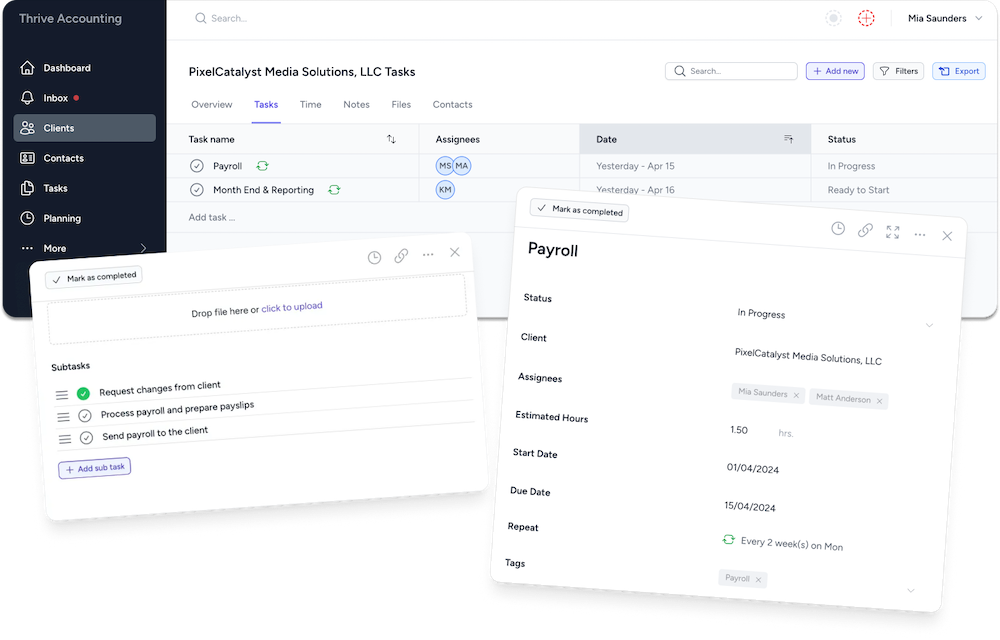
- Subtasks — each step of your process becomes a checklist item
- Time estimates — how long each step should take
- Assignments — who’s responsible for each step
- Notes — any context or instructions for specific steps
When you create a new job from a template, the entire process is laid out as a checklist. Team members work through it step by step. Nothing gets missed because the steps are built into the workflow — not sitting in a separate document.
This approach means your SOPs are always in front of the person doing the work, always up to date (because the template gets updated when the process changes), and always trackable (managers can see which steps are complete).
Start Small
Don’t try to document every process at once. Start with your highest-volume recurring process (usually monthly bookkeeping). Write the SOP, test it with a team member, refine it, and move on to the next one.
Within a month, you’ll have SOPs for your top 3–5 processes — covering the majority of your firm’s work. That alone dramatically reduces the risk of knowledge loss and makes onboarding new team members faster and more consistent.
Want a ready-made SOP to copy?
We'll email you our client onboarding checklist as a printable PDF plus an editable intake form template you can adapt for your firm.
No spam. Unsubscribe anytime. See our privacy policy.
Check your inbox
We've sent the template to your email. If it doesn't arrive in a few minutes, check your spam folder or reply to support@tidyflow.com and we'll resend.