
Tax season that runs on a system, not on heroics.
Collect the organizer and missing documents, see which returns need review, and finish the client handoff with approval, signatures and payment. Keep your tax software and run the work around it in Tidyflow.
Don't reinvent the workflow
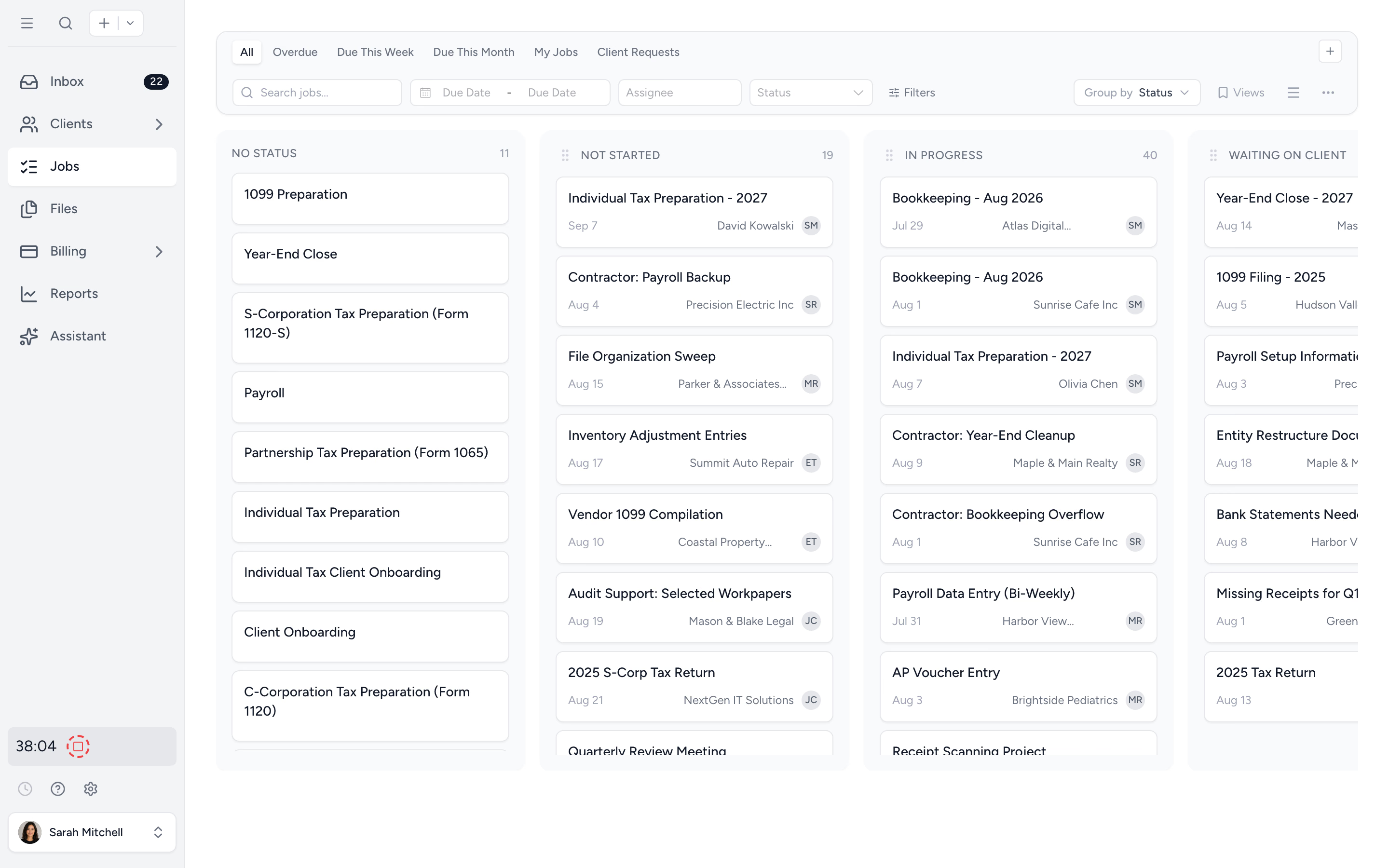
Last year's templates run this year's returns. Subtask checklists, owners, folder structures, all reusable in one click. The team works the playbook, not the panic.
Stop chasing receipts
Organizers show clients last year's answers beside each question, and auto-reminders chase missing W-2s and 1099s on the cadence you set.
See it before it lands
Capacity Planning projects every tax job forward into weekly buckets per team member. Spot the bottleneck early enough to do something about it.
Last year's playbook, this year's clients.
Save your tax workflows as templates (1040, 1120, S-corp, partnership, BAS, year-end). Apply them in bulk to every client tagged with the matching service. Subtask checklists, due dates, folder structures, and owners all roll across. You're prepping, not redesigning.
- ✓ Save any job as a reusable template
- ✓ Bulk-apply across many clients in one action
- ✓ Subtask stages like prep, review, and filing carry across
- ✓ Repeats can run in specific months of the year
The chasing service runs itself.
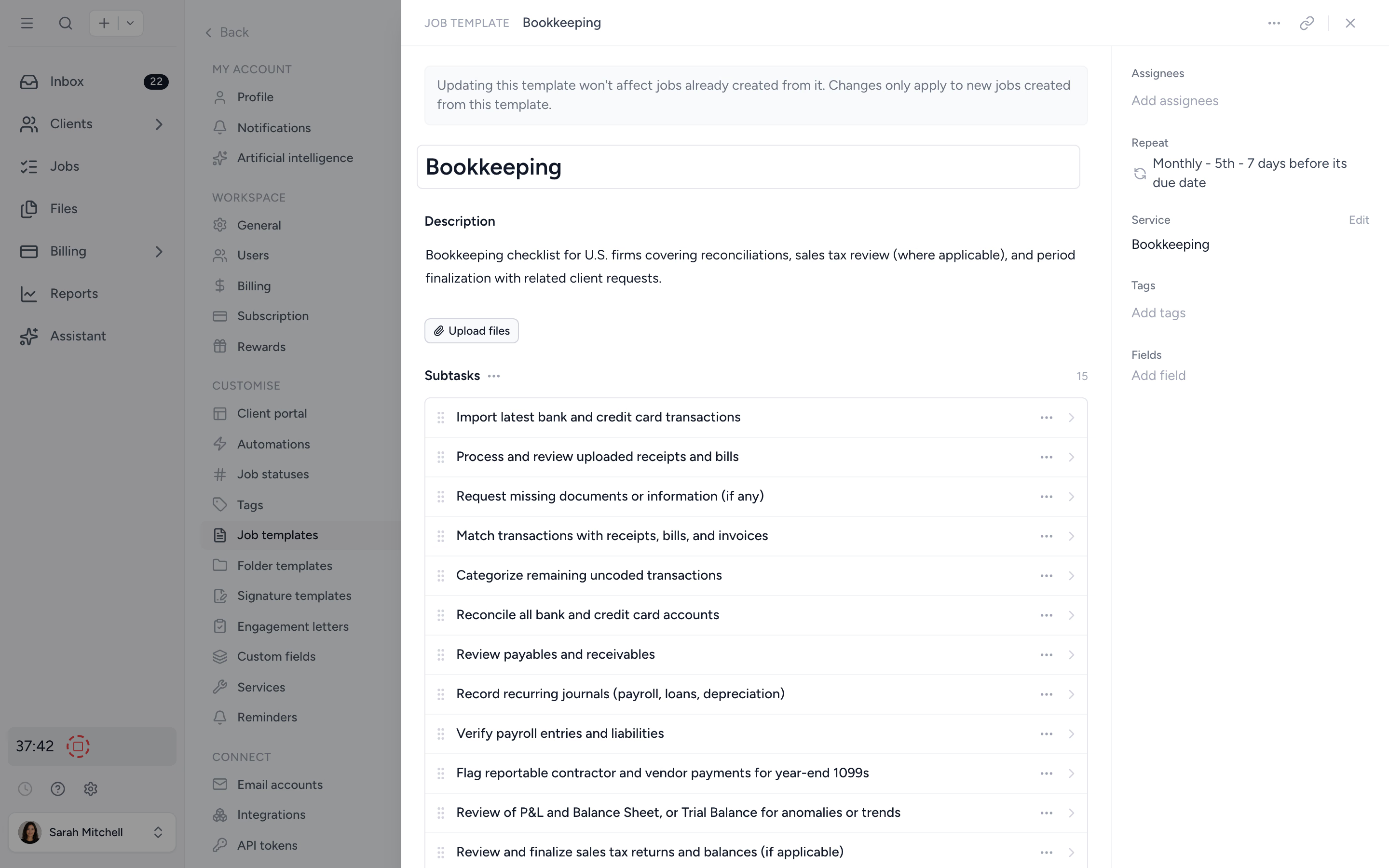
Send a client request listing every document you need for the return and set the reminder cadence. Tidyflow emails the client on that schedule, and each email opens the request without a login so they can upload the missing items. If ten reminders go unanswered, your team is notified to take over.
- ✓ Custom reminder cadence per request
- ✓ Clients upload from the email link, no login needed
- ✓ Real-time status: who has uploaded what
Organizers clients actually finish.
Build the organizer as a real form: sections, conditional questions that only appear when they apply, and multiple choice, date, and number answers. Last year's answer sits beside each question with one-tap reuse, so returning clients fly through it. Clients review and submit with a typed sign-off. Ready-made organizer templates are included.
- ✓ Conditional questions skip whatever doesn't apply
- ✓ Last year's answers shown beside each question
- ✓ Clients mark documents "will provide later" and still submit
- ✓ Reopen a submitted organizer, fix answers on the client's behalf, export to PDF
The draft return, approved before you e-file.
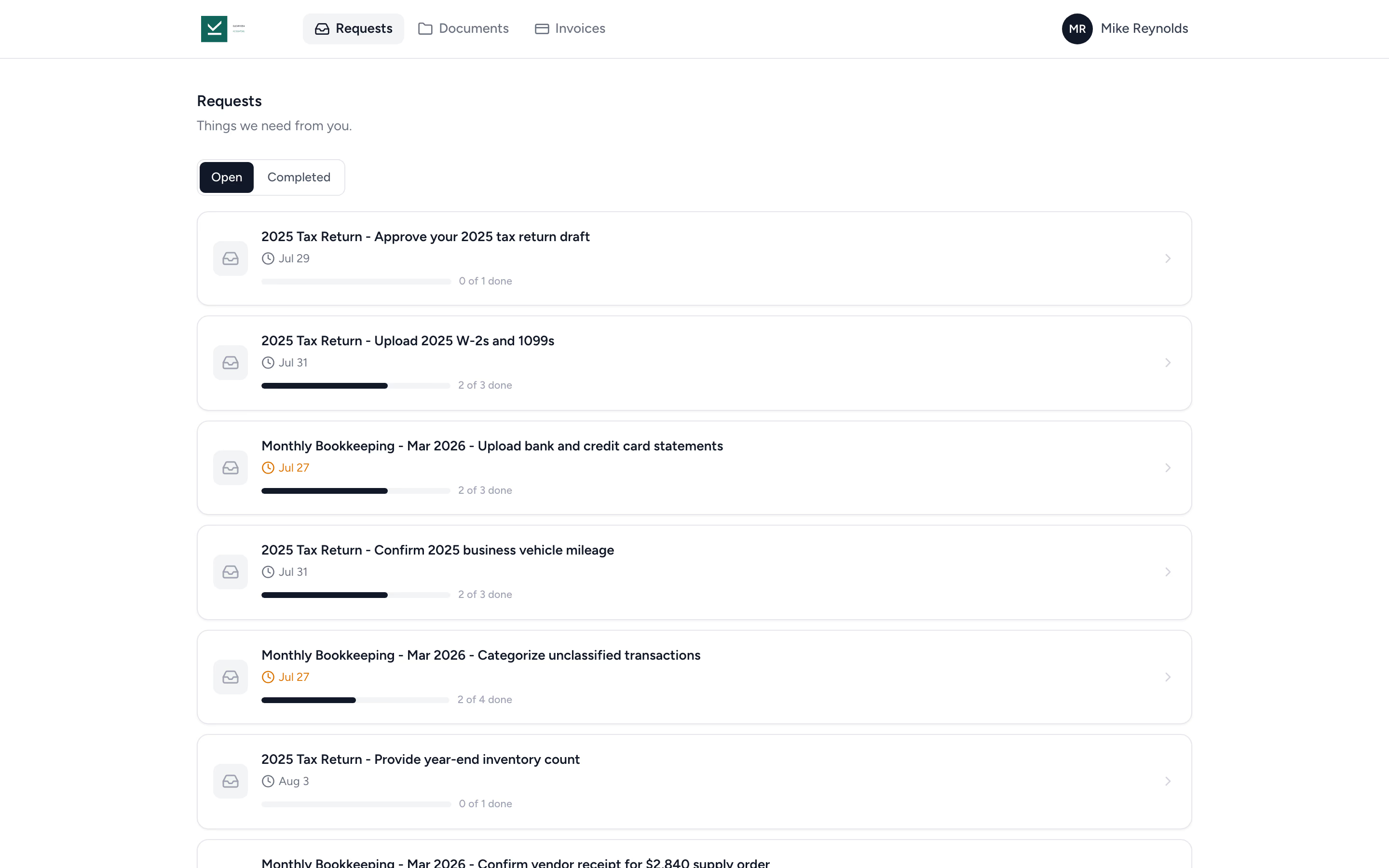
On Pro, attach the draft return to a client request. The client opens it and approves or requests changes, with the response recorded on the file. You can link an invoice to require payment before access, with online payments connected, and collect a signature on an uploaded authorization PDF as a separate request item.
- ✓ Client must open the document before approving
- ✓ Approve or request changes with a comment
- ✓ Who approved and when, recorded on the file
When a login is too much friction.
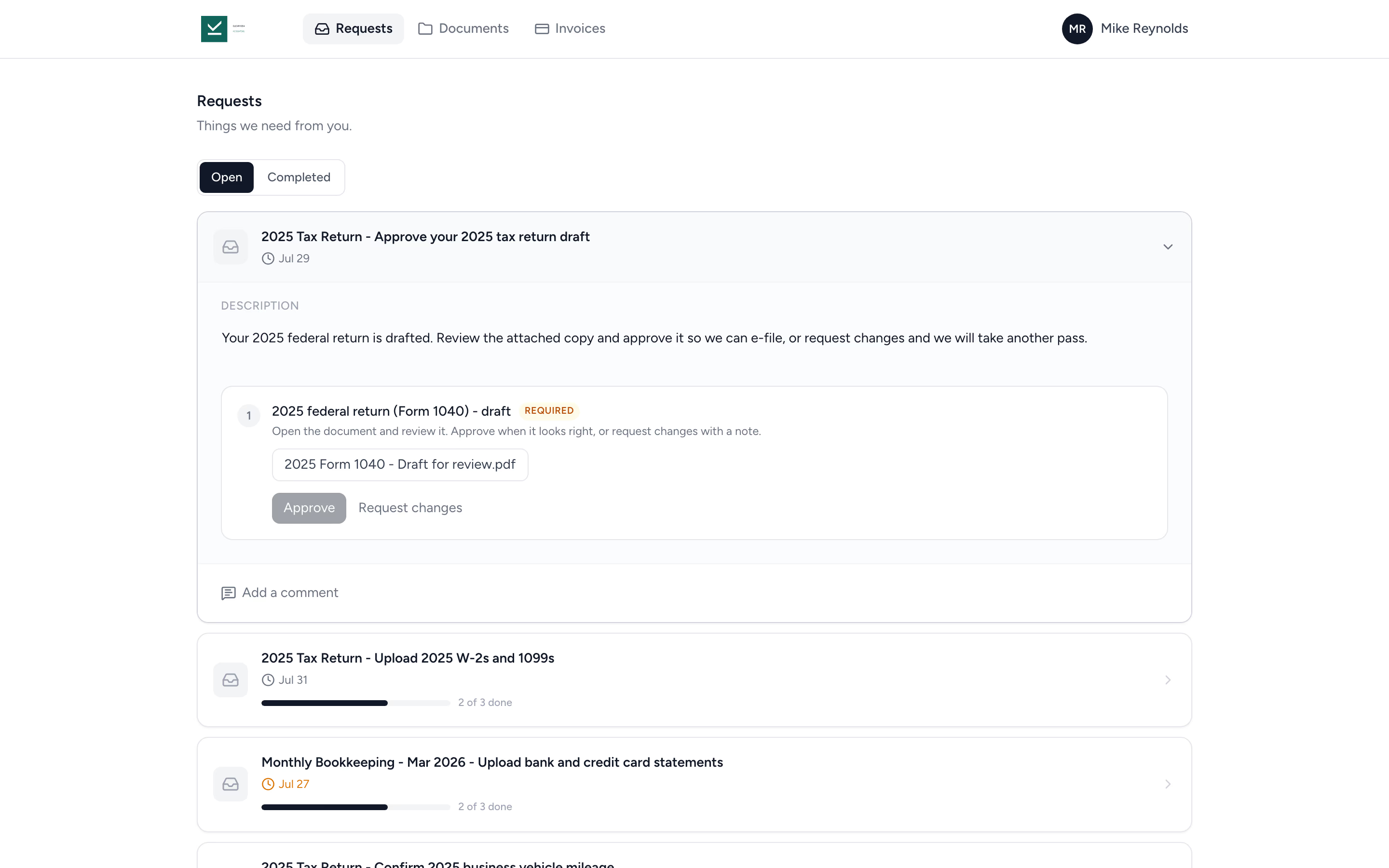
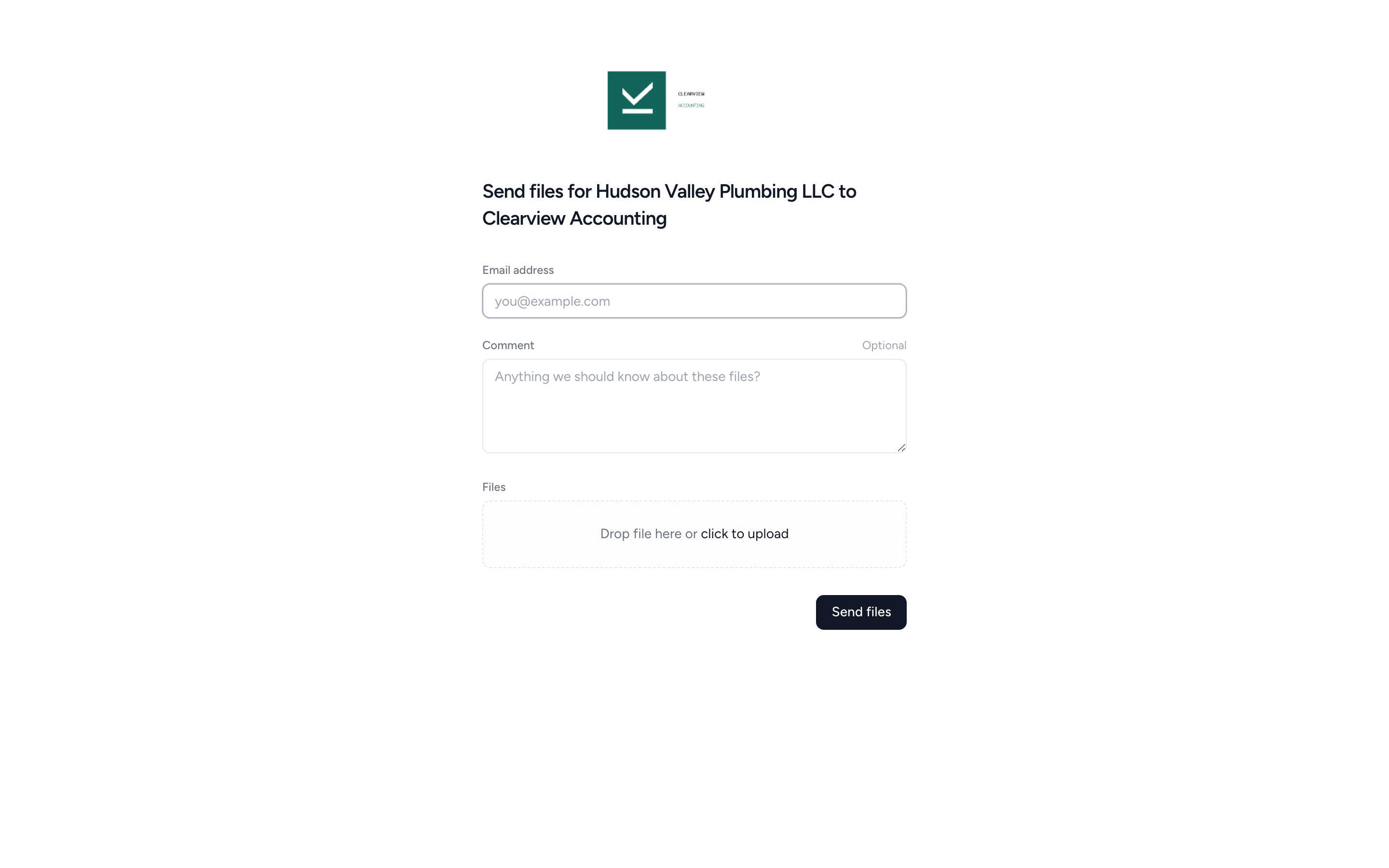
Some files don't need a portal. Tidyflow gives you secure upload links you can send to a client or share publicly. Drag, drop, done.
- ✓ Secure upload links, no account needed
- ✓ Drag-and-drop from any device
- ✓ Audit trail on every upload
Collect the signature and keep the signed document.
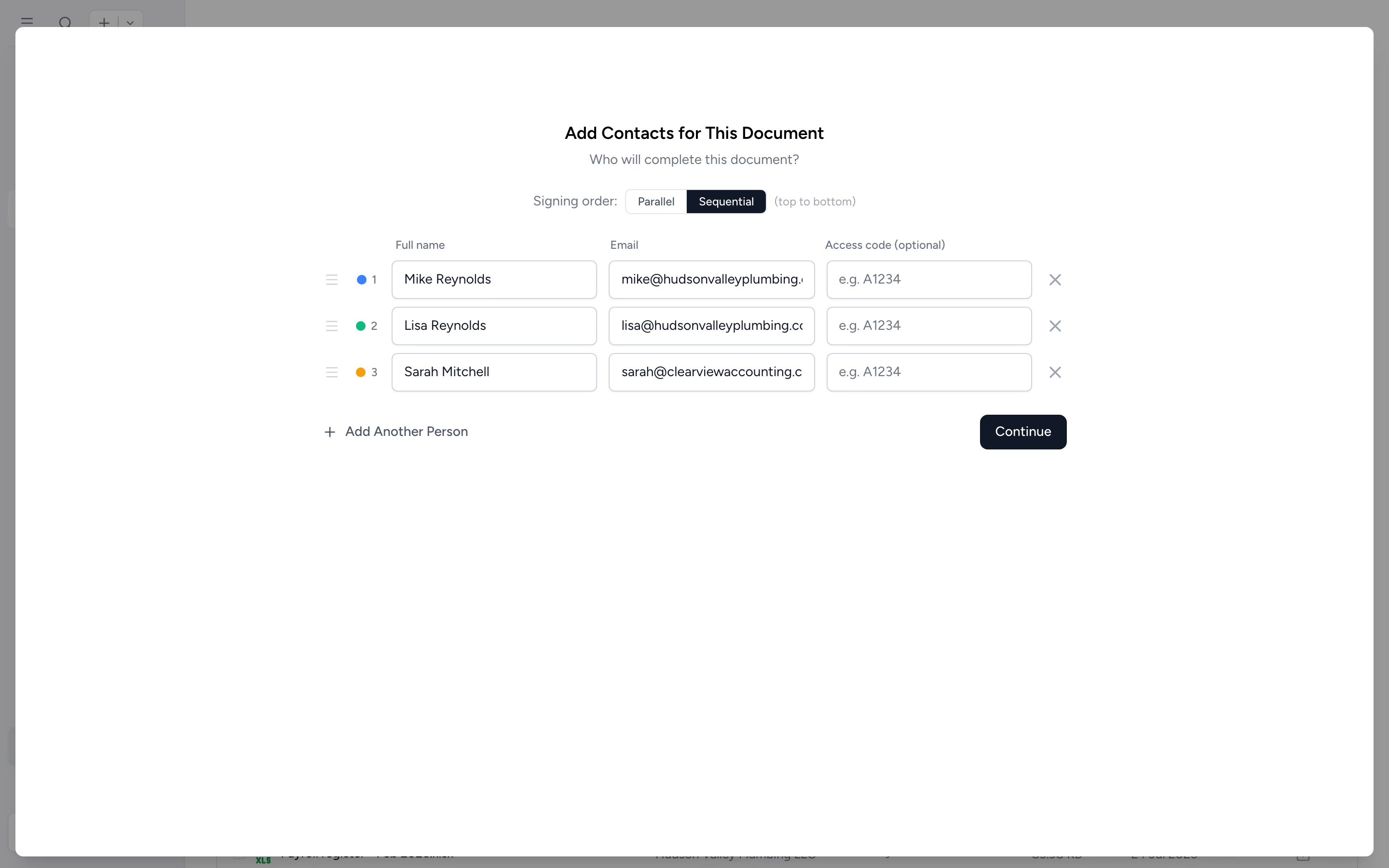
Send your prepared PDF for signature, with separate fields for each signer. The completed PDF and audit trail stay on the client record. For Form 8879, switch on an identity check (KBA) for each US signer.
- ✓ Drag-and-drop signature placement
- ✓ Multi-signer support
- ✓ Audit trail and signing certificate
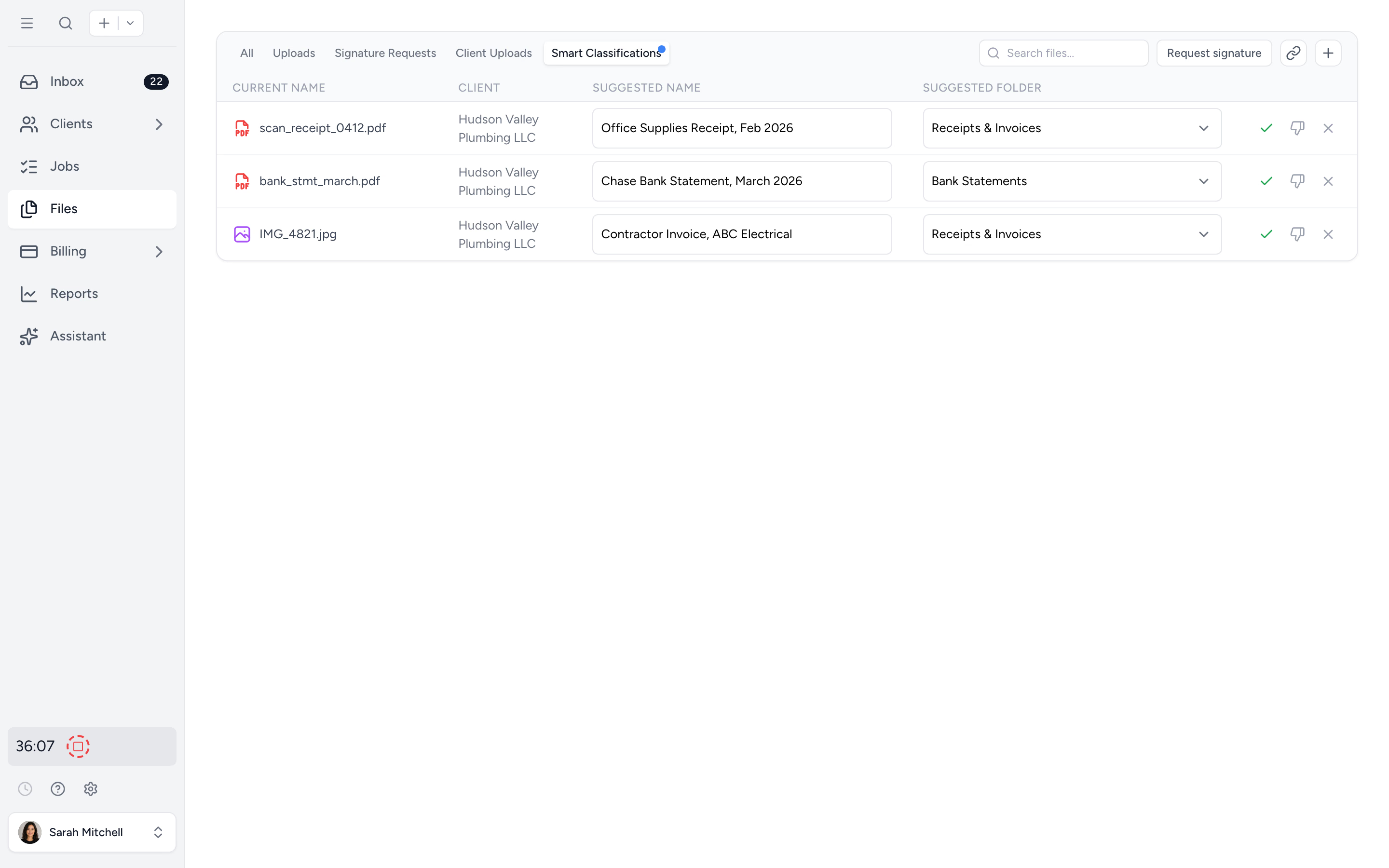
Stop renaming scan_0412.pdf at midnight.
Clients upload receipts, statements, and invoices to a request. Turn on Smart Classification for that request and each file gets a clean name queued for your approval. Hours of manual filing, gone.
- ✓ Filenames in your firm's convention
- ✓ Routes to the right client folder
- ✓ One-click human approval
Plan capacity, not overtime.
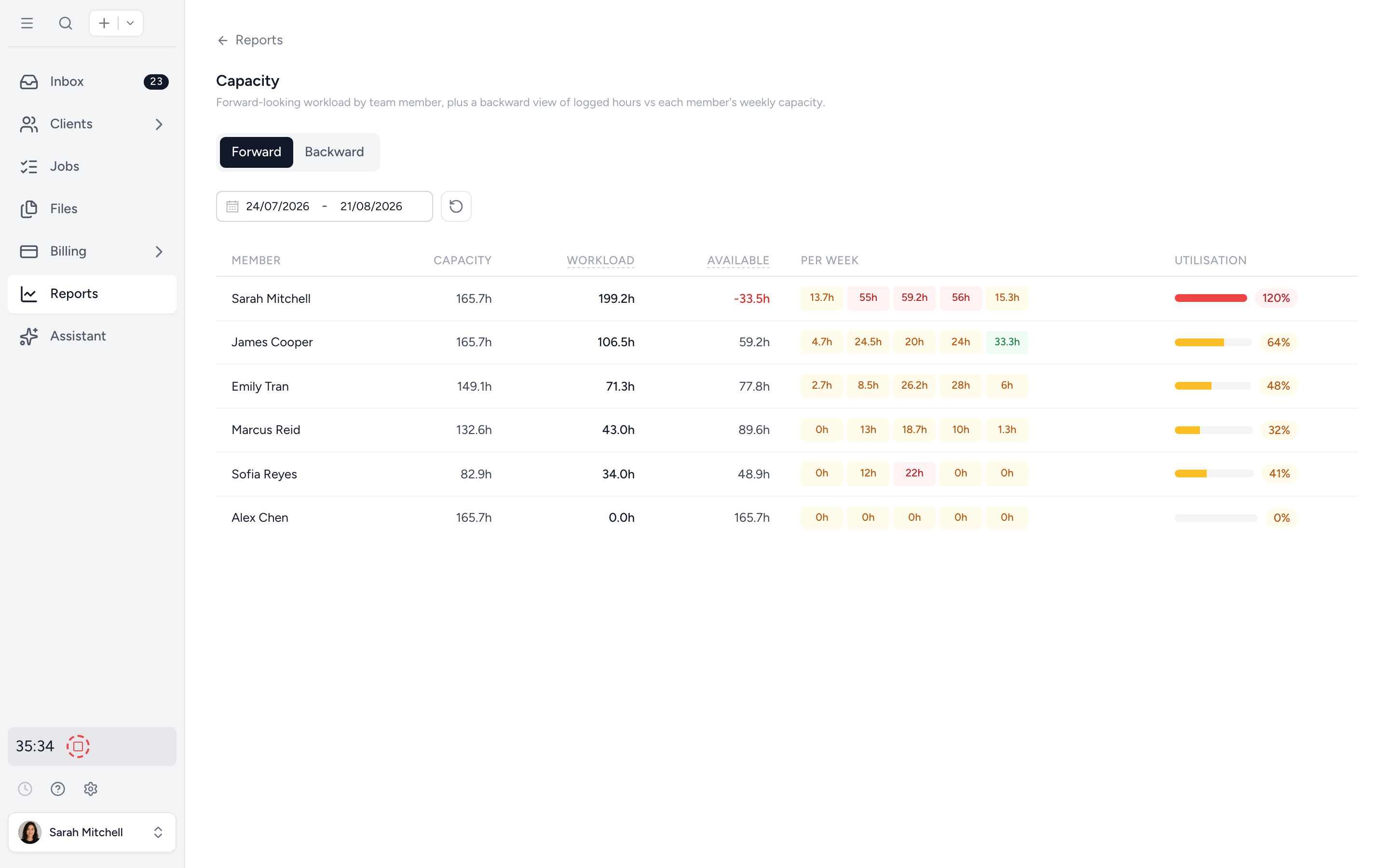
Capacity Planning projects every tax job forward by team member, week by week. Spot the bottleneck weeks out. Make hiring calls on real numbers, not stress.
- ✓ Forward workload by member, week by week
- ✓ Recurring jobs projected on cadence
- ✓ Per-member drill-down
- ✓ Backward utilisation report after the season
From templates to signed returns, in four steps.
- 1
Set your tax job templates
Define workflows per service: 1040, 1120, partnership, year-end. Cadence rolls jobs forward each year.
- 2
Collect the documents
Send organizers and client requests with itemised lists. Auto-reminders chase. Files arrive in the portal.
- 3
Plan capacity for the spike
Capacity Planning forecasts week by week. Reassign before bottlenecks bite.
- 4
Approve and sign the return
Client approves the draft in the portal, then signs from any device. Signed PDF in the folder.
What changes when tax season stops being a fire drill.
Without Tidyflow
- ×"Did anyone send the engagement letter to the Smiths?"
- ×Spreadsheet of clients with red, yellow, green columns
- ×Paper organizers come back half-blank, or not at all
- ×Partner emails clients personally for missing W-2s
- ×scan_0412.pdf piling up in a Downloads folder
- ×Senior at 130% all season, partner finds out at exit interview
With Tidyflow
- ✓Every return on one board with status and owner
- ✓Digital organizers show last year's answers, clients finish them
- ✓Auto-reminders chase clients on schedule
- ✓Smart Classification names files for you
- ✓Built-in e-signatures, signed PDF lands in the folder
- ✓Capacity Planning shows the spike weeks out
Loved by firms who took the panic out of tax season.
"Overall, everything just works, whether that be time recording, deadline management, monitoring WIP, billing … client portal, digital signatures, and many other features that a small accounting or bookkeeping practice needs."
"Tidyflow is easy to use, and has a simple, modern UI. Their customer support is amazing."
"The user-friendly interface and solid features have become essential in streamlining our accounting firm's operations, ensuring consistent and reliable service delivery."
"Great for team collaboration, accountability, keeping track of information and ensuring nothing falls through the cracks."


Built for the season that decides the year.
Prep
- Reusable job templates
- Ready-made organizer templates
- Folder templates
- Bulk-deploy across clients
- Subtask checklists with named stages
Collect
- Tax organizers with carry-forward answers
- Client requests with reminders
- Document approvals
- No-login upload links
- Smart Classification (AI)
- Per-client document folders
- Electronic signatures
Deliver
- Job board with status pipeline
- Capacity Planning
- Time tracking on every return
- Realisation and WIP reports
From $29/user/month, billed annually.
Core includes organizer templates, requests, billing and standalone e-signatures. Pro adds conditional questions, document approvals, payment-gated documents and capacity planning. Online payment processing fees apply.
Tax season questions firms ask us most.
Yes. On Pro, link an invoice to a document approval and enable the payment requirement with online payments connected. The client sees that the document is ready but cannot preview, download, approve or sign it while locked. See how payment-gated approvals work.
Prepare and e-file in your chosen tax software. Tidyflow handles organizers, requests, jobs, documents, client approvals, signatures and billing around that work. It does not calculate tax or automatically synchronize return data with tax-preparation products.
No, once you set up your jobs with their recurring cadence, they will automatically roll forward. Repeats can run in specific months of the year, so annual returns land exactly when the season starts.
Yes. Client requests are full forms: sections, conditional questions that only appear when they apply, multiple choice, date, and number answers, and last year's answer shown beside each question with one-tap reuse. Clients review and submit with a typed sign-off, and ready-made US templates cover 1040, 1120-S, 1065, 1120 and 1041. Editing conditional questions requires Pro. More on tax organizers →
Yes, on Pro. Attach the draft as a document approval on the client request. The client has to open the document before approving, then approves or requests changes with a comment. Who approved and when is recorded on the file.
On the jobs you have the option to add an Extended Due Date.
Send a client request with the full list of items you need (W-2s, 1099s, receipts, prior return). Set a reminder cadence. Reminders include outstanding and deferred items. After ten unanswered rounds, the firm is notified to take over the follow-up.
Yes. The job board surfaces every client engagement and its status. Outstanding requests show what the client still owes you.
Send the document for electronic signature, the client signs from any device. No add-on tool required, no per-envelope fee. Signed PDFs save to the client folder with an audit trail. More on electronic signatures →
Turn on Smart Classification (powered by AI) for a client request and it reads the receipts, bank statements, and invoices the client uploads, suggests a clean filename, and queues each file for the right folder. You can also run it on any client file yourself. You review and approve. Hours of manual filing, gone.
Capacity Planning projects every assigned and recurring tax job forward by team member into weekly buckets.
Yes. It covers who files what, when client documents arrive, and how a return moves from intake to e-file, written to hand to a new preparer, seasonal hire or offshore team. Read how US tax season works →
Set up once. Coast every tax season.
Start free for 14 days. No credit card. Have last year's templates running this year's clients in an afternoon.
Explore more features
Workflow management
Recurring jobs, templates, and deadlines your team can't miss.
Client management
Every client, contact, and detail in one organized place.
Proposals & Engagement Letters
Branded proposals and engagement letters, signed online.
Billing & Payments
Invoice from tracked time or fixed fees, and get paid online.
Time tracking
Timers and timesheets that flow straight into billing.
Document management
Secure, organized document storage, shared with your clients.
Client portal & requests
Clients upload, answer, and approve in one portal. Reminders chase for you.
Tax organizers
Digital organizers with conditional questions and last year's answers.
Email Management
A shared firm inbox, connected to your clients and jobs.
Artificial Intelligence
An assistant, agent teammates, and MCP connectors on your firm's live data.
Reporting & Insights
See where your time, billing, and revenue actually go.
Capacity Planning
See your team's workload before it hits.
Integrations
Xero, QuickBooks Online, Zapier, Make, and a public API.
Electronic signatures
Legally binding e-signatures, included at no extra cost.
Collaboration
Comments, mentions, and shared visibility on every job.
See the full feature list →
Compare every capability across plans, side by side.