
Your firm and your clients, in one app.
Your team clears the inbox and moves jobs along from their phones. Your clients answer requests and send documents from theirs.


 Scan to install
on your phone
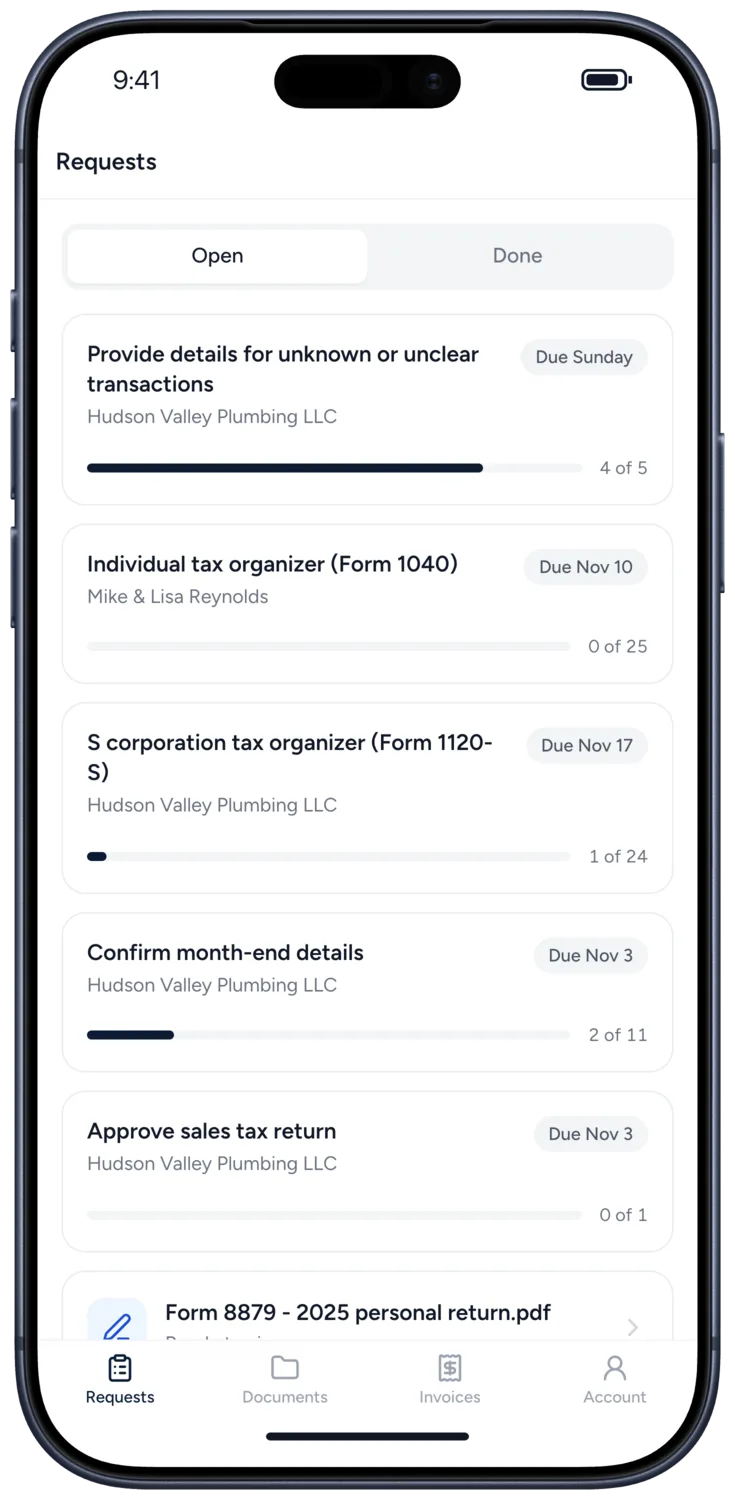
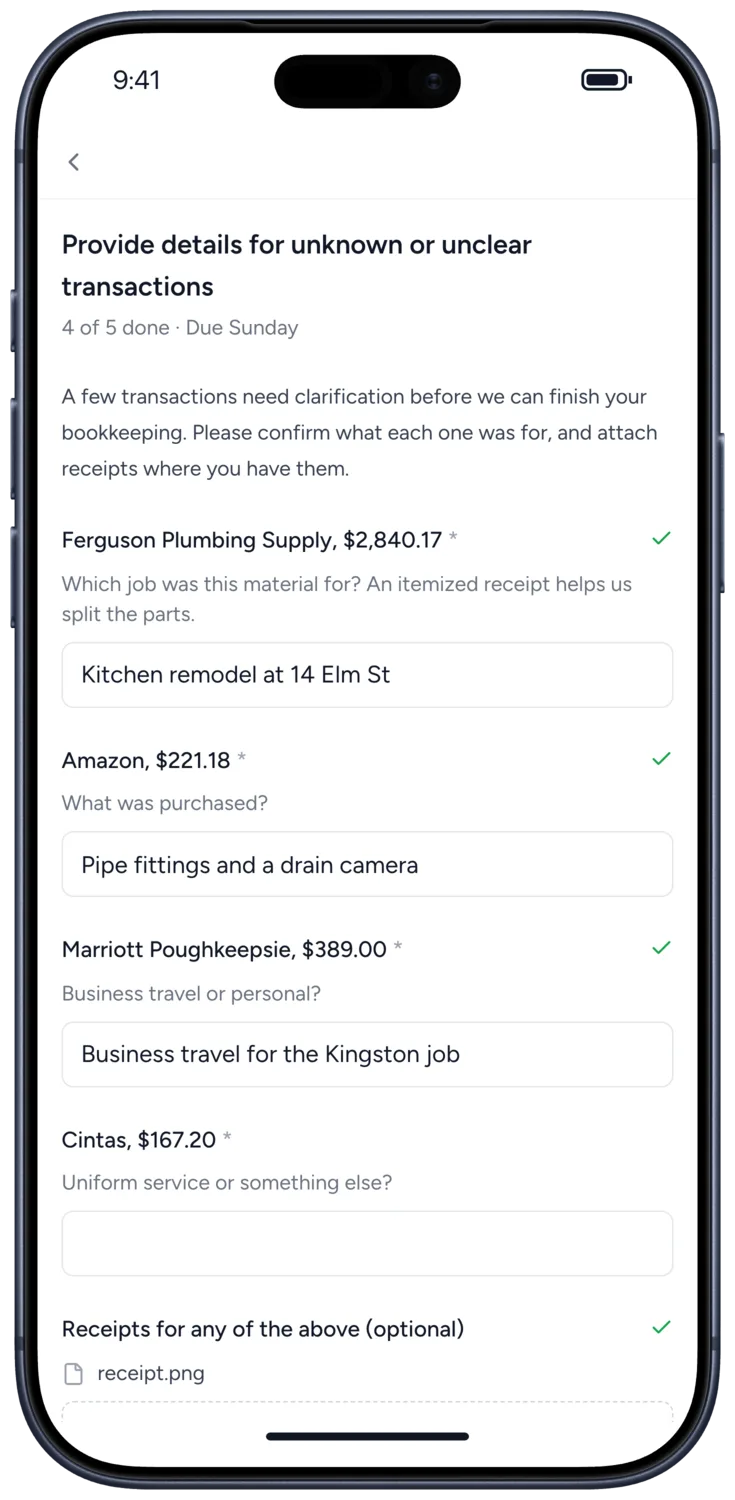
Clients answer from their phone, not their inbox.
Every request your firm sends is waiting in the app, with what is done and what is due. Clients sign in with a code sent to their email, so there is no password to forget.
- ✓ Answer questions and upload files, or take a photo of a receipt
- ✓ Approve a document or ask for changes
- ✓ See shared documents and what they owe
- ✓ Get a notification when you send something new
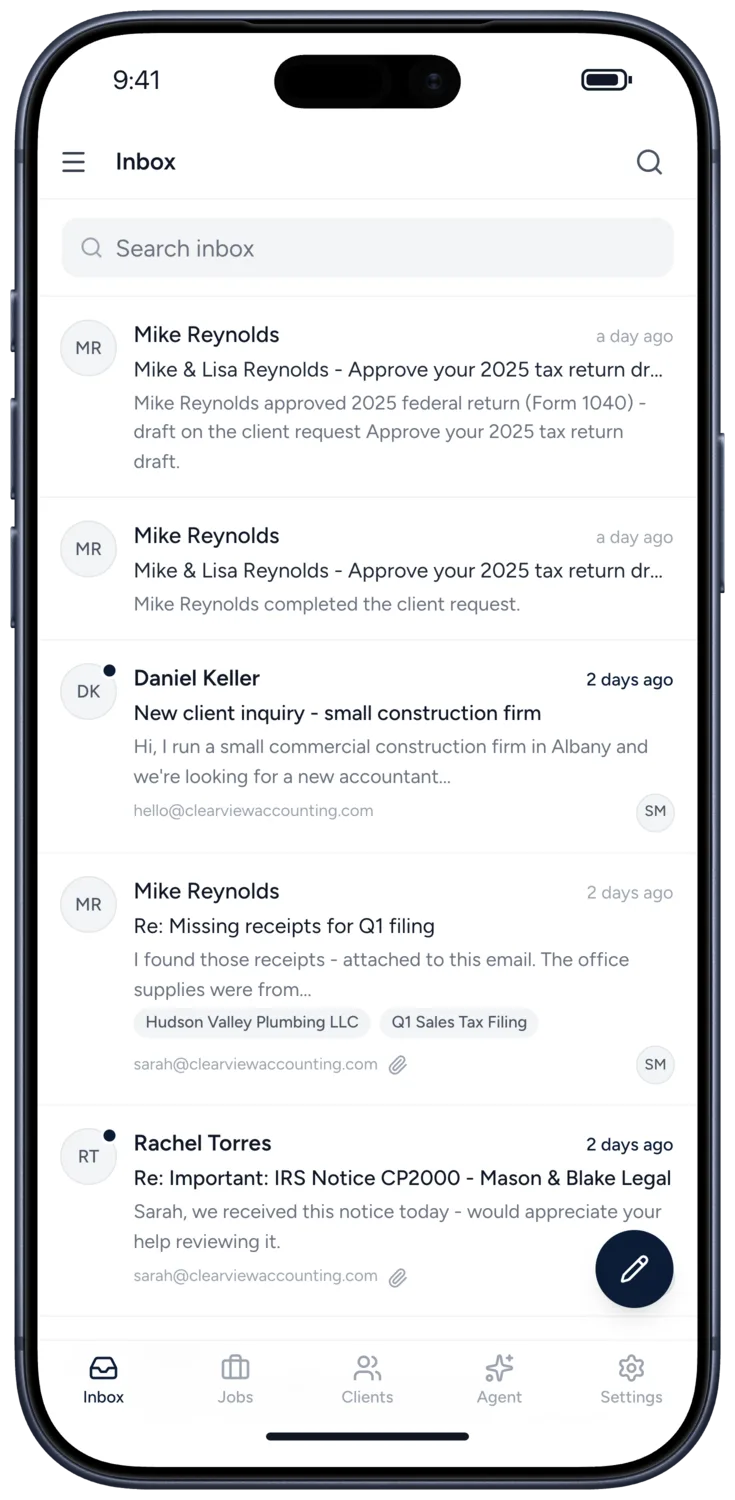
Every client email has an owner.
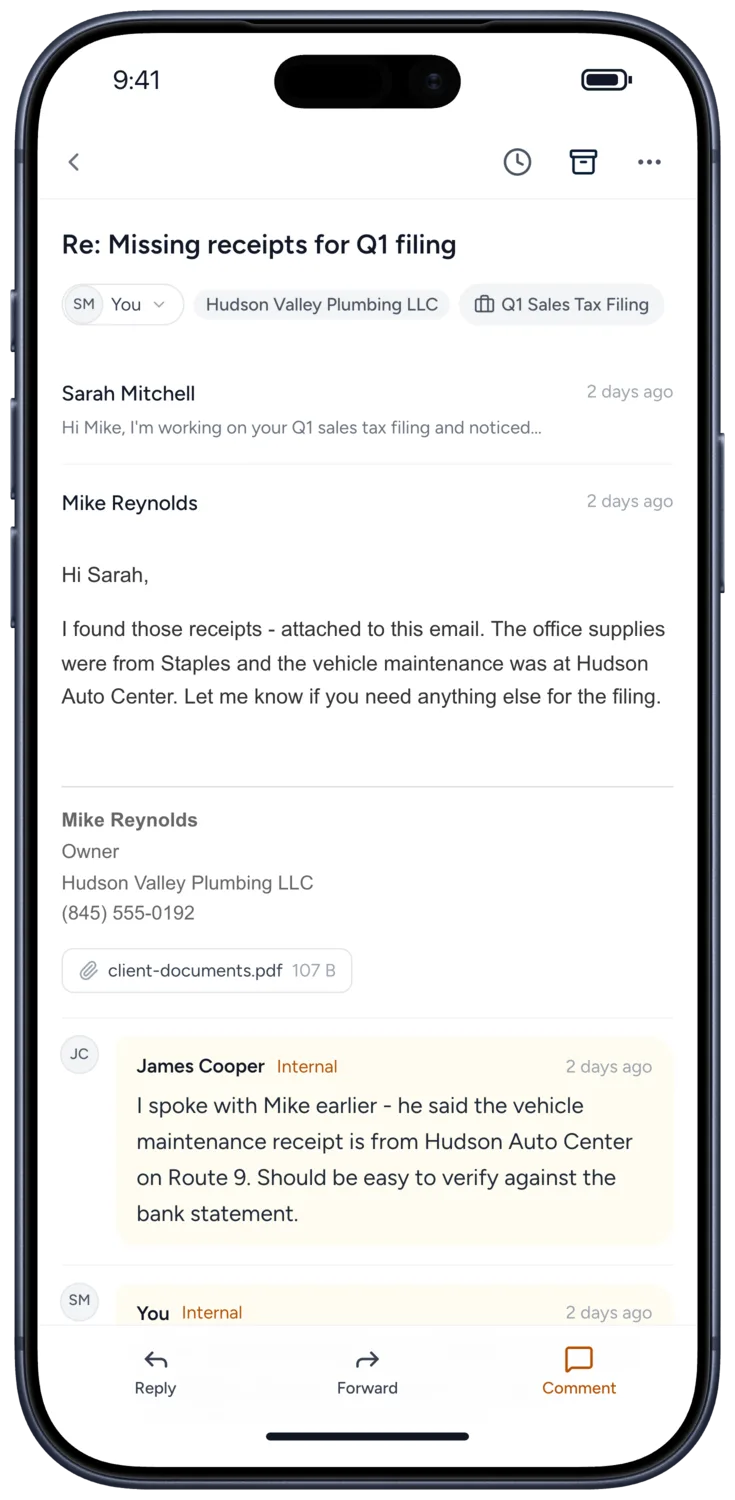
Reply, forward, or leave your team a note without opening a laptop. Each conversation shows who has it, which client it is from, and the job it belongs to.
- ✓ Assign a conversation to yourself or a teammate in one tap
- ✓ Archive, snooze, or close it for the team, with Undo
- ✓ Link it to the job it is about
- ✓ Replies save as drafts while you write
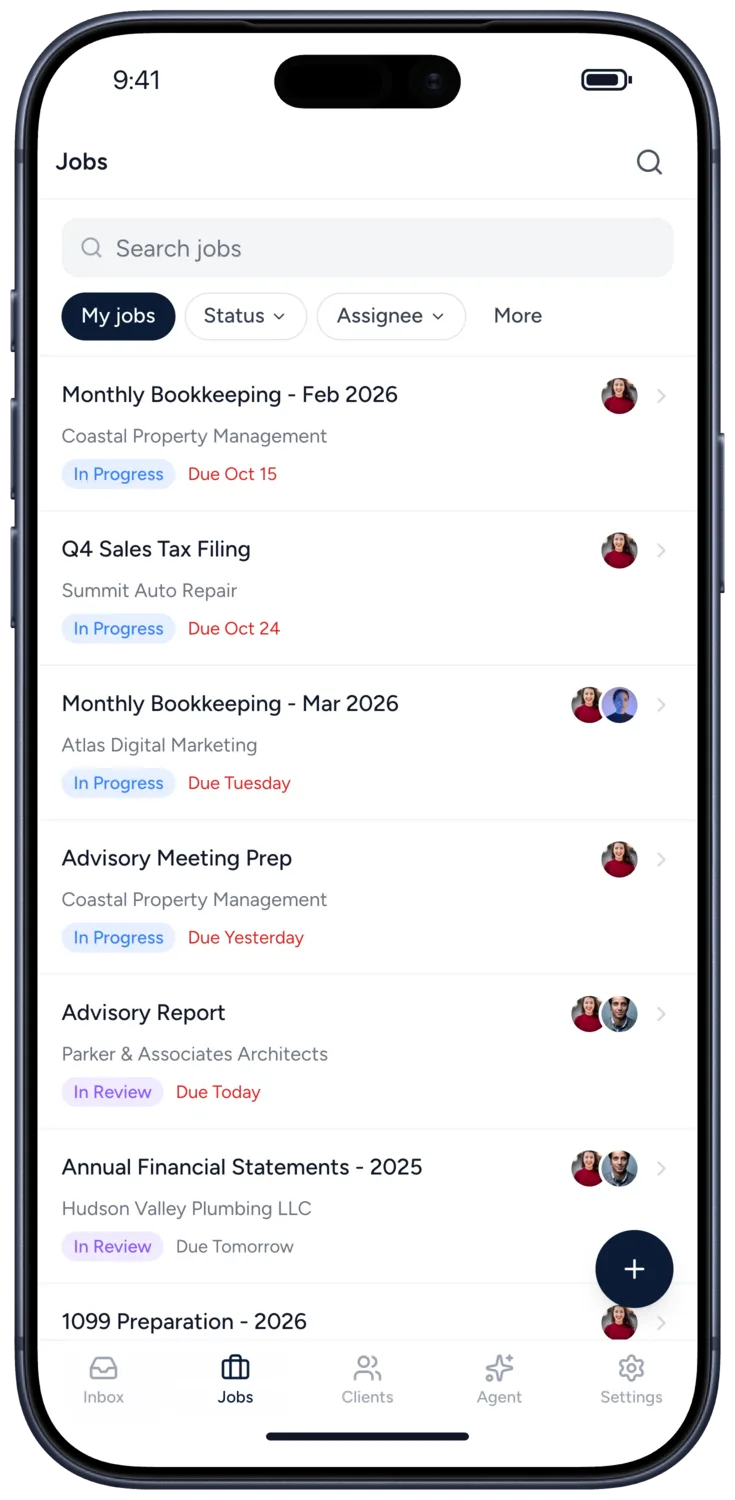
Move a job along wherever you are.
See what is due and who has it, then change the status, reassign it, or mark it complete, with Undo if you tapped too soon.
- ✓ Filter by status, assignee, client and due date
- ✓ Check off subtasks and see how far a client request has got
- ✓ Comment, @mention a teammate, and attach files
- ✓ Start a timer or log time
Ask what needs your attention today.
The same Agent conversations as on the web. Before Agent makes a sensitive change it asks first, and you approve or cancel from your phone.
More on Tidyflow Agent →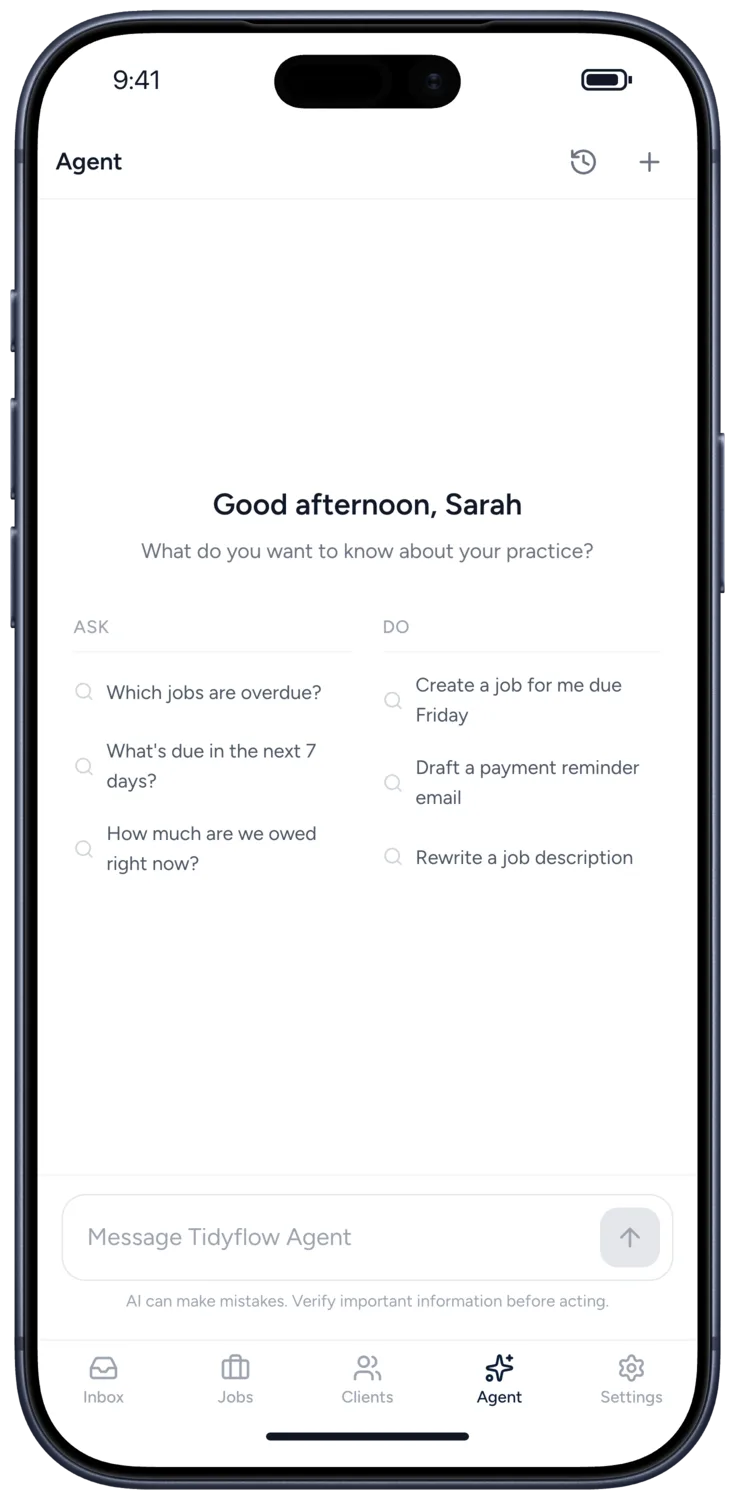
Questions firms ask about the app.
Yes. The app is free to download for your team and your clients, with no separate mobile charge on top of your Tidyflow plan. See pricing →
No. Clients who would rather not install anything open the same requests, documents and invoices in the client portal in their browser.
With a six-digit code sent to their email, so there is no password to remember. Clients who have set a portal password can use that instead. Someone who is a client of more than one firm picks the firm after signing in.
Yes. Your team is notified about assignments, mentions, comments and client replies, and tapping one opens the job or conversation it is about. Clients are notified about new requests, reminders and invoices. Your team chooses which notifications they get in the app's settings.
Setting up your firm, billing and invoicing, proposals, and building requests and templates. When a client pays an invoice or signs a document, the app opens the client portal for them, already signed in.
Yes. Your team signs in with the firm's Tidyflow account, the same way as on the web. New firms can start a 14-day trial on the web.
Get Tidyflow on your phone.
The app is free with your Tidyflow plan. No Tidyflow account yet? Start free for 14 days on the web.
Explore more features
Artificial Intelligence
An assistant, agent teammates, and MCP connectors on your firm's live data.
Billing & Payments
Invoice from tracked time or fixed fees, and get paid online.
Capacity Planning
See your team's workload before it hits.
Client management
Every client, contact, and detail in one organized place.
Client portal & requests
Clients upload, answer, and approve in one portal. Reminders chase for you.
Collaboration
Comments, mentions, and shared visibility on every job.
Document management
Secure, organized document storage, shared with your clients.
Electronic signatures
Legally binding e-signatures, included at no extra cost.
Email Management
A shared firm inbox, connected to your clients and jobs.
Integrations
Xero, QuickBooks Online, Zapier, Make, and a public API.
Proposals & Engagement Letters
Branded proposals and engagement letters, signed online.
Reporting & Insights
See where your time, billing, and revenue actually go.
Tax organizers
Digital organizers with conditional questions and last year's answers.
Time tracking
Timers and timesheets that flow straight into billing.
Workflow management
Recurring jobs, templates, and deadlines your team can't miss.