
Connect Tidyflow to the tools you already use.
Native Xero, QuickBooks Online, and Stripe. Business lookups for AU and UK clients. Zapier and Make.com for everything else. A REST API when you need to go custom. No double entry.
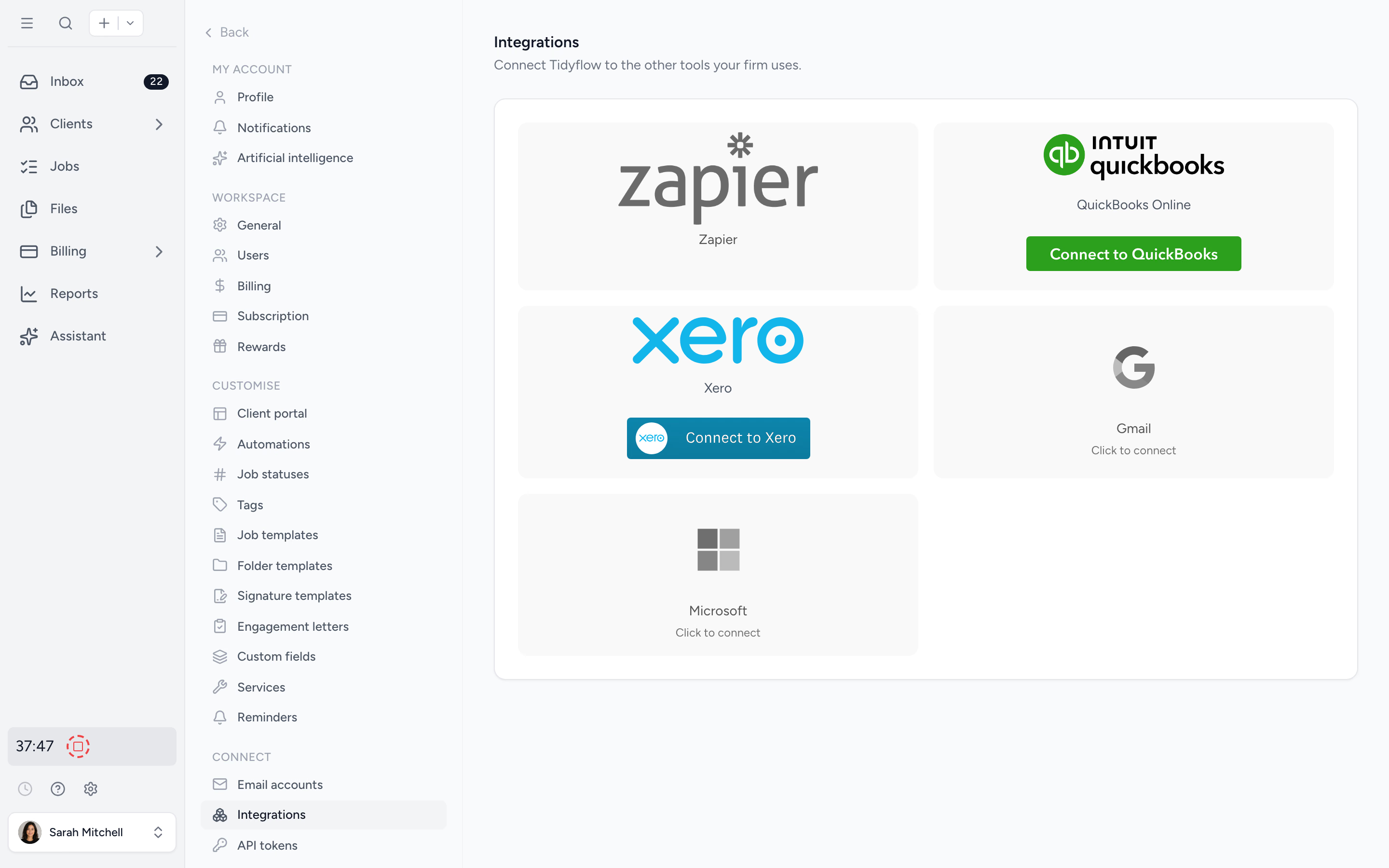
Sync with the GL
Push invoices to Xero or QuickBooks Online on send. Pull tax rates, accounts, and service items back. Stop typing the same data twice.
Automate the rest
Zapier and Make.com cover thousands of apps. New proposal accepted? Auto-create the client. New client in Tidyflow? Push to your CRM.
Build custom when needed
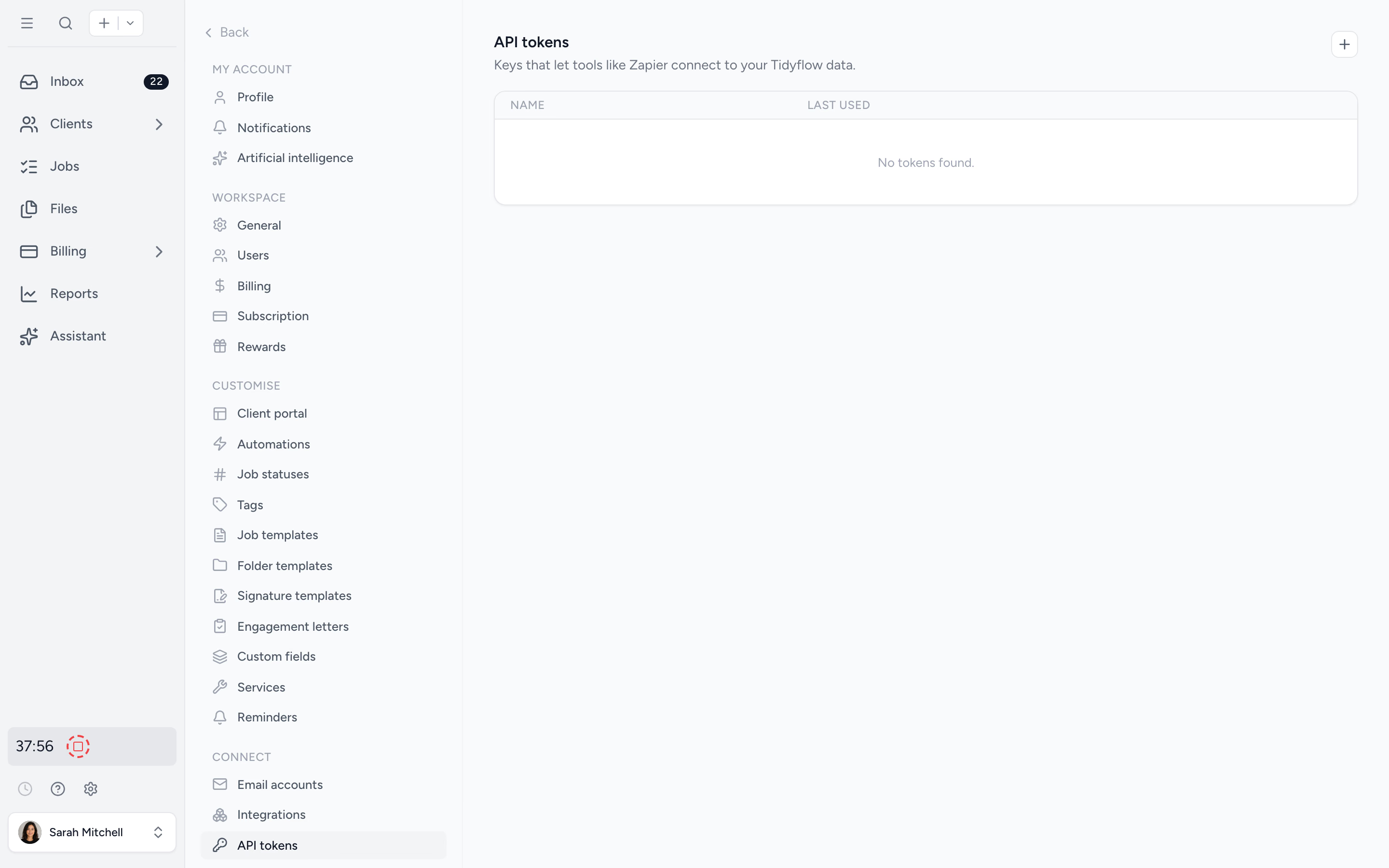
Generate scoped API tokens and connect Tidyflow to internal systems. Standard REST, token auth, full docs.
Stop typing the same client into two systems.
Connect Xero or QuickBooks Online and import your client list in seconds. Push invoices on send. Pull tax rates, revenue accounts, and service items so the rates and codes match. Or keep invoices in Tidyflow only, your call.
- ✓ Import clients from Xero or QuickBooks Online
- ✓ Sync invoices on demand or on send
- ✓ Pull tax rates, accounts, service items
- ✓ Optional: stay Tidyflow-only if you prefer
 Native integrations
Get paid on invoices without leaving Tidyflow.
Connect Stripe to let clients pay invoices and proposal deposits by card, or by bank debit in the US, Canada, and Australia. Save a payment method on file and Tidyflow charges it when the next invoice is sent. No chase emails, no portal logins. Tidyflow sets up your Stripe account during onboarding, and Stripe handles verification.
- ✓ Stripe account set up during onboarding, no existing account needed
- ✓ Pay invoices and proposal deposits by card, or bank debit in the US, Canada, and Australia
- ✓ Saved payment method charged when the invoice is sent
- ✓ Stripe handles KYC and verification

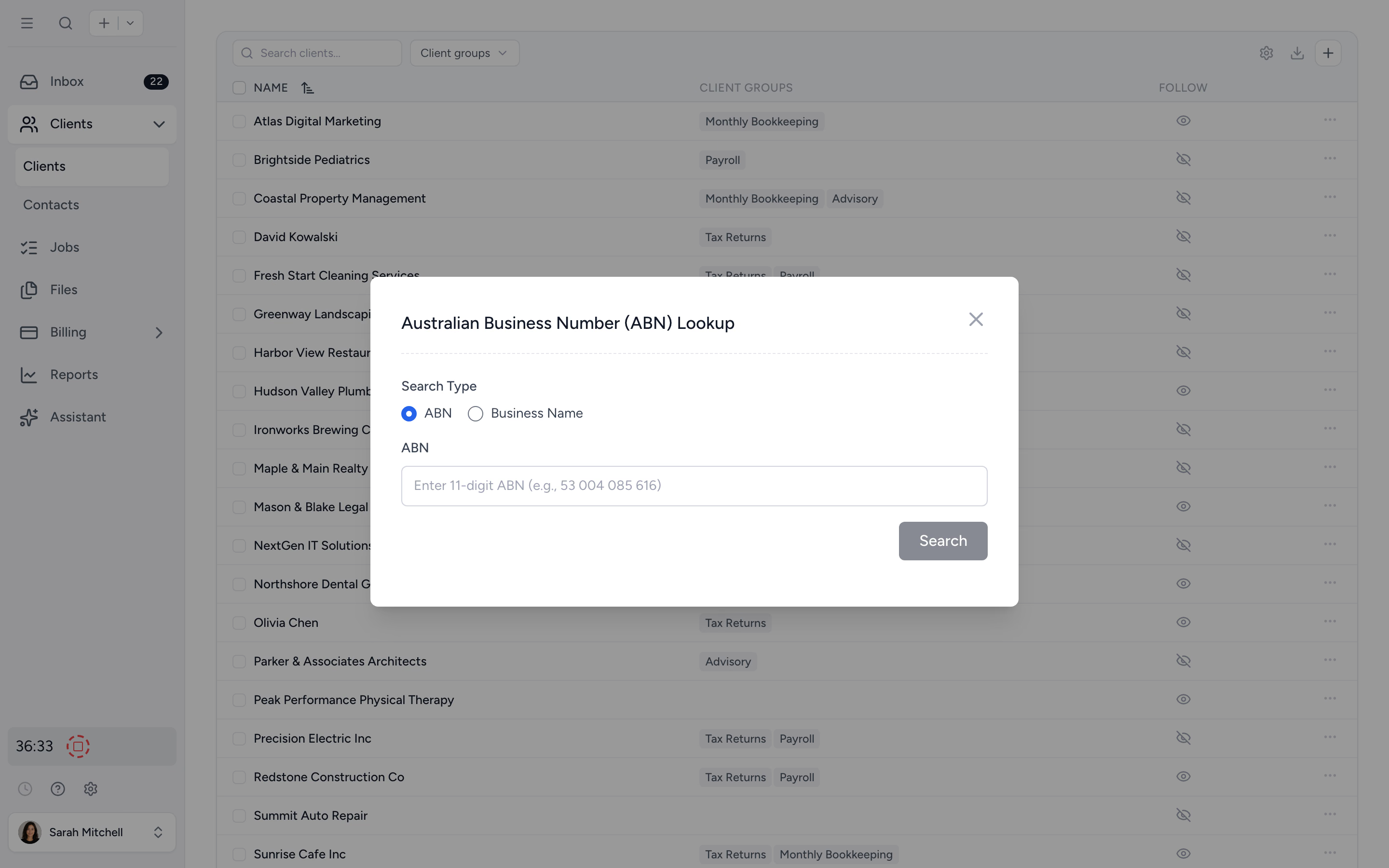
Onboard AU and UK clients with one click.
Type a business name or number. Tidyflow pulls the legal name, ABN or company number, registration status, and trading details from the ABN Lookup register (Australia) or Companies House (United Kingdom). Less typing, fewer typos, consistent client records.
- ✓ ABN Lookup for Australian clients
- ✓ Companies House lookup for UK clients
- ✓ Auto-fills legal name, number, status, trading details
- ✓ Canadian business number field also supported
If your other tools support Zapier or Make, you're already integrated.
Trigger Tidyflow workflows from anything: a Calendly booking, a HubSpot deal, a Typeform submission. Or fire data out of Tidyflow into Slack, Google Sheets, or your CRM. Drag, drop, no code.
- ✓ Native Zapier app
- ✓ Make.com via the API
- ✓ Common triggers: client created, job completed, invoice paid
- ✓ No developer required
For everything Zapier can't.
On Pro, generate API tokens in settings. Standard REST, JSON, token auth. Build a custom internal dashboard, sync with a system Zapier doesn't cover, or wire Tidyflow into your firm's reporting stack.
- ✓ Per-user tokens that inherit user permissions
- ✓ Standard REST and JSON
- ✓ Tokens don't expire, revoke any time
- ✓ Documented endpoints
From siloed tools to one connected workspace, in four steps.
- 1
Connect Xero or QuickBooks Online
Import clients in seconds. Configure invoice sync as you like.
- 2
Connect Stripe
Take online payments on invoices and proposal deposits. Saved payment methods charge automatically.
- 3
Add Zapier or Make
Wire up triggers and actions to the rest of your stack.
- 4
Build with the API
For the custom flows nothing else covers.
What changes when integrations actually integrate.
Without Tidyflow
- ×Re-keying clients into three systems
- ×Invoices in Tidyflow, also in Xero, also in CRM
- ×"Why is this rate different from QuickBooks Online?" weekly
- ×No way to wire up your bespoke internal app
With Tidyflow
- ✓Native Xero and QuickBooks Online integrations
- ✓Zapier and Make for everything else
- ✓Tax rates and service items pulled from the GL
- ✓REST API for custom integrations
Trusted by accounting firms with established stacks.
"Overall, everything just works, whether that be time recording, deadline management, monitoring WIP, billing … client portal, digital signatures, and many other features that a small accounting or bookkeeping practice needs."
"Tidyflow is easy to use, and has a simple, modern UI. Their customer support is amazing."
"The user-friendly interface and solid features have become essential in streamlining our accounting firm's operations, ensuring consistent and reliable service delivery."
"Great for team collaboration, accountability, keeping track of information and ensuring nothing falls through the cracks."


Built for the way firms actually run their stack.
Native
- Xero (clients, invoices, tax)
- QuickBooks Online (clients, invoices, tax)
- Stripe (online payments, auto-charge)
- ABN Lookup (AU)
- Companies House (UK)
- Gmail / Microsoft 365
- Any email provider (IMAP/SMTP)
- Missive (shared inbox)
No-code
- Zapier app
- Make.com via the API
- Common triggers and actions
- Drag-and-drop workflows
Custom
- REST API
- Scoped tokens
- JSON request and response
- Documented endpoints
From $29/user/month, billed annually.
Native Xero and QuickBooks Online integrations are included on every plan. Pro adds new public API tokens for Zapier, Make.com and custom integrations.
Integration questions firms ask us most.
Pro enables creation of public API tokens for Zapier, Make.com and custom integrations. Existing tokens continue to work after a downgrade and can still be revoked. Native Xero and QuickBooks Online integrations are available on every plan.
Xero and QuickBooks Online. Import clients, push invoices on demand or when they are sent, and import tax rates, plus revenue accounts from Xero or services from QuickBooks, so you do not double-enter. Payments recorded in Xero come back to Tidyflow automatically.
Not directly. Tidyflow creates a new Stripe account for your firm during setup, and you can sign in with your existing Stripe login so it sits alongside your other accounts. If your clients already have cards or bank accounts saved in another Stripe account, you can import those customers into Tidyflow so they do not need to enter their details again. Clients pay invoices and proposal deposits by card, or by bank debit in the US, Canada, and Australia, and saved payment methods can be charged automatically.
Yes. For Australian clients we look up the ABN register and pull legal name, ABN, status, and trading details. For UK clients we look up Companies House and pull the company number, name, and registration data.
No. Most firms automate with Zapier or Make.com (no code). For custom integrations, the REST API is documented and uses standard token auth.
Generate API tokens in settings. Each token is created by a user, inherits that user's permissions, and is scoped to that user's workspace. Tokens don't expire. Revoke any time from the same page. See the security page for the full picture.
Stop re-keying. Start integrating.
Start free for 14 days. No credit card. Connect Xero or QuickBooks Online in minutes.
Explore more features
Workflow management
Recurring jobs, templates, and deadlines your team can't miss.
Client management
Every client, contact, and detail in one organized place.
Proposals & Engagement Letters
Branded proposals and engagement letters, signed online.
Billing & Payments
Invoice from tracked time or fixed fees, and get paid online.
Time tracking
Timers and timesheets that flow straight into billing.
Document management
Secure, organized document storage, shared with your clients.
Client portal & requests
Clients upload, answer, and approve in one portal. Reminders chase for you.
Tax organizers
Digital organizers with conditional questions and last year's answers.
Email Management
A shared firm inbox, connected to your clients and jobs.
Artificial Intelligence
An assistant, agent teammates, and MCP connectors on your firm's live data.
Reporting & Insights
See where your time, billing, and revenue actually go.
Capacity Planning
See your team's workload before it hits.
Electronic signatures
Legally binding e-signatures, included at no extra cost.
Collaboration
Comments, mentions, and shared visibility on every job.
See the full feature list →
Compare every capability across plans, side by side.