
Run your firm from anywhere. Stay aligned everywhere.
Manage a team scattered across cities and time zones. See what's moving and what's stuck without a daily stand-up. Conversations live on the work. Files share through one secure portal.
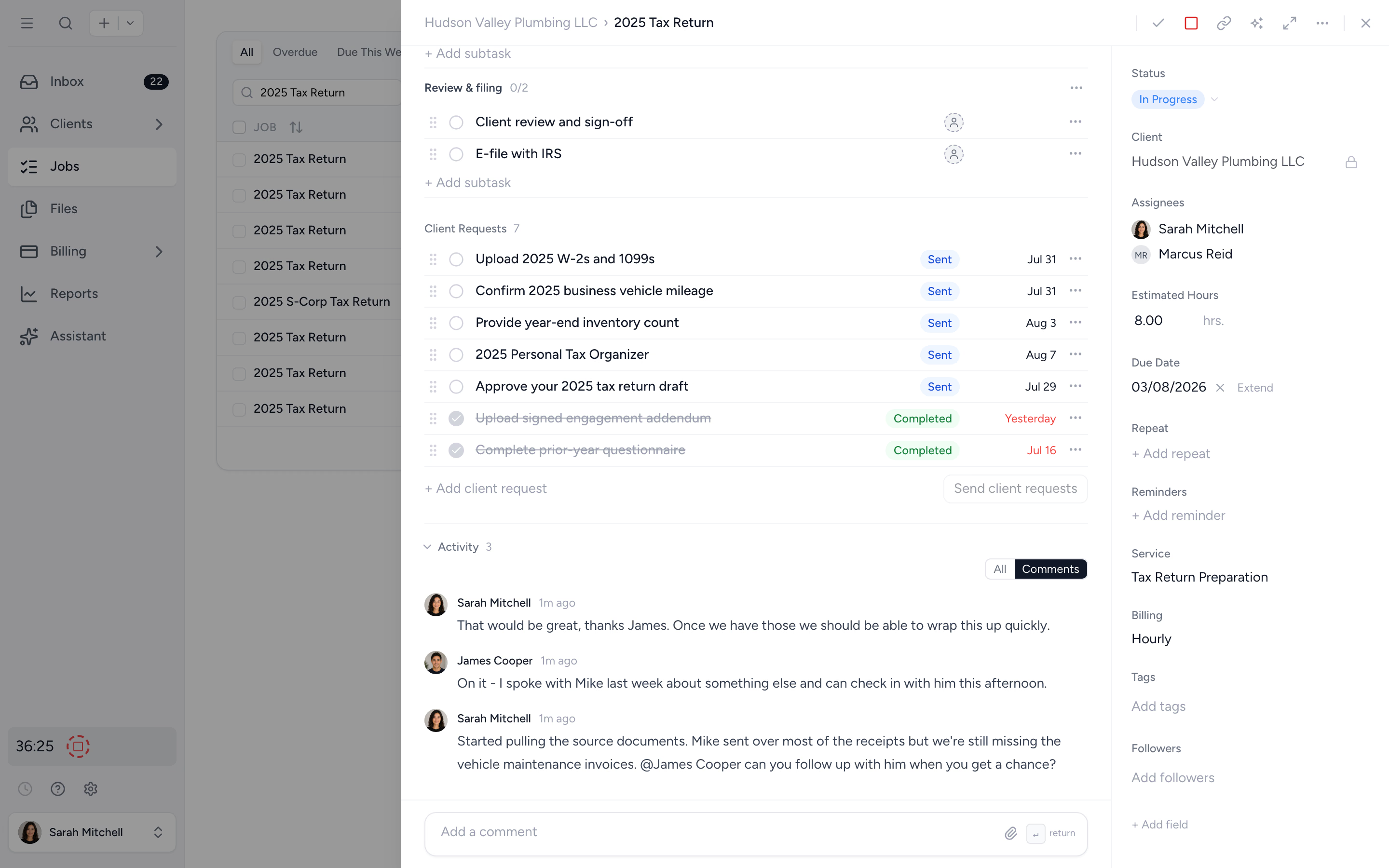
Conversations on the job
Comments, @mentions, and decisions live on the work they belong to. Nothing important survives only in a chat thread someone scrolled past.
See without asking
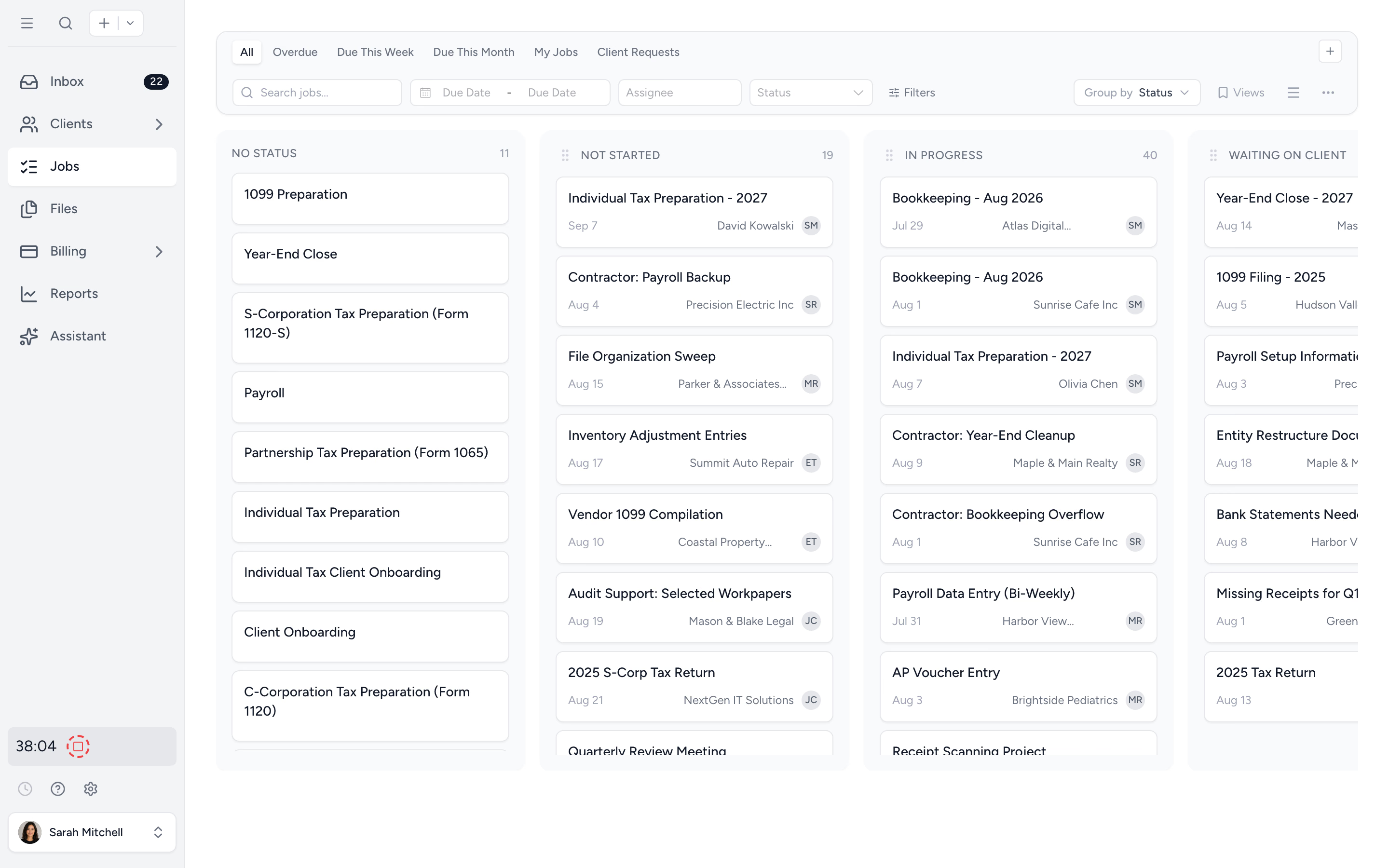
Track who's on what, where they're stuck, and how long jobs are taking. Every assignment and status change is logged on the job. Visibility without daily check-ins.
Secure from anywhere
Client files share through one encrypted portal with per-folder access and an audit trail. Scoped team members see only their clients. Partners see the rest.
Talk about the work, on the work.
Every job carries its own comment thread. Decisions sit next to the file they affected, so a colleague picking it up tomorrow has the context, not just the conclusion.
- ✓ Comment threads on every job
- ✓ @mentions trigger inbox notifications
- ✓ Activity history captures assignment changes, status changes, and file uploads
- ✓ Searchable by client, job, or contributor
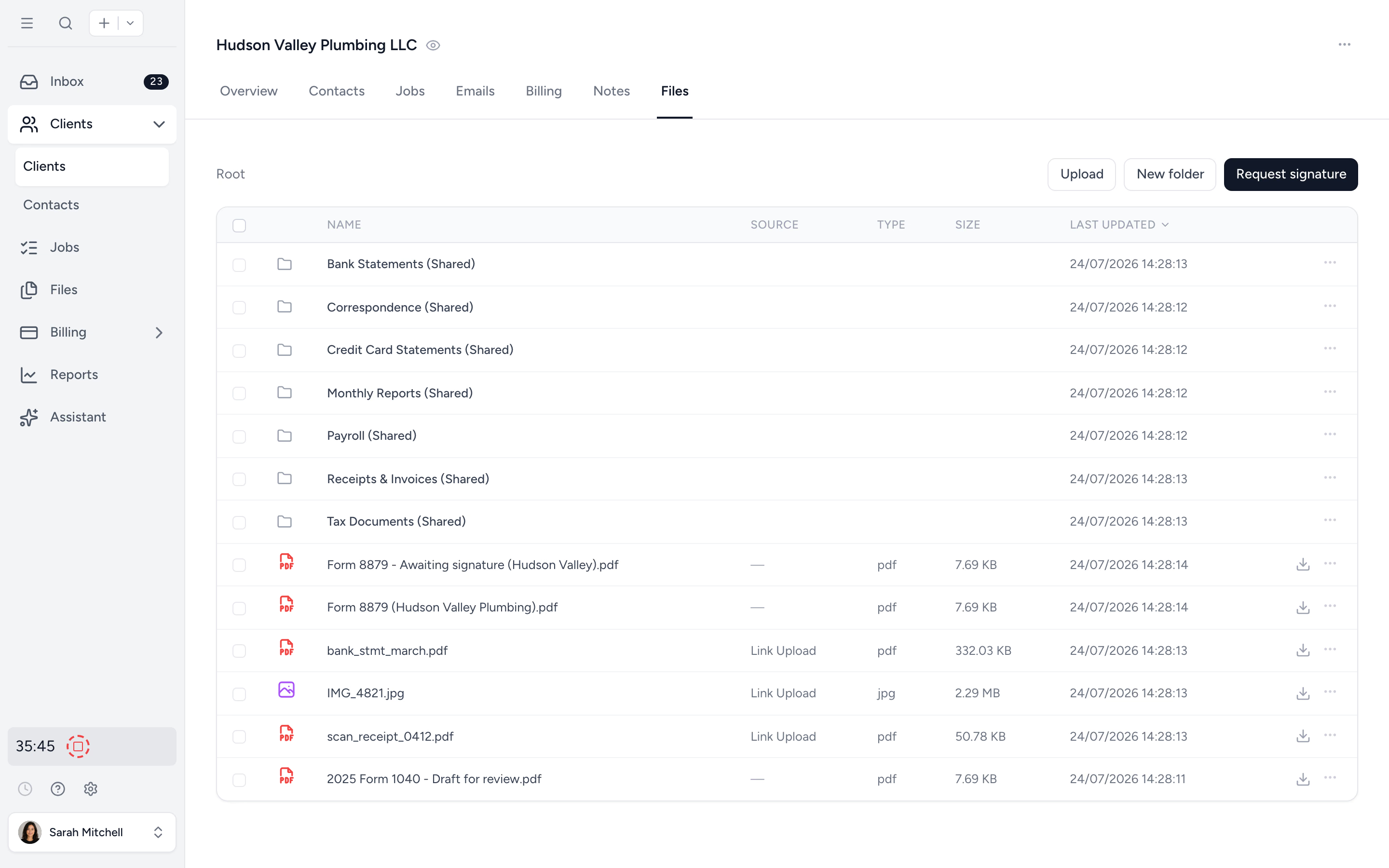
Secure file sharing, inside the firm and out.
Clients get a portal login to upload and view their own files. Your team accesses everything in the app, with per-folder access controls. No more emailing PDFs across borders or spinning up another Dropbox link.
- ✓ Client portal for uploads and downloads
- ✓ Secure upload links to send to a client or share publicly
- ✓ Per-folder access controls for your team
- ✓ Encrypted at rest and in transit, audit trail on every file
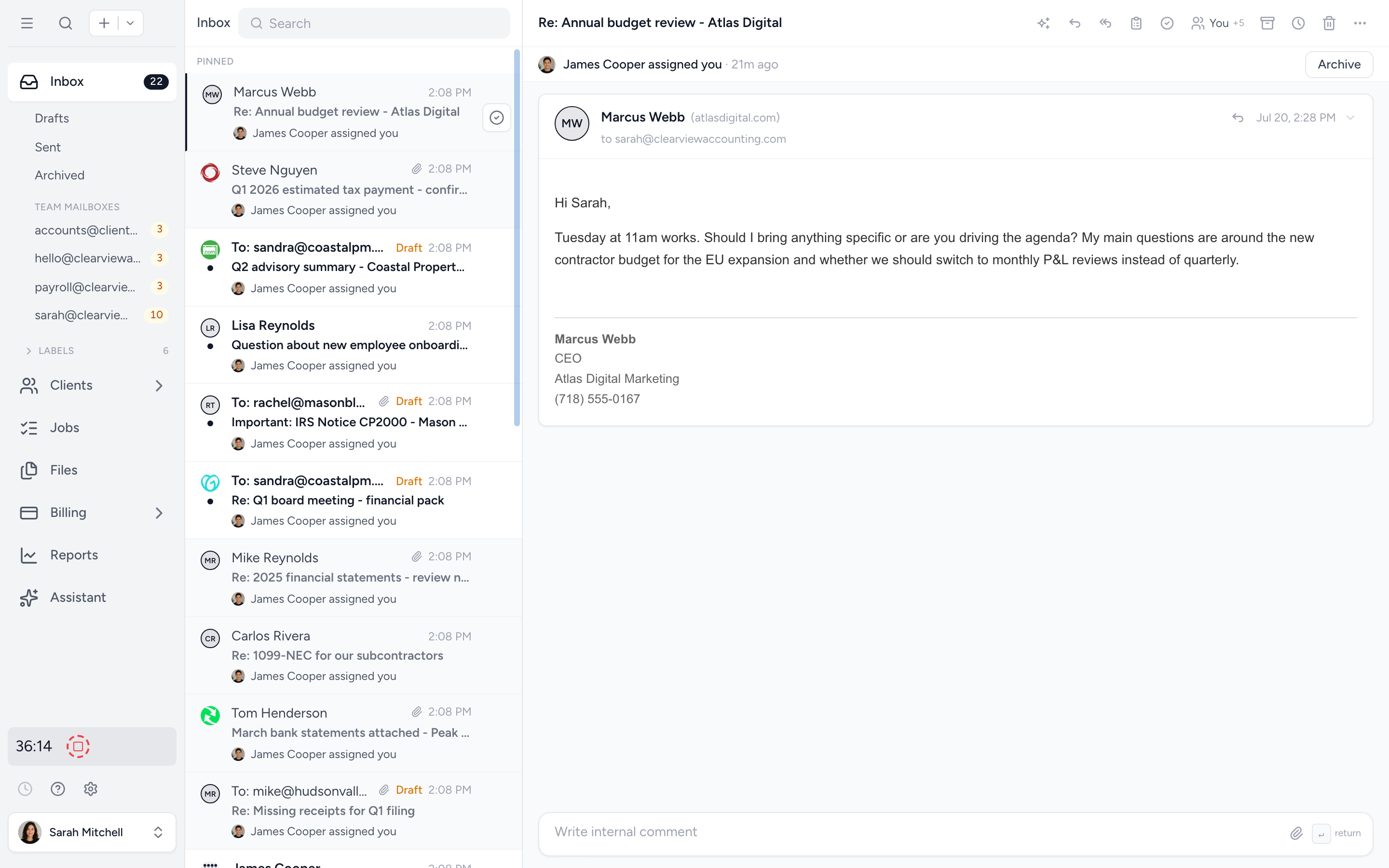
One inbox the whole firm works.
Client emails land in shared mailboxes with Open, Snoozed, and Closed queues. Unassigned mail groups first, and anyone, anywhere, takes a conversation with one click. Read state is per person, so a thread a teammate opened overnight still shows as new for you.
- ✓ Open, Snoozed, and Closed queues per mailbox
- ✓ Anything assigned or @mentioned to you stays pinned until handled
- ✓ Closing a conversation auto-advances to the next, with undo
- ✓ Internal comments hidden from the client
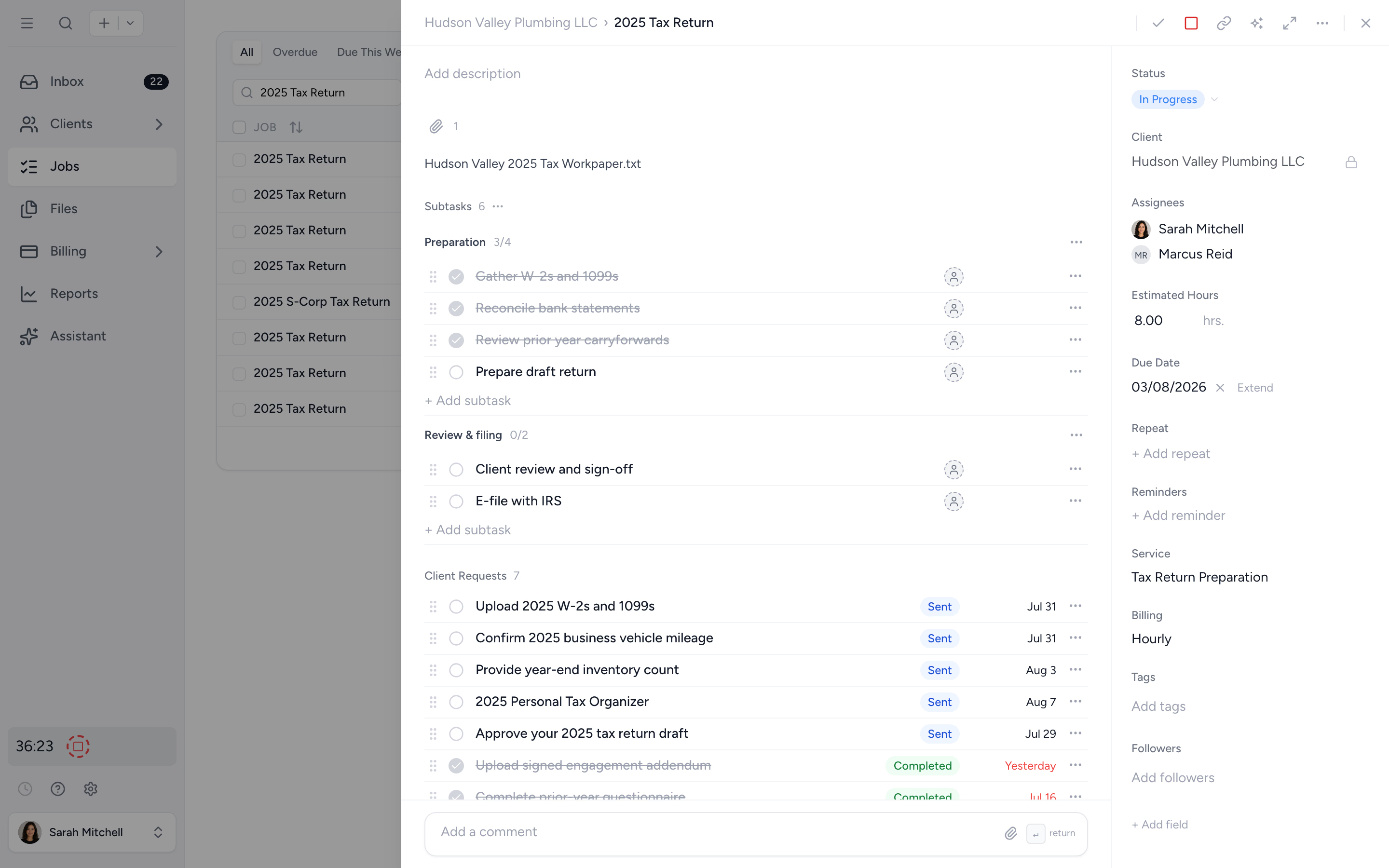
See where the hours actually go.
Hours logged from anywhere. Per-task estimates surface jobs running over. Utilisation reports work whether the team is in one office or eight.
- ✓ Time entries linked to jobs
- ✓ Estimated vs actual hours per task
- ✓ Billable and non-billable categorisation
- ✓ Time summary by member, client, or service
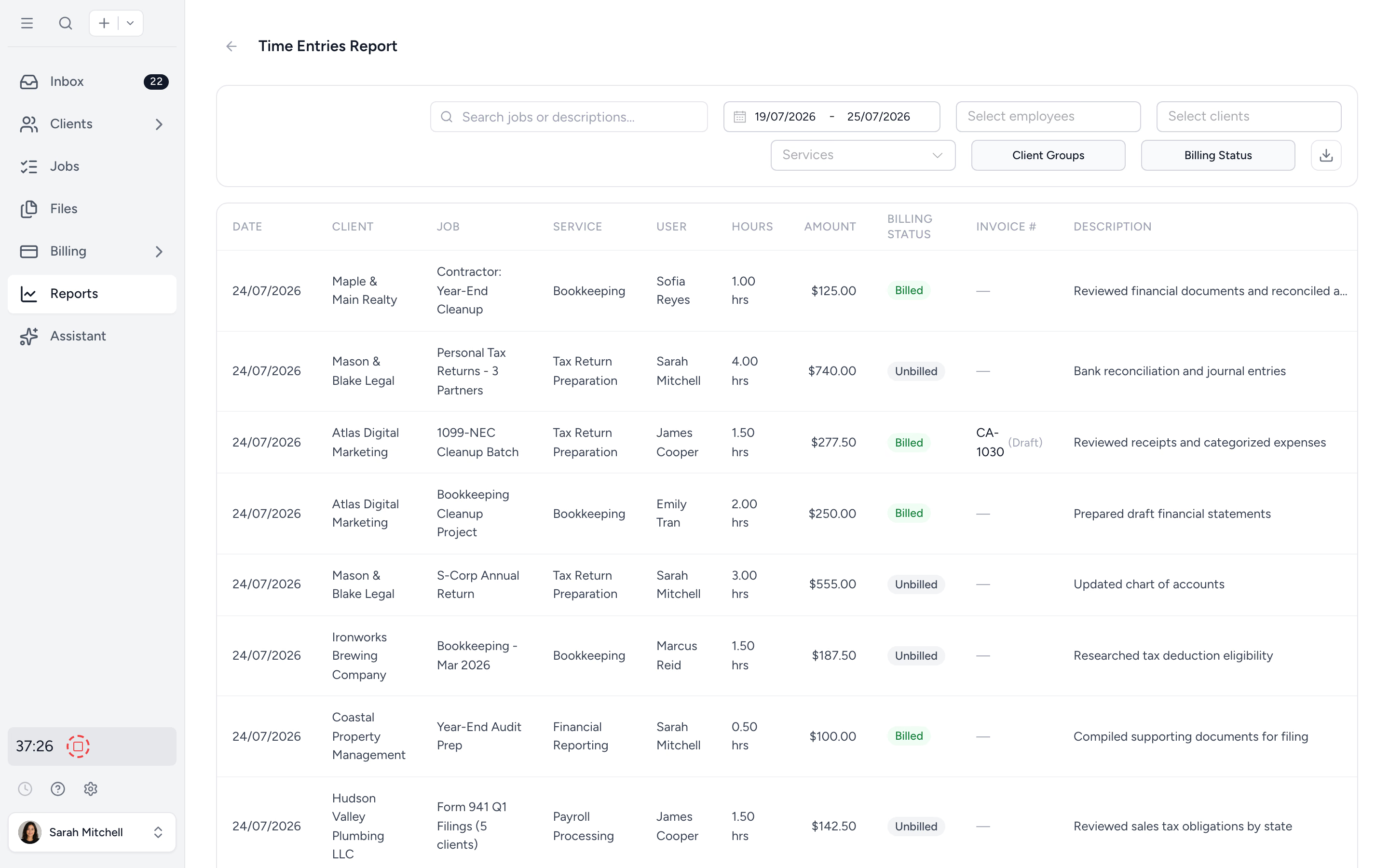
Ownership down to the subtask.
Every job and subtask has a named owner. The junior in Cape Town and the reviewer in London both know what's theirs. Handovers happen on the job, not in a stand-up.
- ✓ Subtasks with owners and due dates
- ✓ Per-member dashboards
- ✓ Per-job activity log for the audit trail
Get a distributed team aligned in four steps.
- 1
Add your team
Email invites. Roles for staff and contractors.
- 2
Add your clients
Import from Xero or QuickBooks Online. Or upload a spreadsheet.
- 3
Set up your jobs
Apply job templates per service. Assign owners and due dates.
- 4
Manage from afar
Track progress and pick up where staff left off. No daily stand-up needed.
What changes when the team is everywhere.
Without Tidyflow
- ×Decisions buried in chat threads, lost overnight
- ×Files emailed back and forth between locations
- ×Time tracked in spreadsheets nobody trusts
- ×Daily stand-up to compensate for missing context
- ×Contractors with too much access or too little
With Tidyflow
- ✓Comments threaded on the job, searchable later
- ✓One encrypted portal with per-folder access
- ✓Time tracked against the work, reports roll up
- ✓In-app inbox and email notifications replace the daily stand-up
- ✓Client access controls scope team members to their clients
Loved by remote and hybrid firms who needed one source of truth.
"Great for team collaboration, accountability, keeping track of information and ensuring nothing falls through the cracks."
"Tidyflow is easy to use, and has a simple, modern UI. Their customer support is amazing."
"Overall, everything just works, whether that be time recording, deadline management, monitoring WIP, billing … client portal, digital signatures, and many other features that a small accounting or bookkeeping practice needs."
"The user-friendly interface and solid features have become essential in streamlining our accounting firm's operations, ensuring consistent and reliable service delivery."

Run a distributed firm, end to end.
Communicate
- Shared inbox with Open, Snoozed, and Closed queues
- @mentions pinned in your inbox until handled
- Comments on every job
- Internal comments on email threads
- Per-user read state on shared mailboxes
Share
- Client portal for uploads and downloads
- Secure upload links to share publicly
- Per-folder access for your team
- Encrypted at rest and in transit
- Audit trail on every file
Manage
- Roles for staff and contractors
- Per-client access controls (Pro)
- Time entries from anywhere
- Estimated vs actual hours
- Per-member dashboards
From $29/user/month, billed annually.
Comments, client portal, and time tracking on every plan. Pro adds Capacity Planning and client access controls.
Remote-team questions firms ask us most.
Yes. Everything is async-first. Comments live on the job. Nobody needs to be online at the same time, and nobody loses context overnight.
The client portal gives every client their own login to upload, download, and view files in their folders. Permissions are per-folder, audit-trailed, and encrypted at rest and in transit. More on security →
Yes. On the Pro plan, choose per team member what they see: every client, selected client groups, or only their assigned clients. You can set it when you invite them. They see that work, log their time, and comment on the job, but they do not see clients outside their scope or the firm's financial reports.
Each team member logs time against jobs from anywhere with an internet connection. Billable and non-billable categories. Reports roll up by member, client, or service so productivity stays transparent across the firm.
Yes. Clients land on their open requests when they sign in to the portal, and request emails deep-link straight to the item without a sign-in hurdle. Messages and uploads route to the right job and the right owner automatically. Clients have one front door. Internally the right teammate gets the ping.
One source of truth, wherever your team is.
Start free for 14 days. No credit card. Set up across cities, time zones, and contractors in a single afternoon.
Explore more features
Artificial Intelligence
An assistant, agent teammates, and MCP connectors on your firm's live data.
Billing & Payments
Invoice from tracked time or fixed fees, and get paid online.
Capacity Planning
See your team's workload before it hits.
Client management
Every client, contact, and detail in one organized place.
Client portal & requests
Clients upload, answer, and approve in one portal. Reminders chase for you.
Collaboration
Comments, mentions, and shared visibility on every job.
Document management
Secure, organized document storage, shared with your clients.
Electronic signatures
Legally binding e-signatures, included at no extra cost.
Email Management
A shared firm inbox, connected to your clients and jobs.
Integrations
Xero, QuickBooks Online, Zapier, Make, and a public API.
Proposals & Engagement Letters
Branded proposals and engagement letters, signed online.
Reporting & Insights
See where your time, billing, and revenue actually go.
Tax organizers
Digital organizers with conditional questions and last year's answers.
Time tracking
Timers and timesheets that flow straight into billing.
Workflow management
Recurring jobs, templates, and deadlines your team can't miss.