
Your portal, your brand.
Add your logo and portal icon, choose your portal address, and link it from your website. See what clients see when they sign in.
Send a request, set a reminder cadence, walk away. Clients open it from the email and upload without a login. Files land in the right folder. Tidyflow reminds clients on your schedule and tells you if ten reminders go unanswered.
A two-minute tour: what a request asks for, the secure link, the client's answers, and everything clients see in your branded portal.
Set the reminder cadence once. Tidyflow nudges the client for what's missing, pauses while you review a reply, and tells you if ten reminders go unanswered.
No-login upload links mean clients drop files in seconds. No password reset. No abandoned signup.
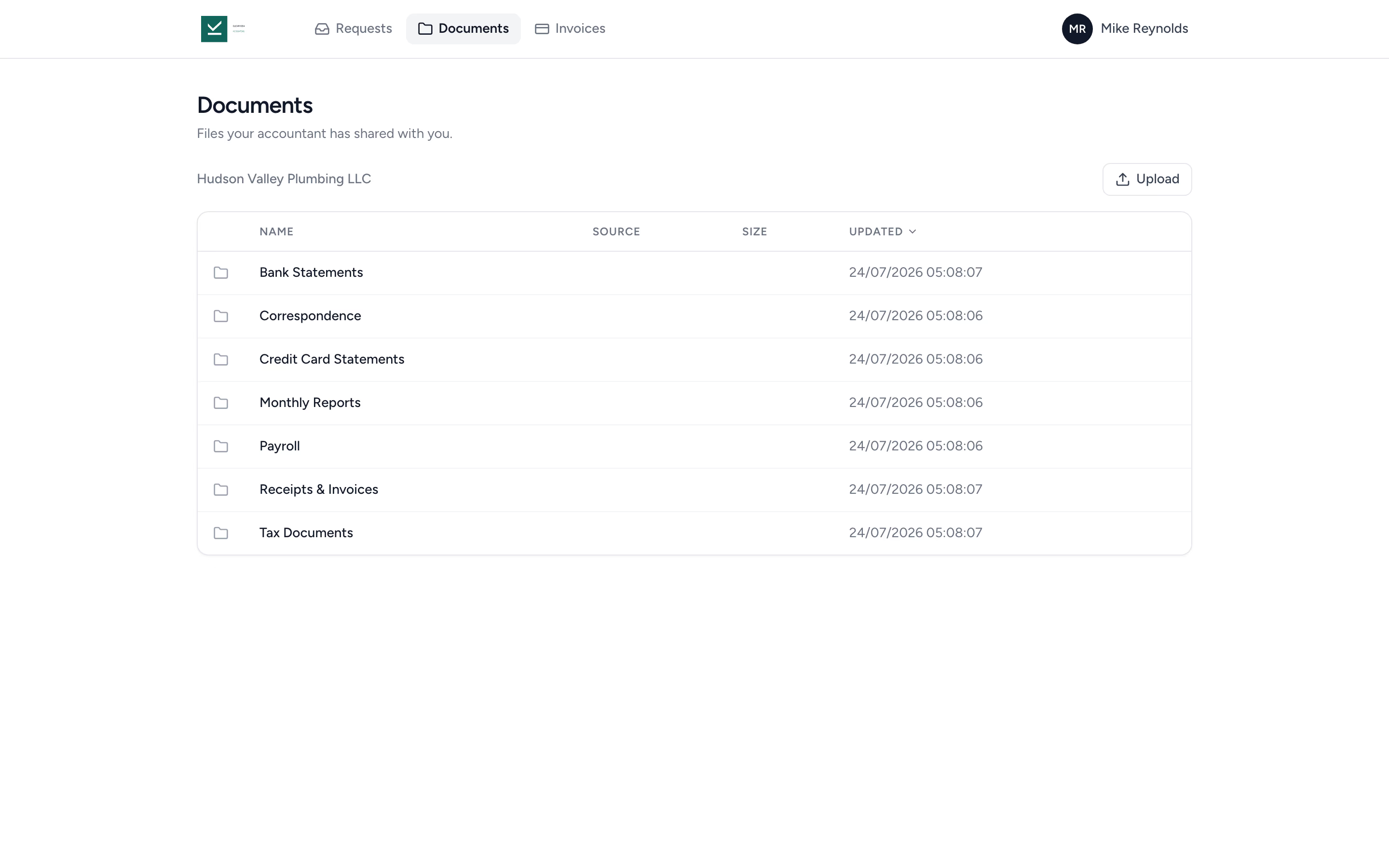
Clients see their documents, sign engagement letters, pay invoices, and respond to requests in one branded portal.
Inside the job, build a structured checklist of files to upload and questions to answer, then send it to the client, who opens it straight from the email without a login. Reminders go out on the schedule you set, pause while you review a reply, and stop after ten unanswered rounds so your team can step in.
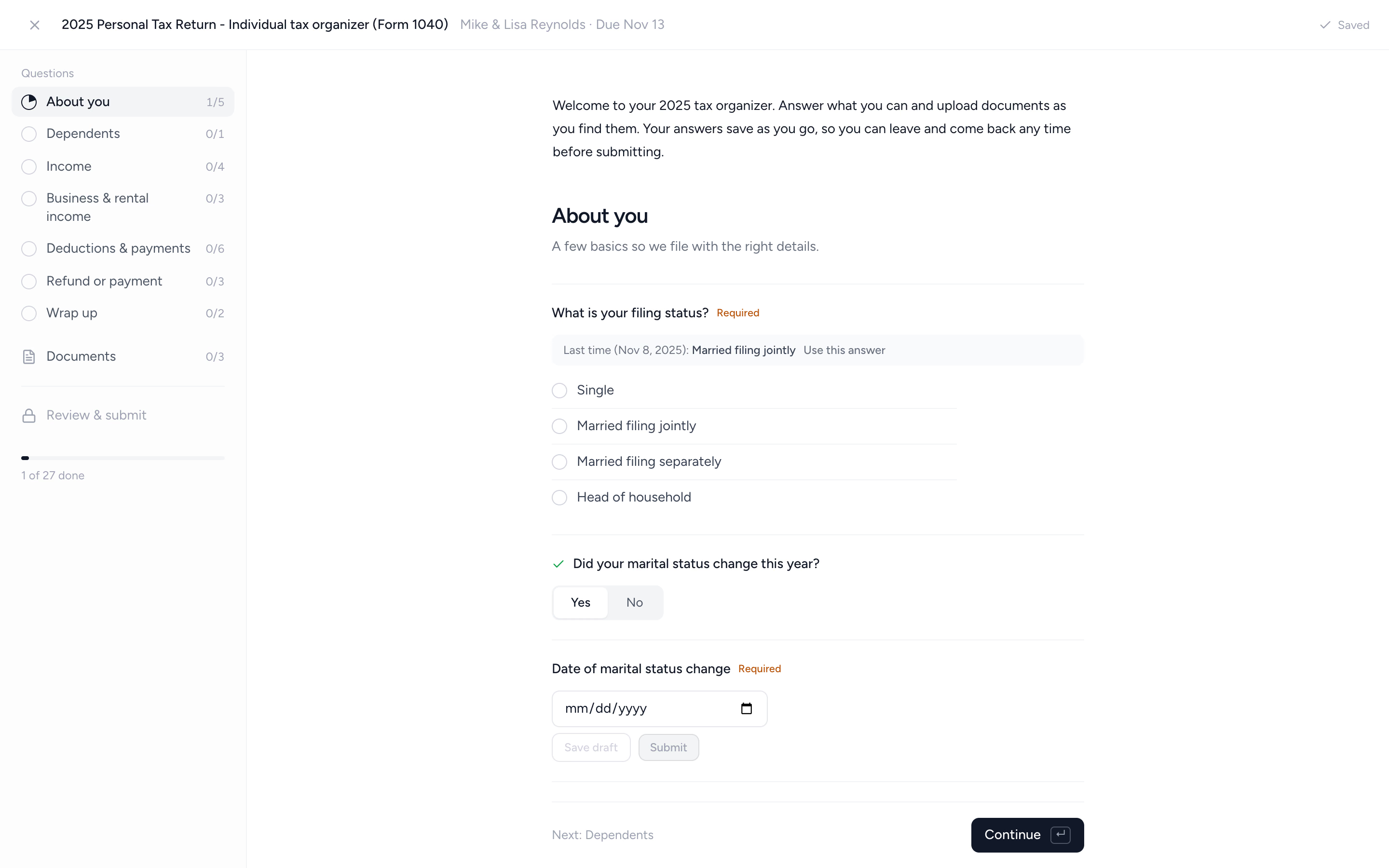
Build request forms with sections and conditional questions, so clients only see what applies to them. Answers save as they go, and last year's answers are one tap away.
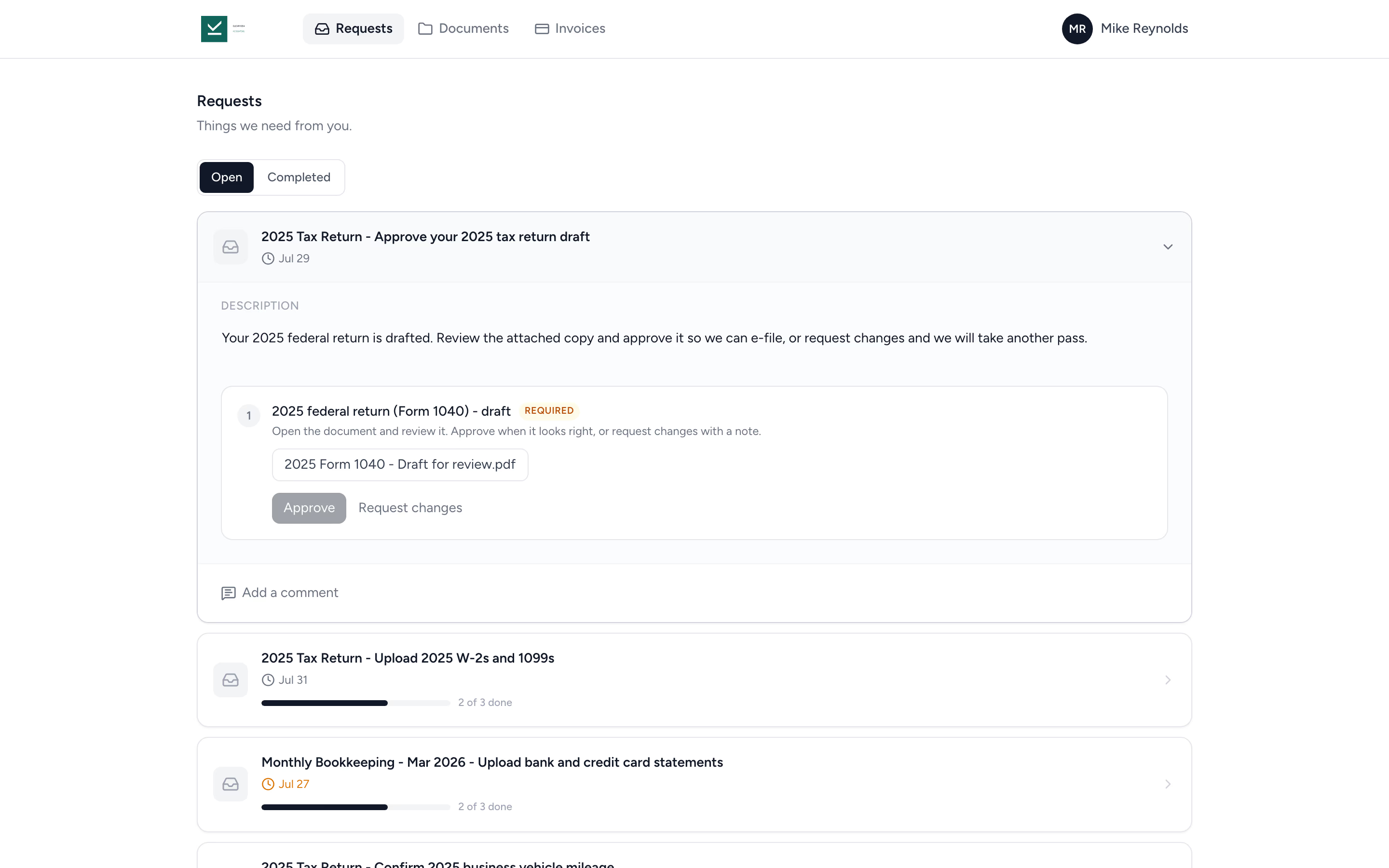
Attach a draft return or financial statement to a request and ask the client to approve it. They review the document in the portal, then approve it or request changes with a comment.
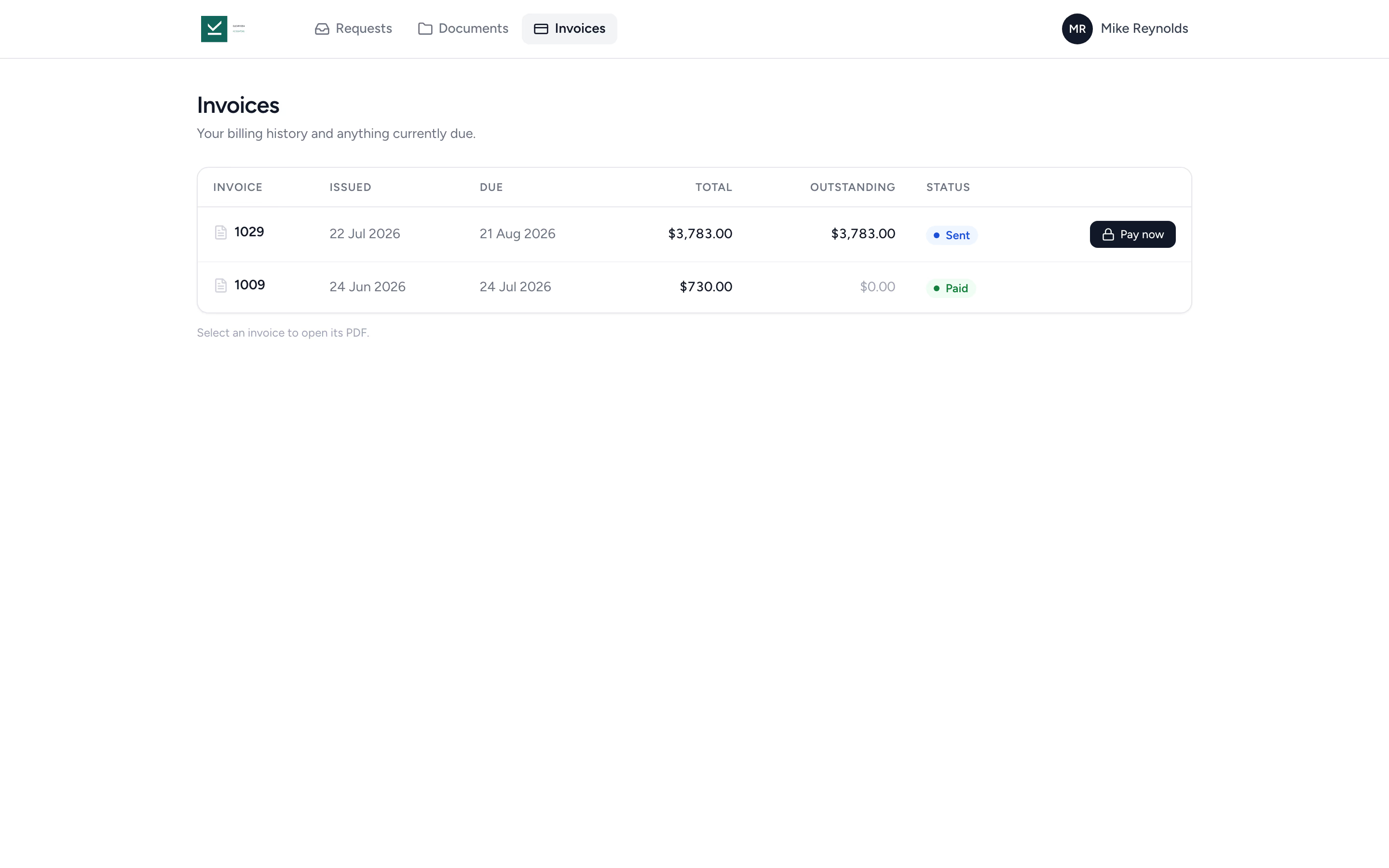
Clients with billing access see their invoices in the portal, with what's outstanding and a Pay now button on anything due. One login for requests, documents, and billing.
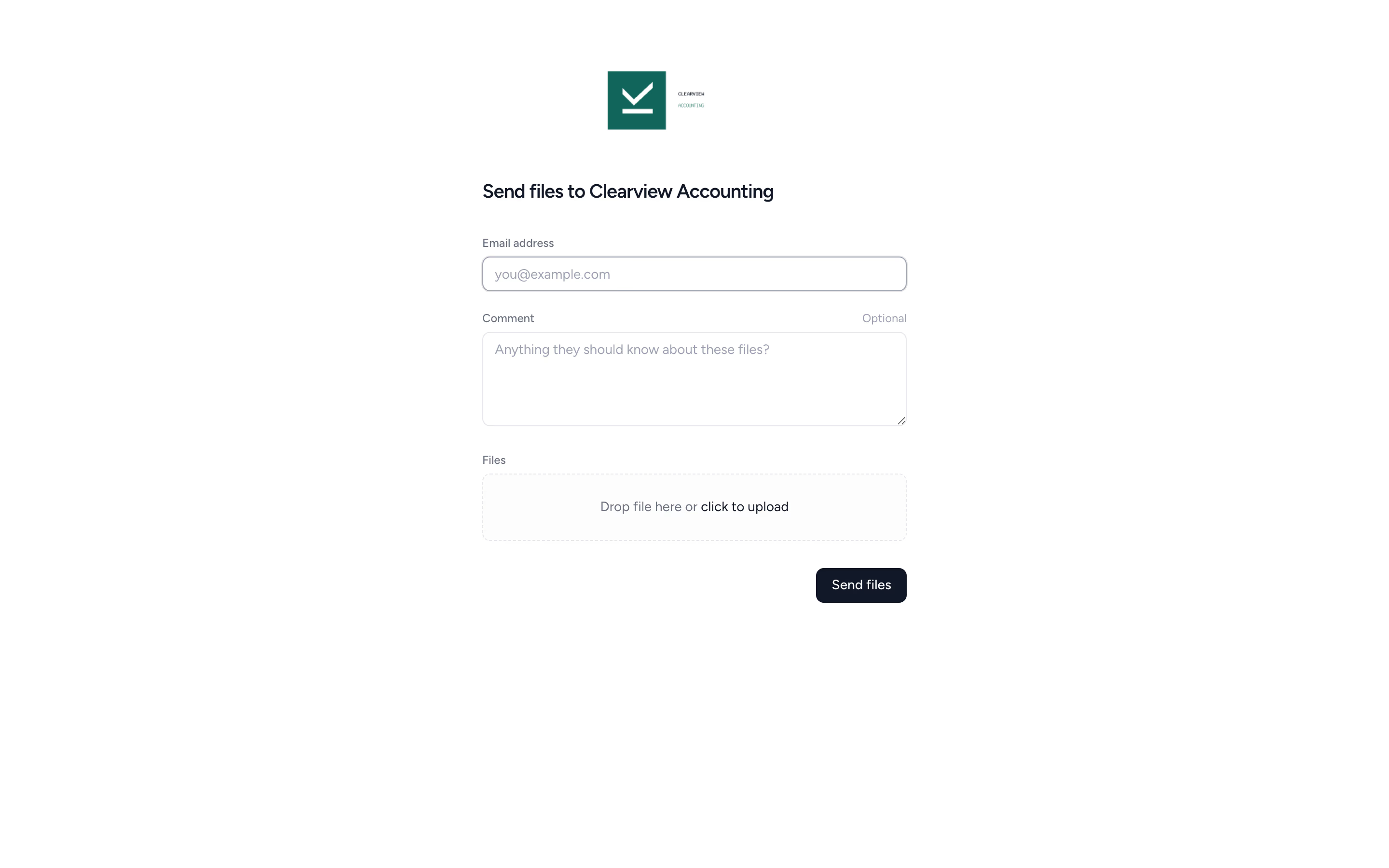
Send a secure upload link, your client drops files in, done. No password, no portal tour, no abandoned signup.
Clients see the folders you've shared with them, sign engagement letters, respond to requests, and download what they need. No more "can you resend last year's statements?" emails.
Choose what you need, pick the reminder cadence, hit send.
The client opens the request from the email and drags files in. No login.
Files land in the right folder. Request closes when complete.
Outstanding items get reminders on your cadence. After ten unanswered rounds, your team is notified to take over.
Add your logo and portal icon, choose your portal address, and link it from your website. See what clients see when they sign in.
Signing in, answering requests, uploading documents, and finding shared files. Send this two-minute guide to clients to help them get started.
"Overall, everything just works, whether that be time recording, deadline management, monitoring WIP, billing … client portal, digital signatures, and many other features that a small accounting or bookkeeping practice needs."
"Tidyflow is easy to use, and has a simple, modern UI. Their customer support is amazing."
"The user-friendly interface and solid features have become essential in streamlining our accounting firm's operations, ensuring consistent and reliable service delivery."
"Great for team collaboration, accountability, keeping track of information and ensuring nothing falls through the cracks."


No portal seat fees. No per-contact fees. Bring every client and contact you have.
Yes. On Pro, clients can open and approve an attached draft or request changes, then sign a supplied PDF through a signature item. You can link an invoice to an approval to require payment before document access, approval or signing. Enabling the payment requirement needs connected online payments. Approval and signature remain separate recorded steps.
Contacts access the portal via portal.tidyflow.com. They get a single login that works across every client they're linked to.
Yes. Multiple contacts can be linked to a single client, so different individuals at the same business can access the right files and respond to the right requests.
Yes. Every contact gets their own portal login, so a married couple filing jointly, two business partners, or a client and their bookkeeper never have to share a password. Add both to the same request and they work on one shared copy rather than getting one each: either person can answer a question or upload a document, and each sees what the other has already done. One job, one set of answers on your side.
Yes. Contacts don't have to wait for a request. They can sign in and upload straight away, which is what usually happens when a notice arrives in the post that nobody was expecting. The file lands in a Client Uploads folder on that client, so client submissions never land in the middle of your own working papers.
Yes, as long as you follow the client. Following a client tells Tidyflow to notify you whenever one of that client's contacts uploads a file, whether it came through a request, a shared folder, or the client's upload link. The notification names the person, the file, and the client, so you never have to open folders to check whether anything arrived. Files your own team uploads don't trigger notifications.
Yes, two ways. The link in a request email opens that request without a login for up to 90 days, so clients can answer questions and upload straight from their inbox. For files outside a request, each client gets a secure upload link: they drag and drop files, add their email, and submit. No account required, and files land directly in the right client folder. The full portal, with every shared document and request, needs a login.
Tidyflow emails reminders for outstanding client requests on the cadence you set, listing what is still missing. Reminders pause while your team reviews a client's reply, and after ten unanswered rounds they stop and your team is notified to take over. You can restart them at any time.
Tidyflow is hosted on AWS and DigitalOcean infrastructure in U.S. data centres. Both providers are independently audited and maintain SOC 2 reports. Tidyflow adds encrypted backups, multi-factor authentication, and role-based permissions on top. Read the security page for the full detail.
Yes. Add your logo and use a branded login URL so clients see your firm, not Tidyflow.
Yes. Request forms support sections, conditional show/hide questions, and multiple choice, date, and number answers. Clients see last year's answer next to each question for one-tap reuse, review everything, and sign off before submitting. Ready-made organizers cover 1040, 1120-S, 1065, 1120 and 1041, and completed organizers export to PDF. Editing conditional questions requires Pro. More on tax organizers →
Yes. Contacts with billing access see their invoices in the portal, with outstanding amounts and a Pay now button. Clients pay by card, or by bank debit in the US, Canada, and Australia, when online payments are enabled.
Start free for 14 days. No credit card. Send your first client request in minutes.
Recurring jobs, templates, and deadlines your team can't miss.
Every client, contact, and detail in one organized place.
Branded proposals and engagement letters, signed online.
Invoice from tracked time or fixed fees, and get paid online.
Timers and timesheets that flow straight into billing.
Secure, organized document storage, shared with your clients.
Digital organizers with conditional questions and last year's answers.
A shared firm inbox, connected to your clients and jobs.
An assistant, agent teammates, and MCP connectors on your firm's live data.
See where your time, billing, and revenue actually go.
See your team's workload before it hits.
Xero, QuickBooks Online, Zapier, Make, and a public API.
Legally binding e-signatures, included at no extra cost.
Comments, mentions, and shared visibility on every job.
Compare every capability across plans, side by side.
We use cookies to measure and improve our ads. Privacy policy