
Clients pick a time. You skip the back-and-forth.
Share a booking link and clients book a free time in your Google or Outlook calendar. Tidyflow adds a Google Meet or Teams link and files the meeting under the right client, so you don't need a separate scheduling tool beside your practice management.
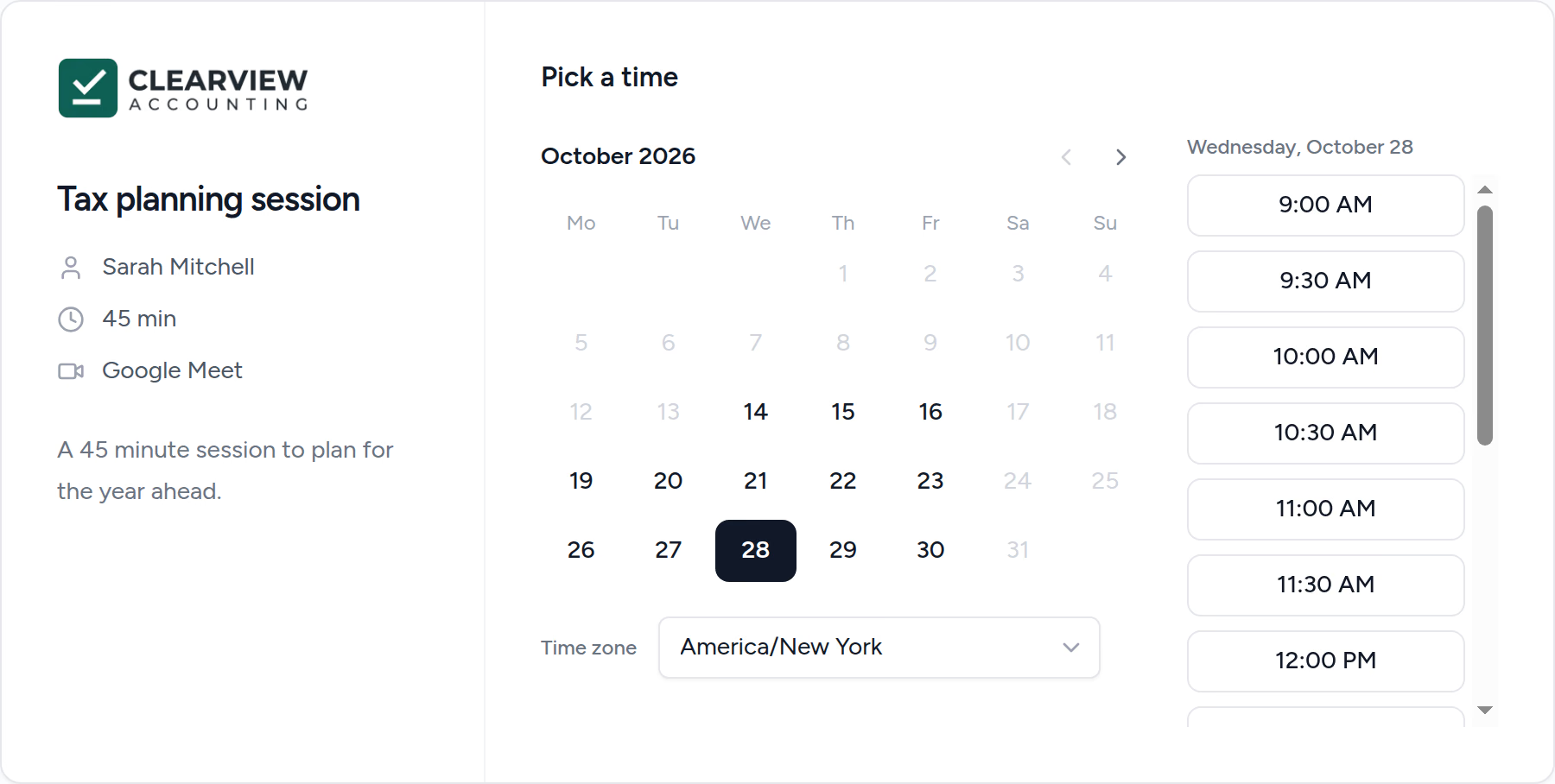
No more "does Tuesday work?"
Clients see only the times you're free and book one themselves. Tidyflow checks your calendar again as they book, so two people can't take the same slot.
Every meeting on the right client
Existing clients are recognised by their email. Someone new is added as a prospect, and your new-client automations run.
One less tool and login
Bookings live beside the client's requests, jobs and emails, instead of in a scheduling app you pay for and check separately.
From booking link to booked meeting.
A quick walkthrough: create a link, book it as a new client, and see the meeting land in Tidyflow.
Your logo, your hours, their time zone.
Each booking link is a page on your portal address with your firm's logo. Clients see free times in their own time zone, enter their name and email, and answer any questions you add. Block out the week before a filing deadline and the page simply stops offering those days.
- ✓ Weekly hours, with split shifts
- ✓ Closed dates for deadline weeks
- ✓ Minimum notice, buffers and a daily cap
- ✓ Up to five questions when someone books
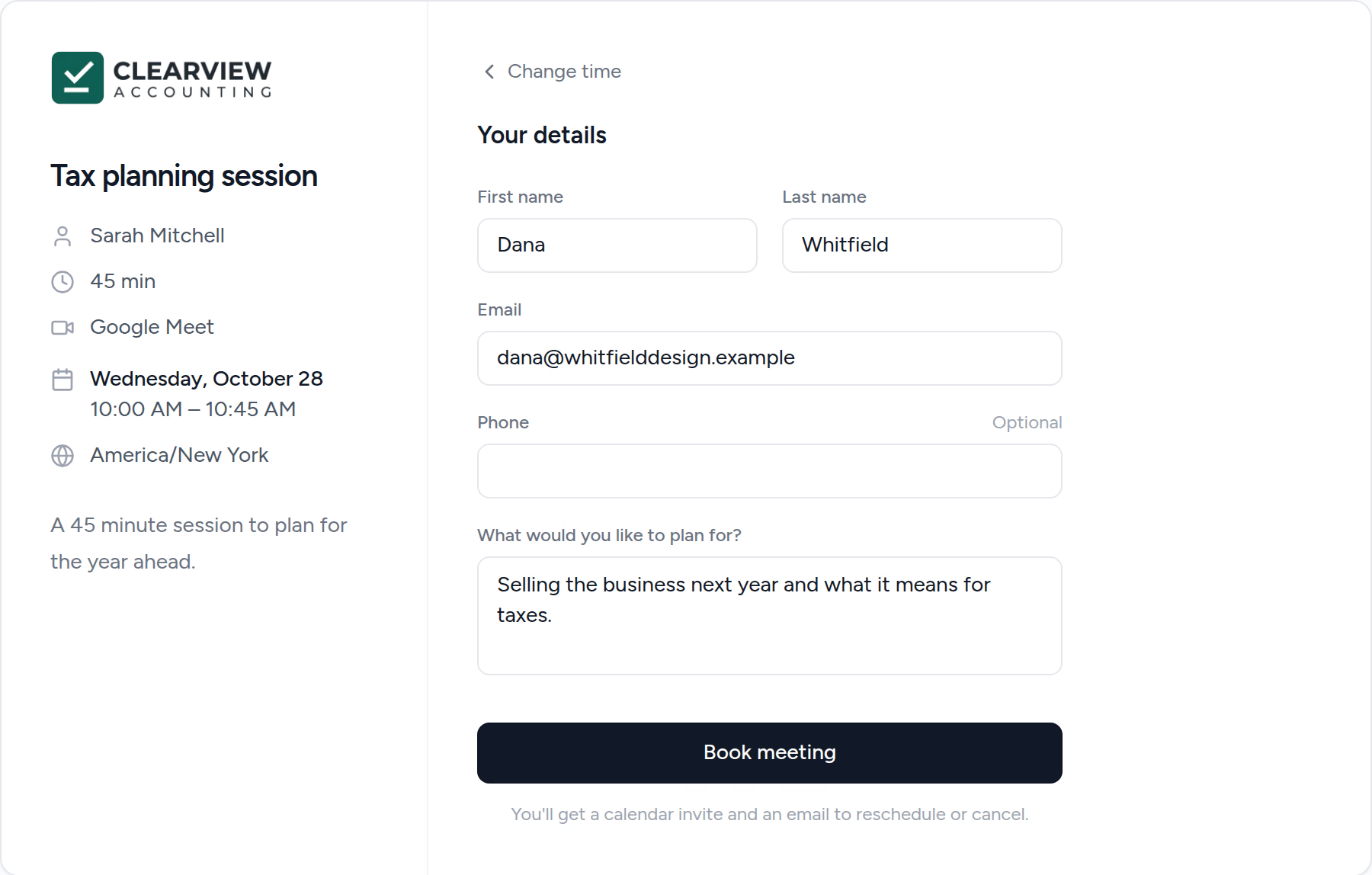
Know who's coming before the call.
Every booking is listed with the client it belongs to, and the host gets a notification. A discovery call from someone new creates the prospect for you, so the enquiry is in your pipeline before the meeting starts. A link can also create a Job from a template each time someone books.
- ✓ Matched to existing clients by email
- ✓ New people added as prospects
- ✓ Optional Job from a template per booking
- ✓ Host notified of new, moved and cancelled meetings
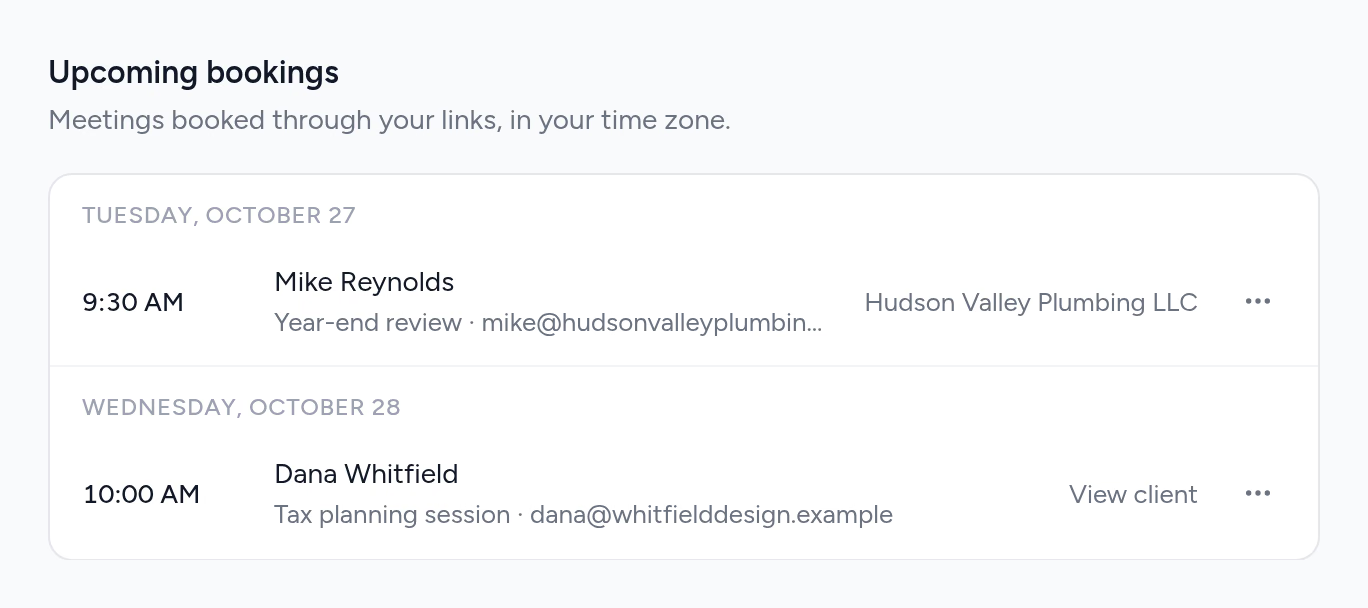
Clients move the meeting without emailing you.
The confirmation email has a link to pick a new time or cancel, up to the notice you set. The calendar invite updates itself. If you move or delete the meeting in Google Calendar or Outlook, the booking follows, so there's only ever one version of the truth.
- ✓ Calendar invite plus a confirmation email
- ✓ Reschedule or cancel from the email
- ✓ Changes in your calendar sync back
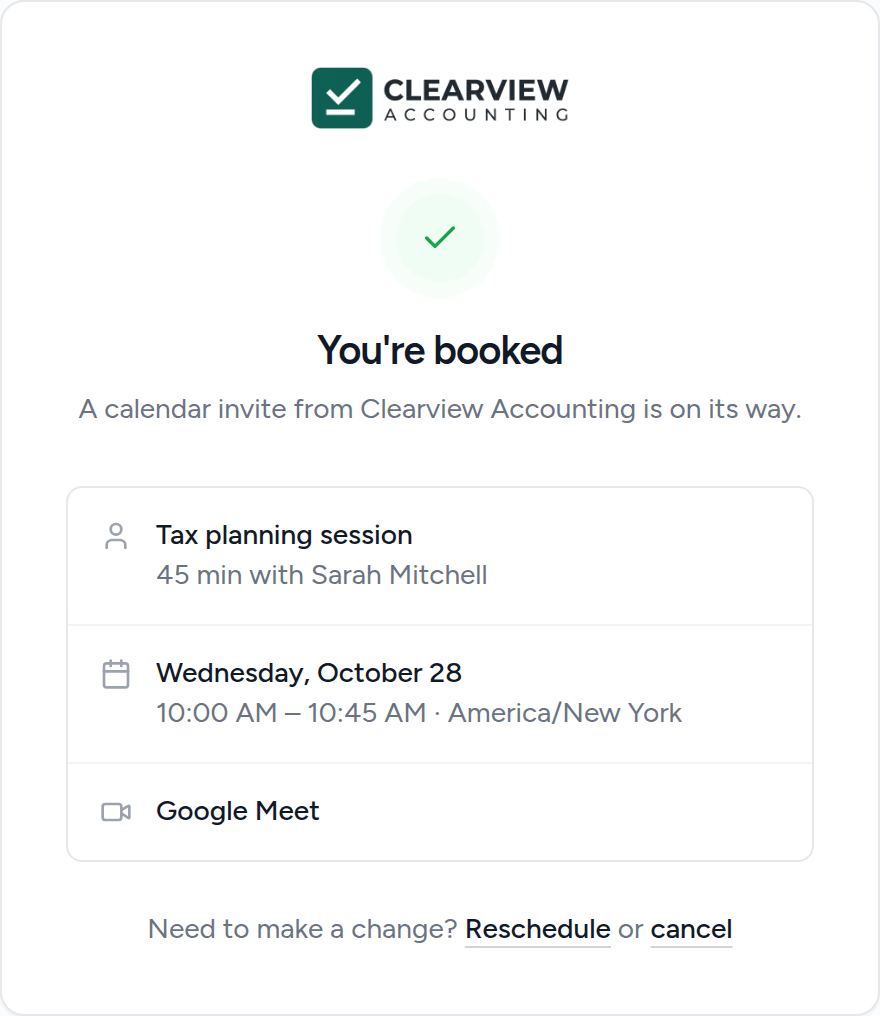
A booking link in a few minutes.
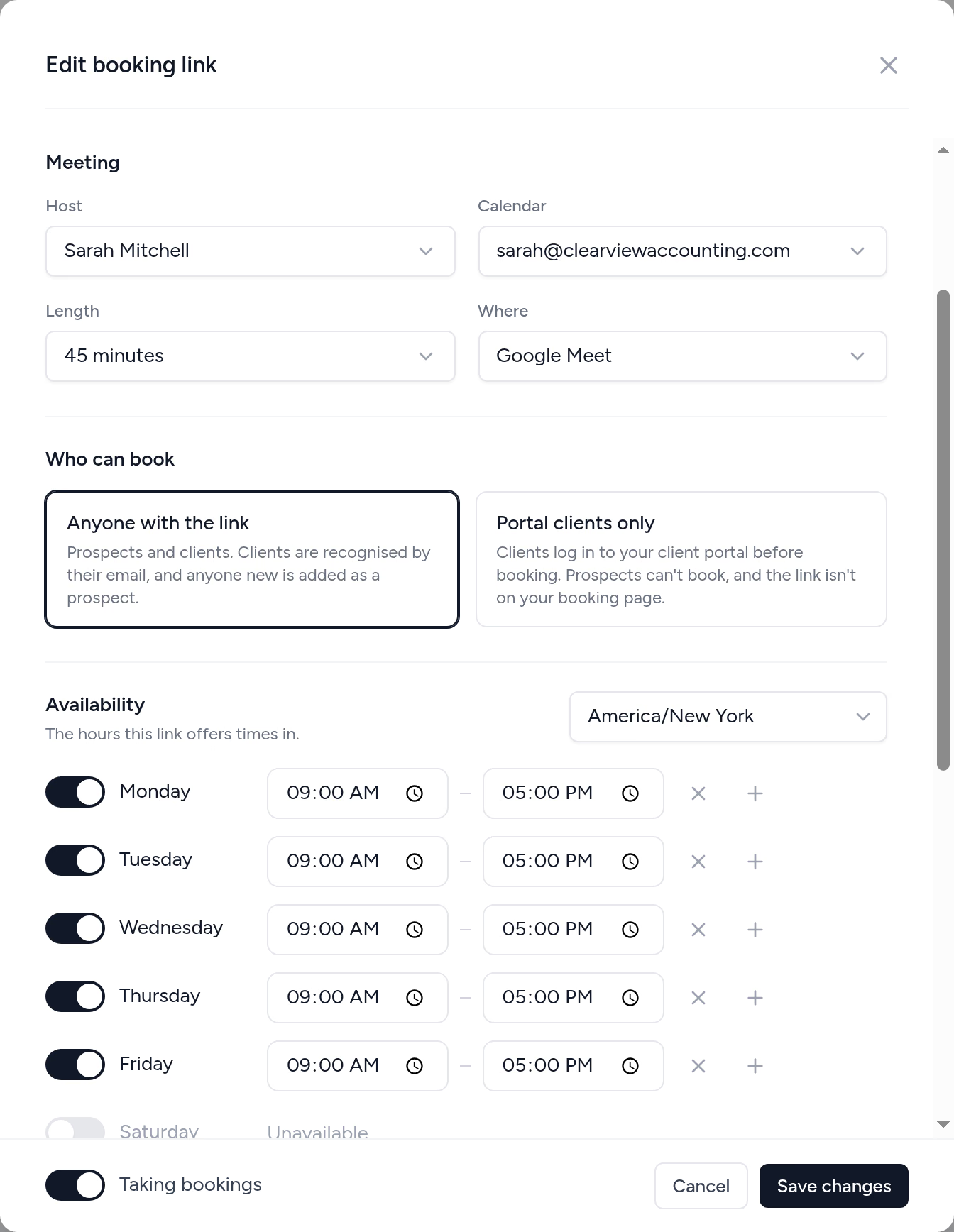
Pick the host, the calendar, the length and where you'll meet, then set the hours. Use one link for discovery calls that anyone can book, and keep a year-end review link for clients who log in to your portal.
- ✓ One host and calendar per link
- ✓ Google Meet, Teams, phone, in person or your own video link
- ✓ Anyone with the link, or portal clients only
From email ping-pong to booked, in four steps.
- 1
Connect your calendar
Turn on calendar sync for the Google or Microsoft mailbox you already use.
- 2
Create a booking link
Choose the host, length, hours and where you'll meet.
- 3
Share it
On your website, in your email signature, in a client request or on your Get started page.
- 4
Meetings book themselves
Each one lands in your calendar and on the right client.
What changes when booking lives with your clients.
Without Tidyflow
- ×Four emails to agree on a time
- ×A separate scheduling app and login
- ×Meetings you copy onto the client record by hand
- ×New enquiries that never make it into your system
With Tidyflow
- ✓Clients book a free time themselves
- ✓Booking built into your practice management
- ✓Every meeting filed under the right client
- ✓New people added as prospects automatically
Built for how firms meet clients.
Book
- Booking pages on your portal address
- Visitor's own time zone
- Custom questions
- Portal clients only links
- Book a call from your Get started page
Calendar
- Google and Outlook calendar sync
- Google Meet and Teams links
- Weekly hours and closed dates
- Buffers, notice and daily caps
- Changes sync both ways
Clients
- Matched by email
- New prospects created
- New-client automations
- Job from a template
- Reschedule and cancel links
Included in Pro, from $55/user/month.
Billed annually, or $69 monthly. Booking links are in the 14-day free trial, with no credit card.
Appointment scheduling questions firms ask us.
Appointment scheduling software gives clients a page where they pick a free time from your calendar and book a meeting themselves, instead of trading emails to find a slot. Calendly is the best-known example. In Tidyflow it is called a booking link, and it is built into your practice management, so each meeting is filed under the right client.
Yes. Booking links use the calendars of the Google or Microsoft mailboxes you have connected to Tidyflow, once calendar sync is turned on. Each link books into one calendar you choose. See how to set one up.
Tidyflow creates a Google Meet link for meetings on a Google calendar, and a Microsoft Teams link on a Microsoft 365 work or school calendar. A link can also be a phone call, an in-person meeting at your address, or another video link you paste in, such as your Zoom personal meeting room.
No. Anyone with a link can book without signing up. If you want a link only your existing clients can use, set it to Portal clients only, and clients log in to your client portal before they book.
Tidyflow adds them as a prospect client with a contact, and your automations for new clients run, so a discovery call starts your onboarding without anyone retyping details. Existing clients are recognised by their email address, so their meetings land on their client record instead of creating a duplicate.
Yes. Their confirmation email has a link to pick a new time or cancel, up to the minimum notice you set. The calendar event moves or is removed and the host is told. If you move or delete the meeting in Google Calendar or Outlook yourself, the booking follows.
Not separately. The client gets a calendar invite from your Google or Microsoft calendar, so the meeting sits in their own calendar with its usual alerts, and a confirmation email from Tidyflow with the meeting details.
Yes. Each booking link has one host and books into one calendar, so create links for each person who takes meetings. Owners and admins set links up for the team.
Booking links are part of Pro, $69/user/month or $55 billed annually, and included in the 14-day free trial. See pricing.
Let clients book the time.
Start free for 14 days. No credit card. Your first booking link takes minutes.
Explore more features
Workflow management
Recurring jobs, templates, and deadlines your team can't miss.
Client management
Every client, contact, and detail in one organized place.
Proposals & Engagement Letters
Branded proposals and engagement letters, signed online.
Billing & Payments
Invoice from tracked time or fixed fees, and get paid online.
Time tracking
Timers and timesheets that flow straight into billing.
Document management
Secure, organized document storage, shared with your clients.
Client portal & requests
Clients upload, answer, and approve in one portal. Reminders chase for you.
Tax organizers
Digital organizers with conditional questions and last year's answers.
Email Management
A shared firm inbox, connected to your clients and jobs.
Artificial Intelligence
An assistant, agent teammates, and MCP connectors on your firm's live data.
Reporting & Insights
See where your time, billing, and revenue actually go.
Capacity Planning
See your team's workload before it hits.
Integrations
Xero, QuickBooks Online, Zapier, Make, and a public API.
Electronic signatures
Legally binding e-signatures, included at no extra cost.
Collaboration
Comments, mentions, and shared visibility on every job.
See the full feature list →
Compare every capability across plans, side by side.