
Stop forwarding emails. Start working together.
Comments, @mentions, multiple assignees, and a personal inbox that surfaces every update on jobs you own. The whole firm stays aligned without copying each other on emails.
Tag the person, not the team
@mention a teammate inside a job, email, or note. They get notified in their inbox without an email being sent.
Multiple owners, no confusion
Assign senior, manager, and partner to the same job, plus owners per subtask. Everyone knows what they own.
One inbox for what matters
Your personal inbox surfaces every update on the work you own. Filter, archive, respond.
Discuss the work where the work lives.
Comment on a job, file, or email thread. @mention the right teammate and they get a notification in their inbox. No more "see attached email re: Smith Trust." The conversation stays attached to the work, forever searchable.
- ✓ Comment on jobs, files, and email threads
- ✓ @mentions surface to the right person's inbox
- ✓ Internal-only: clients never see it
- ✓ Searchable across the firm
Bookkeeper drafts. Partner reviews.
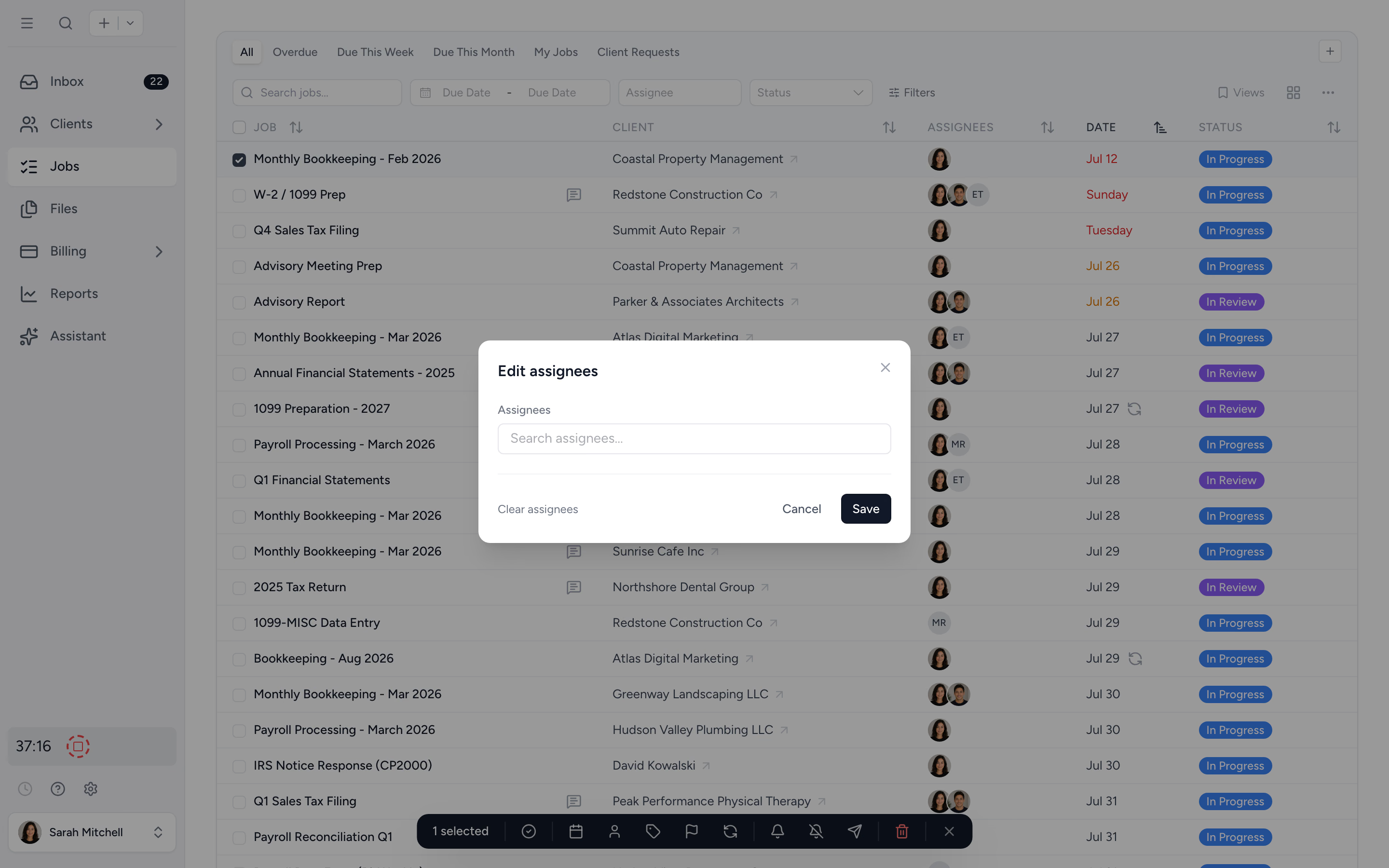
Assign one owner, or many. Break a job into subtasks when the work needs splitting, and link them with dependencies when the order matters. Handoffs trigger automatically: the next owner is notified the moment their step is up. Capacity hours split proportionally so workload reflects who actually does the work.
- ✓ Multiple owners at the job level
- ✓ Per-subtask owners and due dates
- ✓ Subtask dependencies notify the next owner
- ✓ Capacity hours split automatically
- ✓ Bulk-assign across many jobs
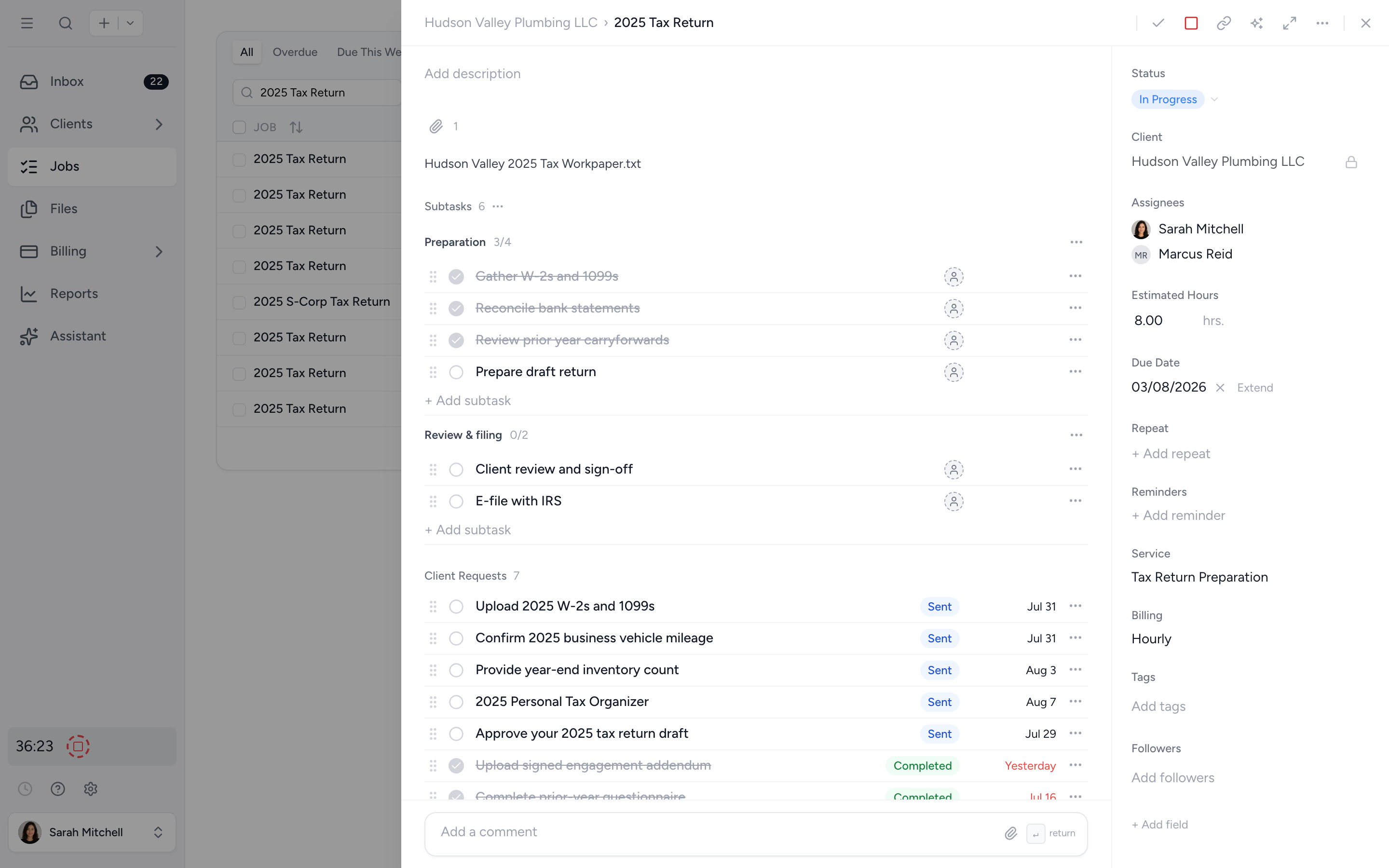
One inbox. Every update on the work you own.
The personal inbox aggregates every comment, @mention, status change, and update on jobs you're assigned to. Open, respond, archive. Filter to unread, follow specific clients, or pin partner reviews to the top.
- ✓ Updates from every job you own
- ✓ Filters for unread, archived, by client
- ✓ Reply or take action without leaving the inbox
From email chains to one shared workspace, in four steps.
- 1
Invite the team
Add team members and set their roles in seconds.
- 2
Assign the work
Multiple owners per job, per subtask, with bulk-assign for scale.
- 3
Talk on the work
Comments and @mentions stay attached to the job forever.
- 4
Track it in your inbox
Every update lands in the right person's personal inbox.
What changes when collaboration lives in one place.
Without Tidyflow
- ×"FW: FW: RE: Smith trust 2024" email chains
- ×One owner per job, then it bottlenecks
- ×Notes scattered across Slack, email, and Word docs
- ×Junior staff see partner-only data by accident
With Tidyflow
- ✓Comments and @mentions on the work itself
- ✓Multiple owners per job, owners per subtask
- ✓One personal inbox for every update you own
- ✓Role-based permissions enforced firm-wide
Trusted by accounting firms working with distributed teams.
"Great for team collaboration, accountability, keeping track of information and ensuring nothing falls through the cracks."
"Tidyflow is easy to use, and has a simple, modern UI. Their customer support is amazing."
"Overall, everything just works, whether that be time recording, deadline management, monitoring WIP, billing … client portal, digital signatures, and many other features that a small accounting or bookkeeping practice needs."
"The user-friendly interface and solid features have become essential in streamlining our accounting firm's operations, ensuring consistent and reliable service delivery."

Built for the way teams actually work.
Talk
- Comments on jobs & files
- @mentions
- Email-thread internal comments
- Comments on mobile (beta)
- Client notes
Assign
- Multiple job assignees
- Per-subtask owners
- Subtask dependencies
- Bulk-assign across jobs
- Follow clients
Track
- Personal inbox
- Activity log per job
- Role-based permissions
- Audit trail
From $29/user/month, billed annually.
No collaboration tax. Comments, @mentions, multi-assignee, and inbox included on every plan.
Collaboration questions firms ask us most.
Yes. Assign multiple owners at the job level, plus separate owners on each subtask. Capacity hours are split proportionally so workload reflects reality.
Yes. Subtasks can be linked so work flows in the right order. When a prerequisite is completed, the next owner is notified automatically, so handoffs happen without anyone chasing.
Type @ in any comment to surface a teammate. They get a notification in their personal inbox and can reply without leaving Tidyflow.
Every job has a chronological activity log of comments, status changes, file uploads, and assignments. New owners get the full context without a handover meeting.
Yes. Your personal inbox surfaces every update on jobs you're assigned to, every @mention, and every comment on a thread you follow. Filter to unread or archived.
Get the firm working in one place.
Start free for 14 days. No credit card. Invite your team in minutes.
Explore more features
Workflow management
Recurring jobs, templates, and deadlines your team can't miss.
Client management
Every client, contact, and detail in one organized place.
Proposals & Engagement Letters
Branded proposals and engagement letters, signed online.
Billing & Payments
Invoice from tracked time or fixed fees, and get paid online.
Time tracking
Timers and timesheets that flow straight into billing.
Document management
Secure, organized document storage, shared with your clients.
Client portal & requests
Clients upload, answer, and approve in one portal. Reminders chase for you.
Tax organizers
Digital organizers with conditional questions and last year's answers.
Email Management
A shared firm inbox, connected to your clients and jobs.
Artificial Intelligence
An assistant, agent teammates, and MCP connectors on your firm's live data.
Reporting & Insights
See where your time, billing, and revenue actually go.
Capacity Planning
See your team's workload before it hits.
Integrations
Xero, QuickBooks Online, Zapier, Make, and a public API.
Electronic signatures
Legally binding e-signatures, included at no extra cost.
See the full feature list →
Compare every capability across plans, side by side.