
Send a tax organizer. Get it back complete.
Start with a ready-made 1040, 1120-S, 1065, 1120 or 1041 organizer. Clients answer and upload in one place, reuse last year's answers, and get reminders for missing documents. Pro adds conditional questions that keep the form relevant.
Clients finish it
Conditional questions keep the organizer short. A client with no rental property never sees a rental section.
Documents arrive with answers
W-2s, 1099s, and statements upload inside the organizer and land on the job, not in your inbox.
Nothing left to chase
Outstanding items get automatic reminders on your cadence, and you see live status per client.
Watch a ready-made tax organizer come back with the documents.
A 70-second walkthrough of the ready-made 1040 organizer: prior-year answers, uploads that land on each document, documents to send later, client sign-off and automatic follow-ups.
Only the questions that apply.
Group questions into sections and show or hide them based on earlier answers. Answer "No" to self-employment and the whole Schedule C block disappears. What's left is short enough to finish in one sitting.
- ✓ Sections with hints, in a guided full-screen flow
- ✓ Multiple choice, date, number, and long-text answers
- ✓ Show/hide logic between questions, including nested follow-ups
- ✓ Required and optional items, so nothing critical gets skipped
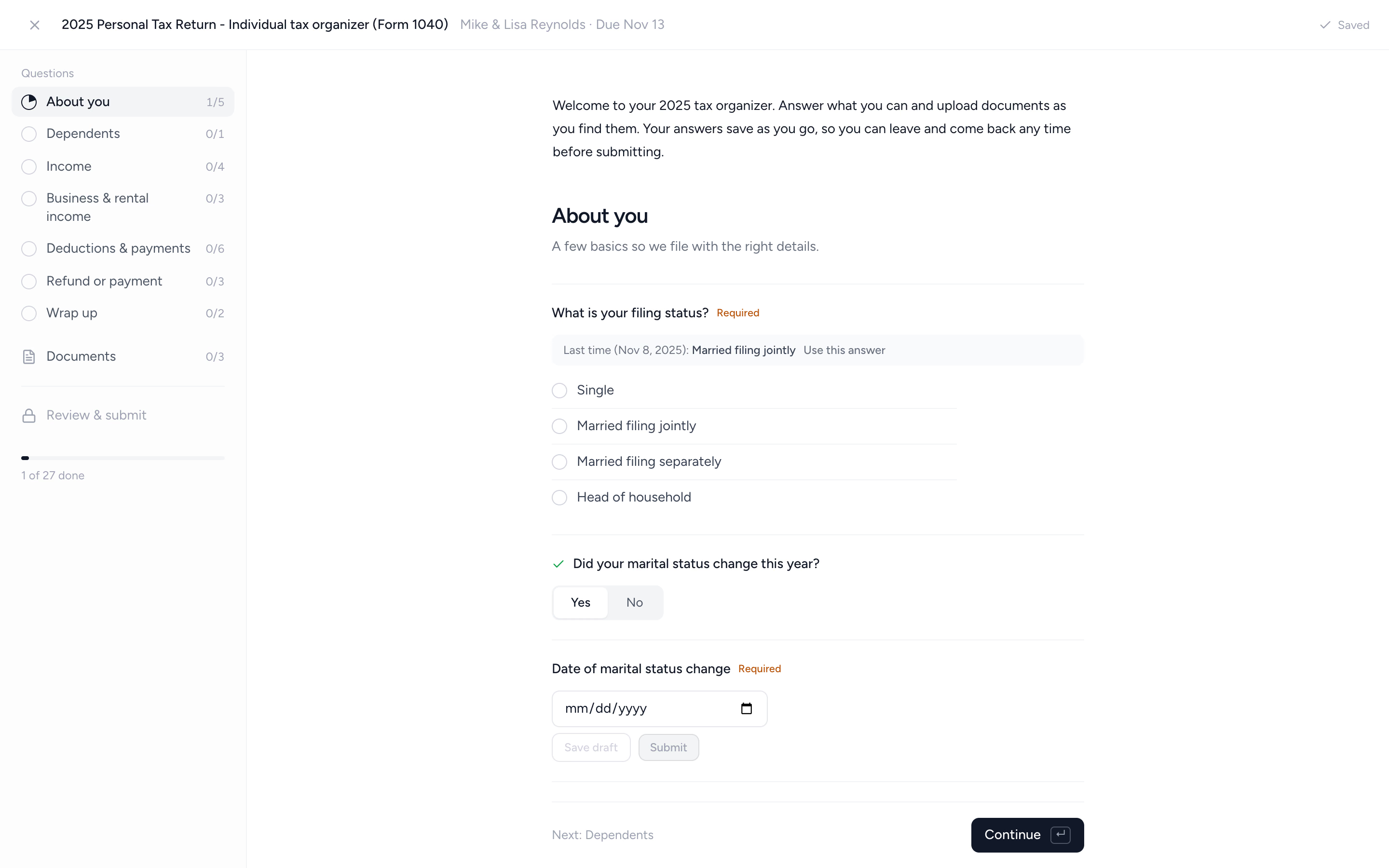
Returning clients confirm, not retype.
Last year's answer sits beside each question with one-tap reuse. Clients confirm what stayed the same and only type what changed, so year two takes minutes, not an evening.
- ✓ Last year's answer shown next to each question
- ✓ One tap to reuse it, or type the new answer
- ✓ Answers keep their identity across years, templates, and repeats
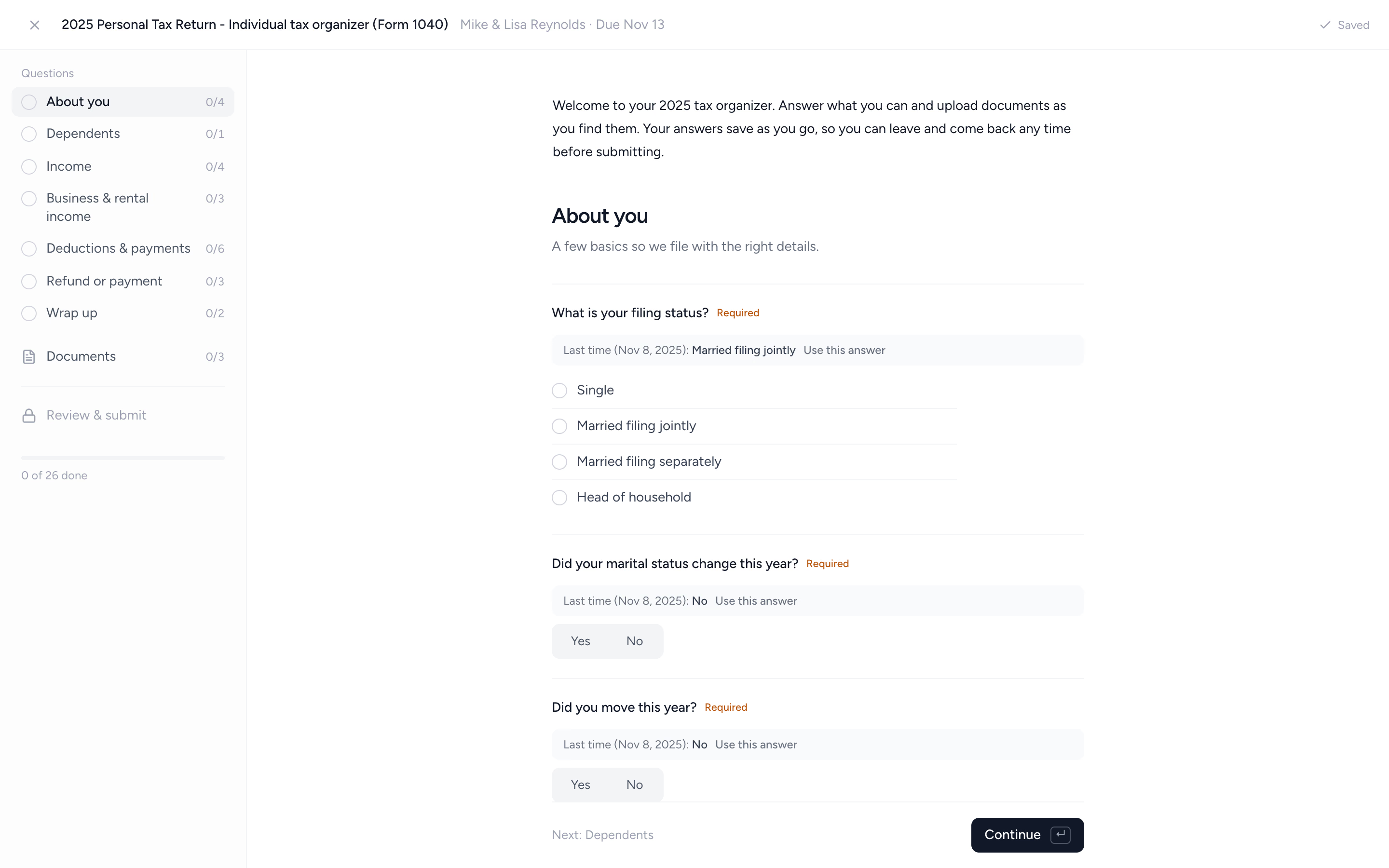
Every document on one list.
The organizer lists each document the client owes, including last year's by employer or bank, and a yes to a question adds the documents it needs. Clients drop in their files once and each one lands on its line. Anything not ready is marked "I'll send it later" instead of stalling the whole thing.
- ✓ Last year's W-2s, K-1s and tax forms listed again
- ✓ Dropped files matched to their documents by name
- ✓ Deferred documents stay flagged and get chased in reminders
- ✓ Late documents can be added after submission without reopening
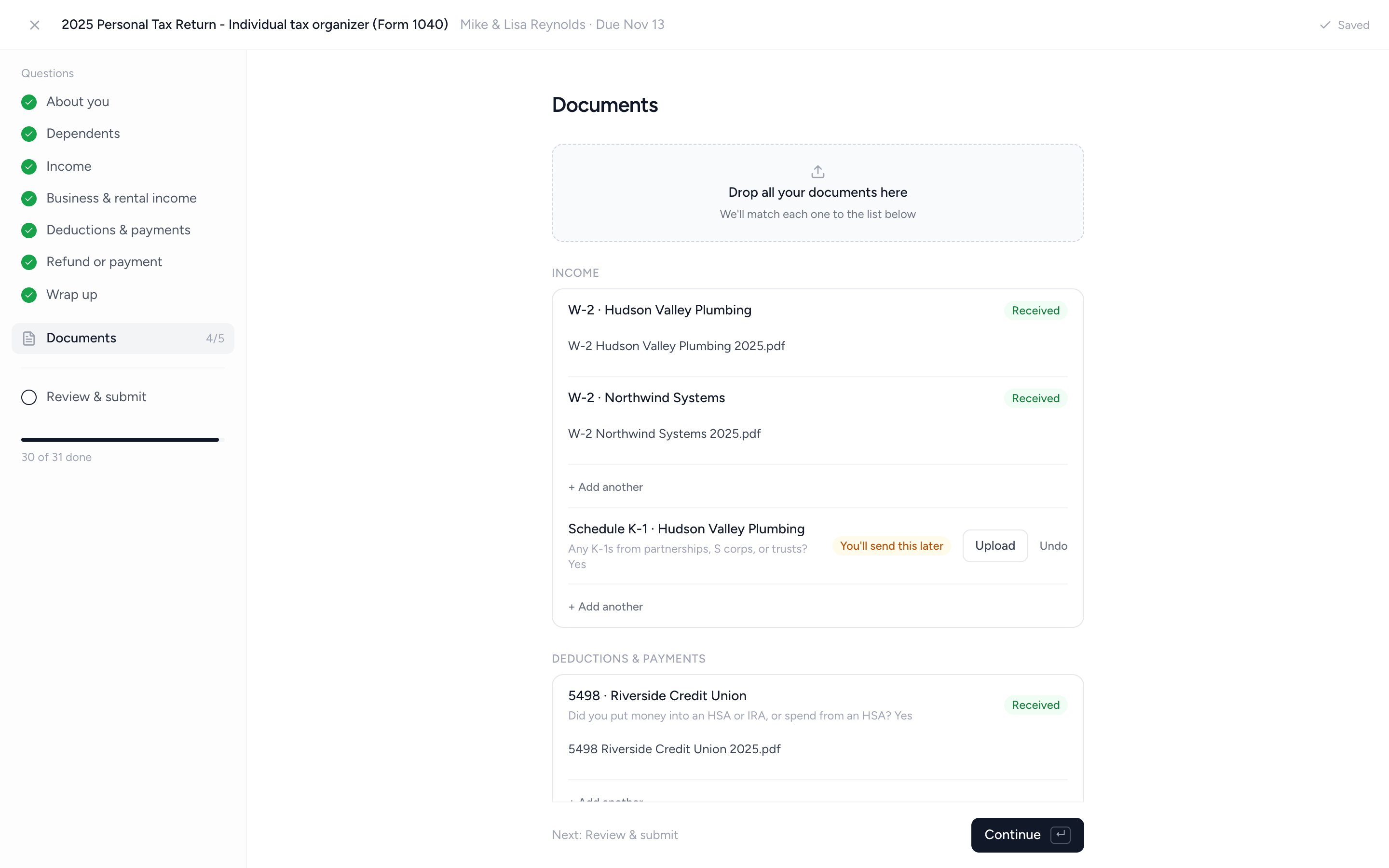
A real sign-off, then straight to workpapers.
Before submitting, clients review a recap of every answer and sign off by typing their name. You can reopen a submitted organizer to fix answers on the client's behalf, and export the whole thing to PDF, grouped by section, with the sign-off recorded.
- ✓ Client reviews a recap of every answer before submitting
- ✓ Typed sign-off recorded on the organizer
- ✓ PDF export with answers grouped by section
From "please complete the attached" to submitted in four steps.
- 1
Start from a template
Use a ready-made organizer template, or build your own and save it.
- 2
Send it with the job
Attach the organizer to the tax job, pick the reminder cadence, hit send.
- 3
Client works through it
Guided sections in the portal. Answers save as they go, on any device.
- 4
Review and export
Client signs off and submits. You export the PDF to your workpapers.
What changes when the organizer stops being a PDF.
The PDF organizer
- ×40 pages, every question for every client
- ×Comes back half-blank, or not at all
- ×Documents arrive separately, by email
- ×Someone retypes the answers into workpapers
The Tidyflow organizer
- ✓Only the questions that apply to this client
- ✓Last year's answers pre-loaded for one-tap reuse
- ✓Uploads inside the organizer, filed on the job
- ✓Typed answers, signed off, exported to PDF
Trusted by firms that are done chasing organizers.
"Overall, everything just works, whether that be time recording, deadline management, monitoring WIP, billing … client portal, digital signatures, and many other features that a small accounting or bookkeeping practice needs."
"Tidyflow is easy to use, and has a simple, modern UI. Their customer support is amazing."
"The user-friendly interface and solid features have become essential in streamlining our accounting firm's operations, ensuring consistent and reliable service delivery."
"Great for team collaboration, accountability, keeping track of information and ensuring nothing falls through the cracks."


Built for tax season volume, not one-off forms.
Build
- Sections with hints
- Conditional show/hide questions (Pro)
- Multiple choice, date, number & long-text answers
- Required and optional items
- Ready-made organizer templates
- Save any organizer as a template
Client experience
- Guided full-screen flow with progress
- Answers save as they go
- Last year's answers, one-tap reuse
- Uploads next to the questions they belong to
- "It doesn't apply" and "I'll send it later"
- Review & submit with typed sign-off
Firm side
- Automated email reminders
- Live status per item and per client
- Files land in the right client folder
- Reopen and fix answers on the client's behalf
- PDF export with recorded sign-off
- Attached to your recurring tax jobs
From $29/user/month, billed annually.
Organizers are included on every plan, and Pro adds conditional questions. No per-organizer or per-client fees.
Tax organizer questions firms ask us most.
Prior-year references come from completed requests in Tidyflow. They appear beside the new questions for clients to reuse; answers are not silently prefilled or imported from a tax-preparation engine.
A tax organizer is the questionnaire and document checklist a firm sends each client before preparing their return: filing status, dependents, income documents, deductions, and anything that changed during the year. Traditionally it's a long PDF printed from tax software. In Tidyflow it's a digital form in the client portal, with conditional questions, document uploads, and last year's answers carried forward.
Yes. Ready-made US organizers cover Forms 1040, 1120-S, 1065, 1120 and 1041, attached to matching tax job templates. They include a review-and-submit step. Adapt them for your firm; editing conditional questions requires Pro.
Yes. Australian workspaces get ready-made questionnaires for individual, company, trust, and partnership returns, plus client onboarding forms. UK workspaces get questionnaires for Self Assessment, partnership, trust and estate, and Corporation Tax returns. Each is attached to a matching job template. See regional support.
Yes. When a returning client opens this year's organizer, last year's answer sits beside each question with one-tap reuse. Returning clients confirm what stayed the same and only type what changed.
Yes. Organizers are built on request forms, so you can create one for any return or workflow: sections, conditional questions, multiple choice, date, and number answers, plus document uploads. Save it as a template and reuse it across clients.
Clients open it from the request email and work through it in the portal as a guided, sectioned flow. Answers save as they go, so they can leave and come back any time before submitting, and they can upload documents alongside their answers from any device.
They can mark it "I'll send this later" and still submit the organizer. Deferred documents stay flagged for your team, appear in follow-up reminders, and can be added after submission without reopening anything.
Conditional show/hide questions are part of the Pro plan. On every plan you can build sectioned organizers with multiple choice, date, number, and upload items, use the ready-made templates, and export completed organizers to PDF. See pricing.
Yes. Download any submitted organizer as a PDF, with answers grouped by section, the document list, and the client's typed sign-off, ready for your workpapers.
Prefer a paper starting point? Download the free 1040 tax organizer template.
Make this the last season of half-blank organizers.
Start free for 14 days. No credit card. Send your first organizer the same day.
Explore more features
Workflow management
Recurring jobs, templates, and deadlines your team can't miss.
Client management
Every client, contact, and detail in one organized place.
Proposals & Engagement Letters
Branded proposals and engagement letters, signed online.
Billing & Payments
Invoice from tracked time or fixed fees, and get paid online.
Time tracking
Timers and timesheets that flow straight into billing.
Document management
Secure, organized document storage, shared with your clients.
Client portal & requests
Clients upload, answer, and approve in one portal. Reminders chase for you.
Email Management
A shared firm inbox, connected to your clients and jobs.
Artificial Intelligence
An assistant, agent teammates, and MCP connectors on your firm's live data.
Reporting & Insights
See where your time, billing, and revenue actually go.
Capacity Planning
See your team's workload before it hits.
Integrations
Xero, QuickBooks Online, Zapier, Make, and a public API.
Electronic signatures
Legally binding e-signatures, included at no extra cost.
Collaboration
Comments, mentions, and shared visibility on every job.
See the full feature list →
Compare every capability across plans, side by side.