Try Tidyflow
Get your firm organized.
Watch a 4-minute demo, or start a free trial. No credit card required.
A client portal can simplify your firm’s workflow or become another login nobody uses. The difference comes down to whether clients can complete their work easily and whether their responses flow into the jobs your team already manages.
This 2026 guide compares the main types of client portal software for accountants, including Tidyflow, TaxDome, Karbon, SmartVault and ShareFile. It also explains what to test before moving sensitive client documents and active work into a new system.
Why Client Portals Matter for Accounting Firms
Email is how most firms exchange documents with clients. It’s also the worst tool for the job:
- Security and control — ordinary email was not designed as a controlled client workspace. Attachments can be sent to the wrong address, forwarded, retained indefinitely and accessed after somebody should have lost permission.
- Organization — documents end up scattered across inboxes, attachments get lost, and nobody can find the version they need.
- Tracking — you have no way to see if the client received your request, downloaded the file, or even opened the email.
- Client experience — asking clients to “email it over” feels dated. They expect something more professional.
A client portal solves all of these. Documents live in one place, uploads are secure, and both you and the client can see what’s been shared and what’s outstanding.
What to Look For
Not every client portal feature matters equally. Here’s what actually impacts your firm’s day-to-day:
1. Ease of Use (For Clients, Not Just You)
The most important feature of a client portal is whether your clients will actually use it. If it requires:
- Creating an account with a complex password
- Downloading an app
- Navigating a confusing file structure
…your clients will email you instead. Every time.
Look for: Simple login (or magic link / no-login upload), clean interface, mobile-friendly. The portal should be easier than email, not harder.
2. Document Sharing and Requests
The core use case. You need to:
- Send documents to clients (engagement letters, reports, invoices)
- Request documents from clients (tax documents, bank statements, receipts)
- Track what’s been uploaded and what’s still missing
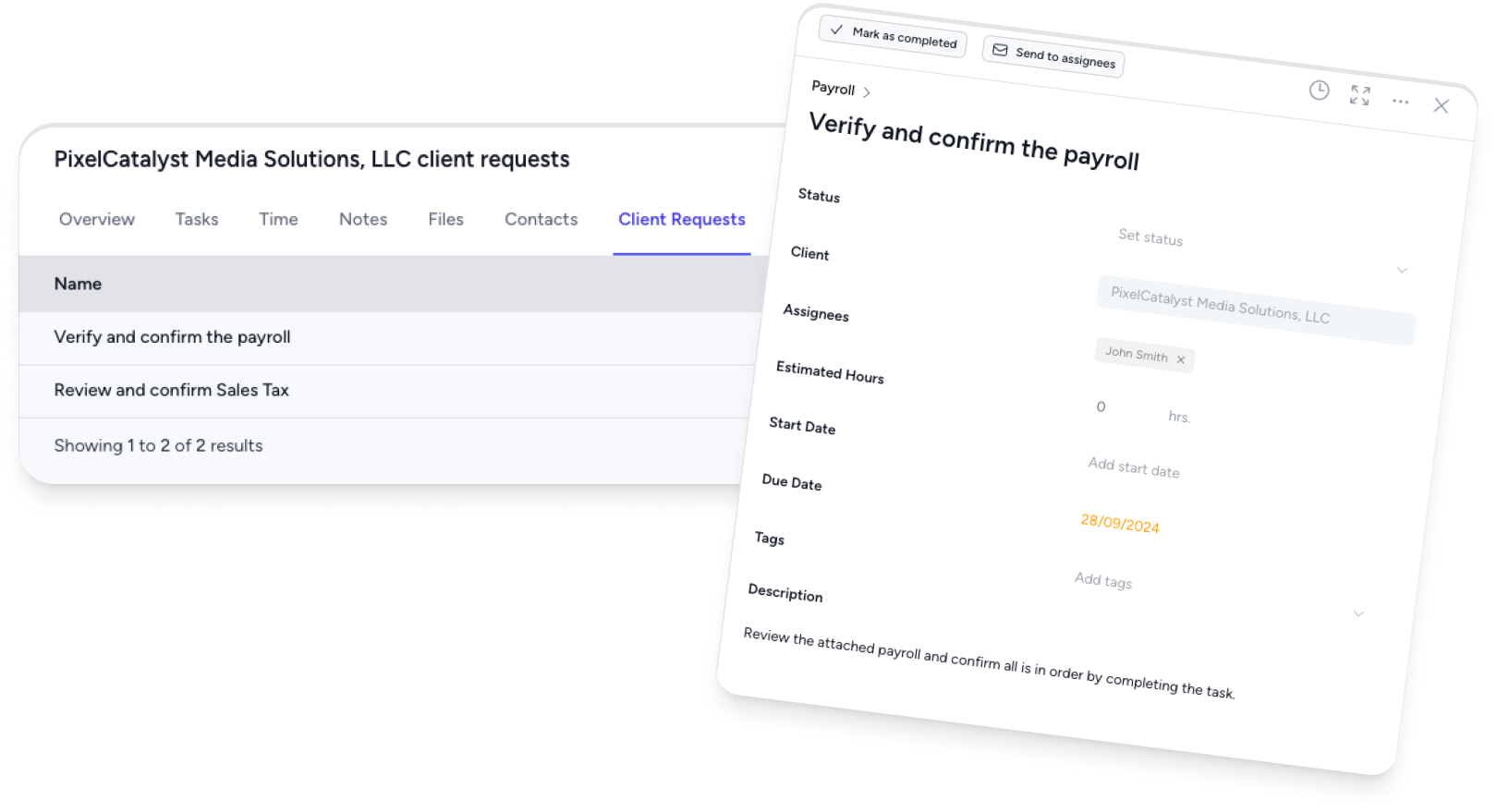
The best portals let you send a request with a checklist of items needed, and the client can upload them one by one. You see progress without sending follow-up emails.
3. Security
You’re handling sensitive financial data. The portal must have:
- Encryption in transit and at rest
- Access controls — clients should only see their own files, not other clients’
- Audit trail — who uploaded what, when
You don’t necessarily need SOC-2 certification for a portal, but you do need basic encryption and access controls. If a portal can’t confirm these, move on.
4. Integration with Your Workflow
A standalone portal that doesn’t connect to your practice management workflow creates double-handling. You end up checking the portal for documents, then switching to your job management system to update the job status.
Look for: A portal that’s part of your practice management software, or at minimum integrates with it. When a client uploads a requested document, the job should automatically update — not require you to manually log it.
5. Notifications and Reminders
You shouldn’t have to check the portal manually to see if a client has uploaded something. Good portals notify you when:
- A client uploads a document
- A client views a document you shared
- A request deadline is approaching with items still outstanding
Even better: automatic reminders to the client when a deadline is approaching and they haven’t uploaded what you need.
6. Electronic Signatures
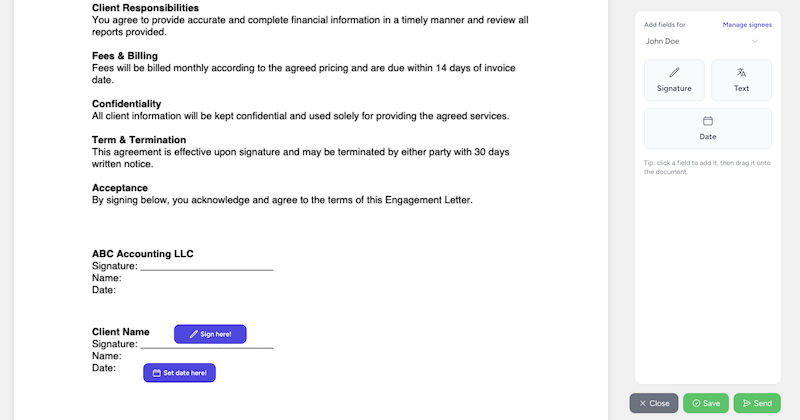
If you regularly send engagement letters, tax authority forms, or other documents that need signing, a built-in e-signature feature saves you from using a separate tool (and paying for another subscription).
What Doesn’t Matter as Much
Some features sound impressive but rarely impact day-to-day use:
- Custom branding — nice to have, but clients don’t care if the portal has your logo. They care if it’s easy to use.
- Chat/messaging — most firms still communicate via email or phone. Built-in chat often goes unused.
- Unlimited storage — unless you’re storing large media files, accounting documents (PDFs, spreadsheets) don’t take up much space. Storage limits rarely matter in practice.
Best client portal software for accounting firms: shortlist
The products below solve different versions of the portal problem. This is not a feature-by-feature ranking: verify current features, security documentation and pricing with each provider before buying.
| Software | Best fit | Portal approach |
|---|---|---|
| Tidyflow | Firms that want requests, files, signatures, invoices and jobs connected | Portal inside an accounting practice-management platform |
| TaxDome | Tax and accounting firms wanting a broad all-in-one suite and mobile client app | Portal connected to firm management, documents, communication and billing |
| Karbon | Firms already running collaborative work in Karbon | Client tasks, communication and document sharing connected to Karbon workflows |
| SmartVault | Firms prioritizing document management and secure client file access | Document-management platform with portal, requests and e-signatures |
| ShareFile | Firms wanting secure collaboration and document-centric tax workflows | Client portal, secure file sharing, e-signatures and workflow tools |
Compare the category before the brand
Most client portals fall into one of three categories:
Standalone Portals
Tools such as SmartVault and ShareFile center the experience on secure documents and client collaboration. They can be a strong fit when the firm already has practice-management software it wants to keep, but integrations and handoffs need careful testing.
Best for: Firms that already have a practice management system and just need a secure document exchange layer.
Practice Management Suites with Built-in Portals
Tools such as TaxDome, Karbon and Tidyflow include the portal within a broader practice-management platform. This category is useful when client requests, documents and messages must affect job status without somebody updating a second system.
Best for: Firms that want one system for everything — jobs, documents, client communication, and billing.
DIY Options (Google Drive, Dropbox, SharePoint)
Some firms create shared folders for each client using generic cloud storage. This works in a pinch but has serious limitations:
- No built-in request tracking
- No automatic reminders
- Security relies on sharing settings being configured correctly
- No audit trail
Best for: Solo practitioners on a tight budget who need basic file sharing.
Making the Decision
Ask these questions when evaluating a client portal:
- Will my least tech-savvy client be able to use this? If the answer is no, adoption will be a struggle.
- Does it integrate with how I manage jobs? Or is it another disconnected tool?
- Can I send document requests with deadlines and reminders? This is the killer feature for accounting firms.
- What does it cost per user? Some portals charge per client, which gets expensive fast. Others charge per team member, which scales better.
- How does it handle e-signatures? Built-in or do I need a separate tool?
How Tidyflow Handles Client Portals
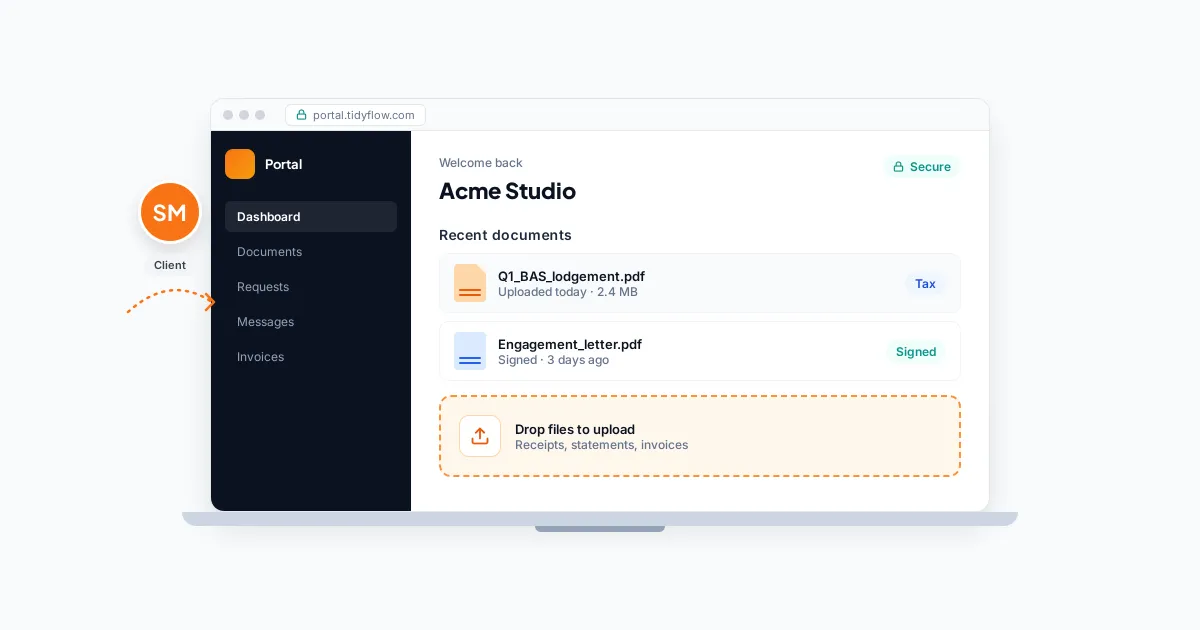
Tidyflow includes a client portal as part of its practice-management platform. Here’s how it works:
- Tax organizers and requests: Ready-made organizers cover 1040, 1120-S, 1065, 1120 and 1041. Clients provide answers and uploads together, save progress and reuse prior Tidyflow answers. Conditional questions are available on Pro.
- Missing-document follow-up: Reminders follow your cadence and include deferred documents. After ten unanswered rounds, the firm is notified to take over. Secure request links let clients respond to the emailed request without opening the full portal.
- Draft approvals and signatures: On Pro, clients open the supplied draft, approve it or request changes. Signature items collect signatures on uploaded PDFs in the request. Unlimited standalone e-signatures are included on every plan.
- Invoices and payment-gated documents: Billing contacts can view and pay invoices by card or bank when online payments are enabled. Pro approvals can require payment before document access, approval or signing.
- Documents and visibility: Uploaded files stay on the client record, with folders and an audit trail. Follow the client for upload notifications; linked jobs show ownership and outstanding requests.
The useful test is a complete client journey: finish an organizer, supply a missing document, review a draft and pay an invoice. The team should be able to see each step against the job. Watch the organizer walkthrough or explore the tax-season workflow.
See current Tidyflow pricing or start a free trial without a credit card. Quoting the live pricing page here avoids turning a software comparison into stale pricing advice.
Getting Started
If you’re currently relying on email for document exchange, a well-adopted portal gives the team one place to check requests, documents and status instead of reconstructing the history from inboxes.
Start by choosing one type of job (e.g., tax returns) and using the portal exclusively for document collection on those jobs. Once your team and clients are comfortable, expand to other job types.
The firms that get the most value from portals are the ones that commit to using them. Half-adopted portals — where some documents go through the portal and some go through email — are worse than no portal at all, because now you’re checking two places instead of one.
Frequently asked questions
What is the best client portal for accountants?
The best portal depends on whether you need secure file sharing alone or a portal connected to workflow, requests, signatures and billing. Test the complete client journey with a real job before choosing, especially login, mobile use and document requests.
What should an accounting client portal include?
At minimum, look for secure document exchange, access controls, an audit trail and an easy client login. Accounting firms also benefit from request checklists, reminders, e-signatures, invoices and a direct connection to the jobs their team manages.
Is a shared cloud-storage folder a client portal?
It can provide basic file sharing, but it usually lacks structured requests, automated reminders, job status, e-signatures and a complete audit trail. It can work for a very small practice but becomes difficult to control as the client base grows.