Try Tidyflow
Get your firm organized.
Watch a 4-minute demo, or start a free trial. No credit card required.
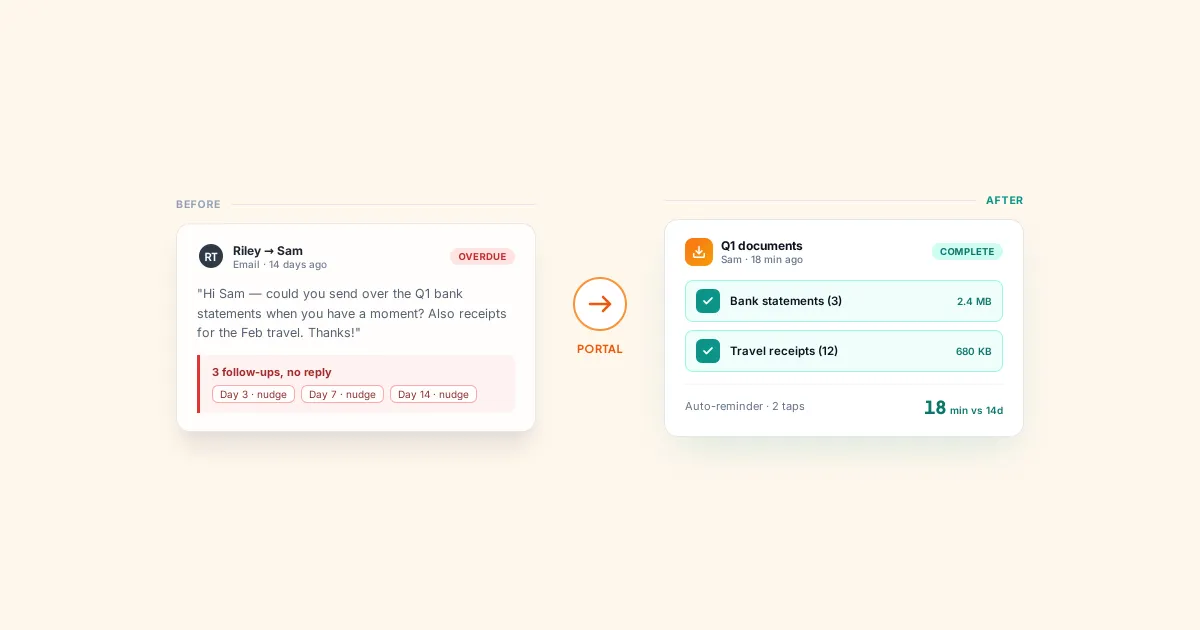
The number one bottleneck in most accounting firms isn’t the work itself — it’s waiting for clients to send information. Tax returns sit unstarted because the client hasn’t sent their documents. Year-end accounts are delayed because you’re missing bank statements. Monthly bookkeeping jobs pile up because invoices arrive two weeks late.
This isn’t just annoying. It’s expensive. Jobs stuck in “waiting on client” clog your workflow, make capacity planning impossible, and turn every deadline into a last-minute scramble.
Here’s how to fix it.
Why Clients Are Slow (It’s Usually Not Laziness)
Before you fix the problem, understand why clients don’t send things on time:
They don’t know what you need. Your request says “send your documents” but the client doesn’t know which documents, in what format, or by when. Vague requests get vague responses — or no response at all.
They’re busy. Your request is one of 50 emails they got today. It falls off their radar within hours.
The process is painful. If sending documents means scanning papers, figuring out your portal login, and organizing files into the right folders — they’ll put it off.
There’s no consequence for being late. If the deadline passes and nothing happens, clients learn that your deadlines are suggestions.
Fix all four of these and you’ll see a dramatic improvement in response times.
Strategy 1: Make Requests Specific and Simple
The difference between getting documents in 3 days vs 3 weeks often comes down to how you ask.
Bad request:
“Please send through your tax documents when you get a chance.”
Good request:
“To complete your 2025 tax return, I need the following by March 15:
- Income summary from your employer (Group Certificate / W-2)
- Bank statements for all accounts (July 2024 – June 2025)
- Receipts for any work-related expenses over $300
- Private health insurance statement
You can upload these directly here: [link to client portal]”
The good version is specific (exactly which documents), has a deadline (March 15), and makes it easy (direct upload link).
Create Checklists for Every Job Type
Build a document checklist for each type of work you do:
- Individual tax return — income statements, bank interest certificates, rental property statements, private health, deduction receipts
- Company accounts — trial balance, bank statements, loan statements, fixed asset register, accounts receivable/payable aging
- Monthly bookkeeping — bank feeds access, credit card statements, invoices issued, bills received
- BAS/GST — sales report, purchase invoices, bank statements for the quarter
Send the relevant checklist with every job request. Clients can work through it item by item instead of guessing what you need.
Strategy 2: Set Real Deadlines (and Enforce Them)
A deadline only works if there’s a consequence for missing it.
Set the deadline early enough to give you a buffer. If the compliance deadline is October 31, set the client’s document deadline for September 15. That gives you six weeks to do the work even if they’re a week late.
Communicate the consequence clearly:
“I need your documents by September 15 so we can complete your return before the October 31 deadline. If documents arrive after September 30, we may need to request an extension, which could result in penalties.”
You’re not being harsh — you’re being clear. Most clients will respect a deadline when they understand what happens if they miss it.
For chronically late clients, consider:
- Adding a late fee or priority surcharge for last-minute work
- Moving their deadline earlier (give yourself even more buffer)
- Scheduling a 15-minute call to walk them through what you need — some clients respond better to conversations than emails
Strategy 3: Automate Your Follow-Ups
Following up manually is tedious and easy to forget. Automate it.
Set up a system that:
- Sends the initial request with checklist and deadline
- Sends a reminder 7 days before the deadline
- Sends another reminder 2 days before
- Sends a final “deadline is today” reminder
- Alerts you if the deadline passes with no response
This way, every client gets consistent follow-up without you or your team spending time chasing them.
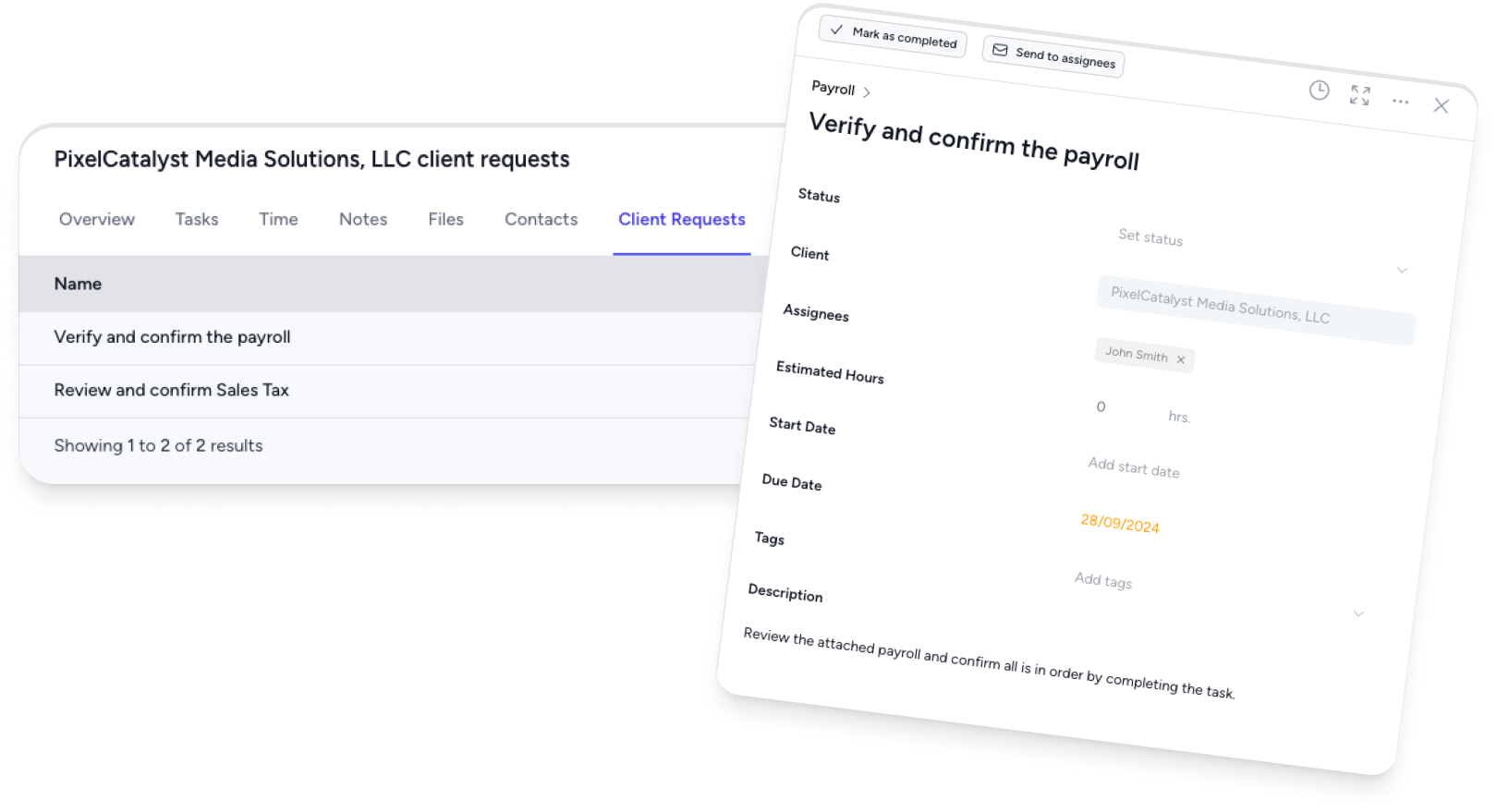
Tidyflow has this built in with client requests. You create a request listing exactly what you need, set a due date, and Tidyflow sends automated reminders until the client responds. You can see at a glance which clients have outstanding requests — so you know which jobs are blocked and why.
Strategy 4: Make It Ridiculously Easy to Submit Documents
Every friction point you remove speeds up the process:
Give them a single place to upload. Don’t ask clients to email some documents, mail others, and drop off the rest. One upload link, one process.
Don’t require logins if possible. If your portal requires creating an account, remembering a password, and navigating a file structure — some clients will give up. The simpler the upload process, the higher the response rate.
Accept photos of documents. Not every client has a scanner. A phone photo of a receipt or statement is fine for most purposes. Don’t let perfect be the enemy of done.
Provide a clear file naming convention (or don’t require one at all). If a client has to rename files before uploading, that’s friction. Accept what they send and organize it yourself — it takes you 2 minutes and saves them 10.
Strategy 5: Time Your Requests Right
When you send a request matters:
- Send requests at the start of the engagement, not when you’re ready to start the work. If you need tax documents by September, send the request in July — not August 25.
- Send requests mid-week, mid-morning. Monday inboxes are full. Friday afternoon requests get buried over the weekend. Tuesday–Thursday, 9–11am tends to get the best response rates.
- Batch your requests logically. Don’t send 5 separate emails asking for different things. One consolidated request with a clear checklist.
Strategy 6: Onboard Clients Properly
The best time to set expectations about document submission is during onboarding — before the client’s first job. Cover:
- What you’ll need and when — “For your monthly bookkeeping, we need your bank statements and invoices by the 5th of each month”
- How to send it — “Upload everything through your client portal at [link]”
- What happens if it’s late — “If documents arrive after the 10th, your month-end reports will be delayed”
Clients who understand the process from day one are dramatically easier to work with than clients who’ve never been told how things work.
Welcome Email Template
Subject: Welcome to [Firm Name] — Here’s How We’ll Work Together
Hi [Client Name],
Welcome aboard! Here’s a quick overview of how we work:
How to send documents: Upload them through your client portal: [link]. You can also email them to [email] if that’s easier.
What we’ll need from you:
- [List recurring document requirements based on their service package]
When we need it: [Specific dates or recurring schedule]
Questions? Reply to this email or call us at [number].
Looking forward to working with you.
Strategy 7: Track Outstanding Requests
Don’t rely on memory or email threads to track who owes you what. Maintain a dashboard or report showing:
- Client name
- What was requested
- Date requested
- Deadline
- Status (sent, reminded, received, overdue)
Review this weekly. Any request overdue by more than 7 days gets a phone call — not another email. Emails are easy to ignore. Phone calls aren’t.
In Tidyflow, outstanding client requests show up on your dashboard alongside job status. You can see exactly which jobs are blocked waiting for client information, filter by overdue requests, and take action on the worst offenders without switching between tools.
The Compound Effect
Each of these strategies individually makes a small difference. Together, they transform your firm’s workflow:
- Specific checklists mean fewer back-and-forth emails
- Clear deadlines mean clients take requests seriously
- Automated reminders mean nothing falls through the cracks
- Easy upload processes mean clients actually follow through
- Proper onboarding means expectations are set from day one
- Request tracking means you catch problems before they become crises
Firms that get this right spend dramatically less time chasing clients and more time doing actual accounting work. Their jobs move through the pipeline faster, deadlines get hit consistently, and both the team and clients are happier.
Start with the highest-impact change: create specific document checklists for your top 3 job types and send them with your next round of requests. You’ll see results within a week.