Try Tidyflow
Get your firm organized.
Watch a 4-minute demo, or start a free trial. No credit card required.
If your accounting team regularly works late to hit deadlines while one person sits idle — you have a workload management problem. Not a staffing problem, not a motivation problem. A distribution problem.
Most accounting firms don’t manage workload proactively. They assign work based on who’s available (or who’s closest to the partner’s desk), then scramble when deadlines approach. This guide covers how to fix that with practical strategies that work in real accounting firms.
Why Workload Management Breaks Down
Before jumping to solutions, understand why workload imbalance happens in accounting firms:
Work follows expertise, not capacity. Your best tax person gets every tax job, regardless of how much they already have on their plate. Your most reliable bookkeeper gets the difficult clients. Competence gets rewarded with more work until someone burns out.
Visibility is poor. Managers don’t know who’s overloaded until a deadline is missed. Without a shared view of team workload, decisions are based on assumptions — and assumptions are usually wrong.
Estimates don’t exist. Most firms don’t estimate how long jobs will take. Every job is treated as roughly the same size, even though a $2M revenue client’s year-end takes 5x longer than a sole trader’s.
Seasonal spikes are handled reactively. Everyone knows tax season is coming. Few firms actually plan for it.
Step 1: Know Your Team’s Real Capacity
Every person on your team has a theoretical maximum of working hours. The real number is much lower.
Actual productive capacity = Total hours − Meetings − Admin − Leave − Training
For a typical accountant working 40 hours/week:
| Activity | Hours/Week |
|---|---|
| Client work (billable) | 28–32 |
| Internal meetings | 3–5 |
| Email and admin | 3–5 |
| Training/CPD | 1–2 |
| Breaks, context switching | 2–3 |
That leaves about 28–32 hours of actual productive work per week. For managers and partners, it’s even less — often 15–25 hours/week because they spend more time on oversight, business development, and meetings.
Use these realistic numbers when planning workload. Assigning 40 hours of client work to someone with 30 hours of real capacity guarantees missed deadlines.
Step 2: Track What Everyone Is Working On
You can’t manage workload you can’t see. You need a single place where every team member’s current and upcoming work is visible.
At minimum, track:
- Job name and client
- Assigned team member
- Estimated hours remaining
- Deadline
- Status (not started, in progress, waiting on client, review, complete)
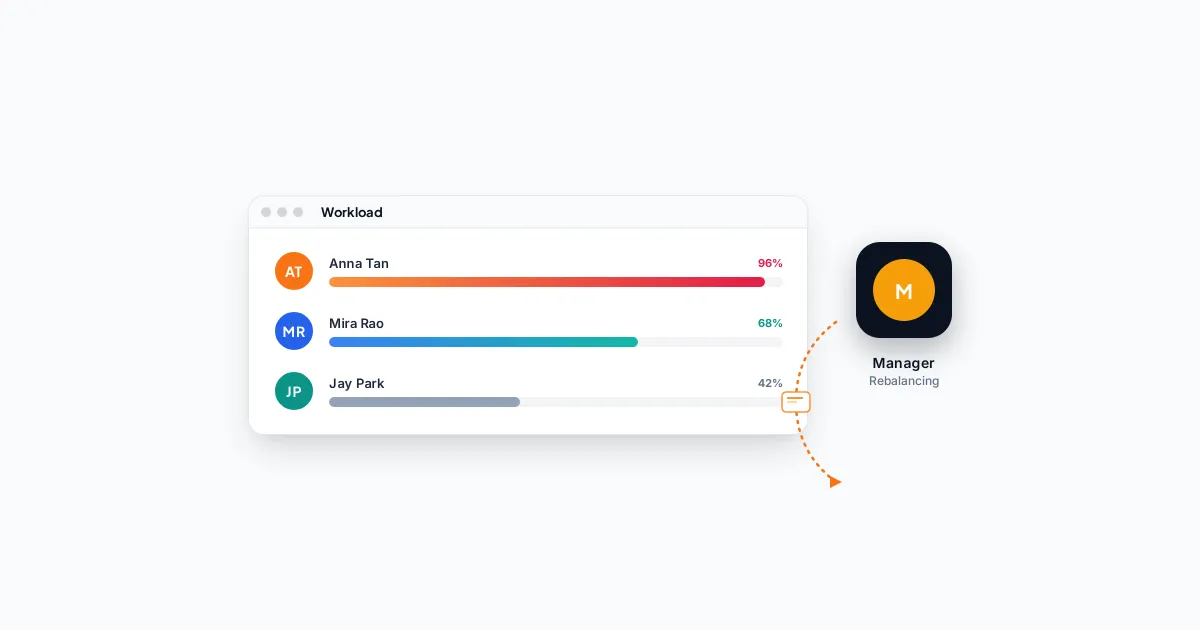
Spreadsheets work for 2–3 people. Beyond that, you need software. Practice management tools like Tidyflow show team workload at a glance — who’s overloaded, who has capacity, and what’s at risk of missing its deadline.
The key is visibility. When a manager can see that Sarah has 45 hours of work scheduled this week and James has 20, they can redistribute before it becomes a problem.
Step 3: Estimate Job Hours (Even Roughly)
The single biggest improvement you can make to workload management is putting time estimates on every job.
You don’t need perfect estimates. You need directionally correct ones:
- Monthly bookkeeping for a 50-transaction client: ~3 hours
- Year-end accounts for a small company: ~8 hours
- Individual tax return (straightforward): ~2 hours
- Individual tax return (complex, investments, rental properties): ~6 hours
Start with your best guess. After completing the job, record the actual time. Within 2–3 cycles, your estimates will be accurate enough to plan around.
Without estimates, every job looks the same size on your task list. A 2-hour BAS lodgement sits next to a 15-hour year-end, and the manager has no way to assess workload except by counting jobs — which is meaningless.
Step 4: Distribute Work by Capacity, Not Habit
Break the pattern of assigning work to the same people out of habit. Instead:
Use a Workload View
Look at your team’s workload side by side before assigning new work. Who has the most available hours this week? Assign to them — assuming they have the skills for the job.
Set Capacity Limits
Define a maximum number of scheduled hours per person per week. When someone hits their limit, new work goes to the next available person. This is simple but surprisingly effective at preventing overload.
Cross-Train Your Team
If only one person can do a particular type of work, you have a bottleneck. Cross-training team members on different job types gives you flexibility to distribute work more evenly.
This doesn’t mean everyone needs to be an expert in everything. It means your bookkeeper should be able to handle a basic tax return, and your tax specialist should be able to do a straightforward set of accounts.
Create Pods (For Larger Teams)
For firms with 8+ staff, organize people into small pods of 3–4 with a mix of experience levels. Each pod owns a set of clients. Within the pod, the senior member oversees work while junior members do most of the production. This:
- Creates accountability (the pod owns its deadlines)
- Develops junior staff (they learn from the senior)
- Makes capacity easier to manage (you’re balancing 2–3 pods, not 10 individuals)
Step 5: Plan for Seasonal Spikes
Every accounting firm has predictable busy periods. The problem isn’t that they’re busy — it’s that the firm doesn’t plan for it.
3 months before a spike:
- Review last year’s job volume for the same period
- Identify which clients have the most complex work
- Start gathering documents early (especially for clients who are slow to respond)
1 month before:
- Reduce non-essential internal projects
- Pre-schedule overtime if needed
- Bring on a contractor if you’re clearly going to be over capacity
During the spike:
- Run weekly (or even daily) workload check-ins
- Triage ruthlessly — what absolutely must be done by the deadline vs what can be extended?
- Protect at least one day per week without meetings so the team can focus on production
Step 6: Identify and Address Bottlenecks
Workload bottlenecks typically happen at three points in an accounting firm:
Client Information Delays
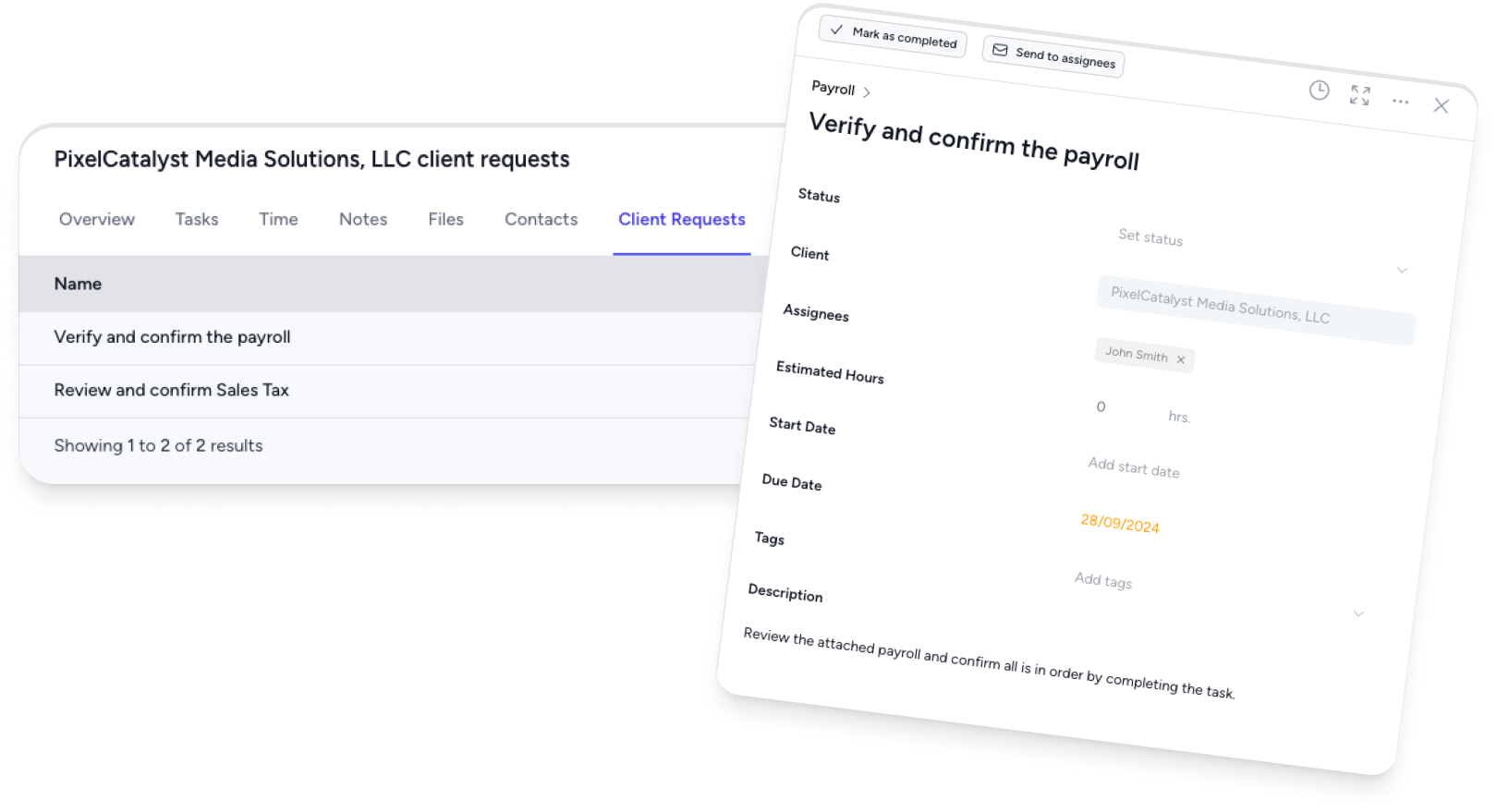
You can’t start work if the client hasn’t sent their documents. Track which clients are blocking jobs and follow up systematically. Automated reminders help — tools like Tidyflow let you send client requests with automatic follow-ups until they respond.
Review Bottleneck
Work gets done by staff, then sits in a queue waiting for a manager or partner to review it. This is extremely common and extremely wasteful. Fix it by:
- Setting a maximum review turnaround time (e.g., 48 hours)
- Scheduling dedicated review time in the manager’s calendar
- Using a review queue that’s visible to the whole team
Technology Bottleneck
Slow software, manual data entry, and copy-pasting between systems waste hours every week. Audit your processes for manual steps that could be automated or eliminated.
Step 7: Run Weekly Workload Check-ins
A 15-minute weekly meeting can prevent most workload problems. Here’s the agenda:
- Each person shares: What they’re working on, any blockers, and how much capacity they have this week
- Manager identifies: Anyone over or under capacity
- Redistribute: Move work from overloaded to underutilized team members
- Flag risks: Any deadlines that might be missed
Keep it short. The goal is visibility and course-correction, not a full project review.
Signs Your Workload Management Is Working
After implementing these practices, watch for:
- Fewer missed deadlines — the most direct measure of workload management
- More even utilization — no one consistently working 50+ hours while others work 30
- Less overtime during busy season — because you planned for it
- Higher team satisfaction — people don’t burn out when their workload is manageable
- Faster job turnaround — bottlenecks get caught and fixed before they delay work
Tools That Help
You can manage workload with sticky notes and spreadsheets if your team is small enough. But as you grow past 3–4 people, you need something better.
Tidyflow is built for exactly this. Its capacity planning dashboard shows each team member’s workload at a glance, with scheduled hours vs available hours. Job templates include time estimates, so new work automatically populates the capacity view. Client request tracking means you can see which jobs are blocked waiting for client information — and send automated reminders to unblock them.
Whatever tool you use, the principles are the same: know your capacity, track your work, distribute evenly, and review weekly. The tool just makes it faster and harder to ignore.