Try Tidyflow
Get your firm organized.
Watch a 4-minute demo, or start a free trial. No credit card required.
AI is genuinely useful to accounting firms today for drafting client communication, summarizing financial data, accelerating research, extracting data from documents, and turning rough notes into procedures. It is not ready to make judgment calls, guarantee tax accuracy, or run compliance work unsupervised. This guide covers what works now, what doesn’t, and how to start.
Every software vendor, conference speaker, and industry publication is talking about AI in accounting. Most of it is still hype. The sections below stick to what your firm can put to work this week — without overhauling your entire workflow.
How to Use AI in Accounting
1. Draft Client Communication
AI is excellent at drafting routine emails, letters, and client updates. Instead of writing from scratch every time:
Use AI to draft:
- Fee increase letters
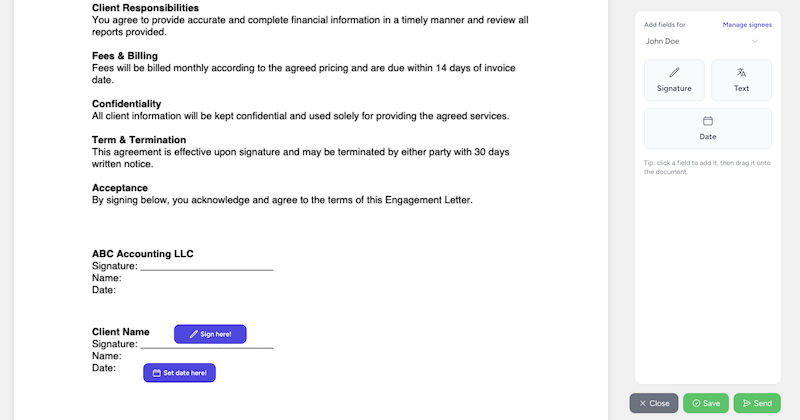
- Engagement letter templates
- Client onboarding emails
- Document request messages
- Year-end summary letters
- Deadline reminder emails
How: Paste your key details into ChatGPT, Claude, or a similar tool and ask it to draft the message in your firm’s tone. Review, adjust, and send. This turns a 15-minute writing task into 3 minutes.
Example prompt: “Draft a professional email to a client explaining that their monthly bookkeeping fee is increasing from $500 to $600 per month, effective July 1. The reason is that their transaction volume has increased from 80 to 150 per month. Tone: professional but friendly.”
For 50 ready-to-use examples covering client communication, analysis, research, and operations, see our ChatGPT prompts for accountants.
2. Summarize and Explain Financial Data
AI can take raw financial data and turn it into plain-English explanations for clients.
Use cases:
- Generate a narrative summary of monthly P&L results (“Revenue increased 12% month-over-month driven by a large project in the second week…”)
- Explain tax return outcomes in client-friendly language
- Create talking points for quarterly advisory meetings
- Summarize the implications of regulatory changes for specific client types
Important: Always review AI-generated financial summaries for accuracy. AI can hallucinate numbers or misinterpret context. Use it as a first draft, not a final product.
3. Speed Up Research
Tax law, regulatory requirements, and compliance deadlines change constantly. AI can help you research faster:
- “What are the current rules for instant asset write-off in Australia for the 2025-26 financial year?”
- “Summarize the key changes in the 2025 Tax Cuts and Jobs Act extension”
- “What deductions can a dentist typically claim as business expenses?”
Caveat: AI’s knowledge has a cutoff date and can be wrong about specific tax law details. Always verify against official sources (ATO, IRS, legislation) before advising clients. Use AI as a research accelerator, not an authority.
4. Create Standard Operating Procedures
AI is excellent at turning rough notes into structured SOPs:
Prompt: “I’m going to describe our monthly bookkeeping process. Turn it into a step-by-step SOP with clear action items. Here’s how we do it: [describe your process in bullet points]”
The AI will structure your notes into a clean, numbered procedure that you can refine and add to your process documentation.
5. Generate Content for Marketing
Blog posts, LinkedIn updates, email newsletters, and website copy — AI can help produce content at scale:
- Draft blog post outlines on accounting topics
- Generate LinkedIn post ideas based on your expertise
- Create email newsletter content for client updates
- Write meta descriptions and SEO titles for web pages
Quality note: AI-generated content needs significant editing to be valuable. The best approach is to have AI create a first draft, then rewrite it with your expertise, voice, and specific examples. Generic AI content without human editing is easy to spot and doesn’t build trust.
AI in Accounting: Examples From Real Firm Workflows
The fastest way to see the point of AI is to watch it collapse a task your firm already does every week. Four workflows that work today, each using a general assistant and anonymized inputs:
Missing-Document List → Follow-Up Email
Paste the list of items a client still owes you (with names removed) and ask for one consolidated follow-up email, grouped by urgency, with a single clear deadline. Ten minutes of tactful drafting becomes a review-and-send.
Email Thread → Task List With Deadlines
Paste a long, anonymized client thread and ask for a table of action items with owner, due date, and open questions. Most useful on threads where the scope shifted two or three times and nobody is sure what was actually agreed.
Meeting Notes → Onboarding Checklist
After a new-client kickoff call, paste your rough notes and ask for an onboarding checklist ordered by dependency: access first, then documents, system setup, and first deliverables. You get a workable checklist instead of notes that go stale.
Process Notes → SOP Draft
Describe how your firm actually runs monthly bookkeeping in bullet points and ask for a numbered SOP with decision points. The draft won’t be perfect, but editing a structured document is far faster than starting from a blank page.
These workflows get easier when the surrounding work is structured. In Tidyflow — our practice management product — the built-in AI assistant and email summaries handle the thread-to-summary step inside the job you’re already tracking, so there’s no copy-paste round trip. Whatever system you use, the pattern is the same: structured client work in, drafted output out, human review before anything leaves the firm.
Generative AI in Accounting
Generative AI is the specific technology behind everything above: models that write new text — drafts, summaries, explanations — from your instructions. It’s worth separating from the automation accounting has had for years. OCR that reads a receipt, rules that categorize a transaction, bank feeds that match payments: that’s classification, and it’s mature. Generative AI is different because it handles language, which is where much of a firm’s non-billable time actually goes — email, file notes, checklists, and explanations to clients.
Two practical consequences follow:
- Output is a draft, never a fact. A generative model writes what is plausible, not what is verified. That’s fine for an email; it’s dangerous for a filing position.
- The leading tools converge fast. ChatGPT, Claude, Gemini, and Copilot can all do the tasks in this guide. The differences are real but workflow-specific — see our comparison of ChatGPT vs Claude for accountants before standardizing on one.
What AI Can’t Do Well (Yet)
Make Professional Judgment Calls
AI can tell you the rules. It can’t tell you how to apply them to your specific client’s situation. Tax planning, entity structuring, and financial strategy require professional judgment that AI doesn’t have.
Replace Client Relationships
Clients hire accountants they trust. Trust is built through personal interaction, understanding their business, and being there when they need advice. AI can’t replace that relationship — it can only free up time so you have more of it to invest in clients.
Guarantee Accuracy on Tax Law
AI models are trained on data with a cutoff date. Tax law changes constantly. AI can be confidently wrong about specific deductions, thresholds, and deadlines. Always verify.
Handle Sensitive Data Safely (By Default)
If you paste client financial data into ChatGPT, that data may be used for model training (depending on your settings and plan). Use business/enterprise plans with data privacy guarantees, or avoid pasting identifiable client information into AI tools.
Tools Worth Trying
This is the short list. For a workflow-by-workflow rundown — client communication, document collection, bookkeeping, tax research, practice management, and more — see our guide to the best AI tools for accounting firms.
General AI Assistants
| Tool | Best For |
|---|---|
| ChatGPT (OpenAI) | Drafting, research, brainstorming |
| Claude (Anthropic) | Long documents, analysis, nuanced writing |
| Gemini (Google) | Firms working in Google Workspace |
| Microsoft Copilot | Firms working in Microsoft 365 |
All four offer free tiers and paid business plans with stronger data controls — check current pricing, because it changes often.
Accounting-Specific AI
Some accounting software is building AI features directly into their platforms:
- Xero — AI-powered bank reconciliation suggestions
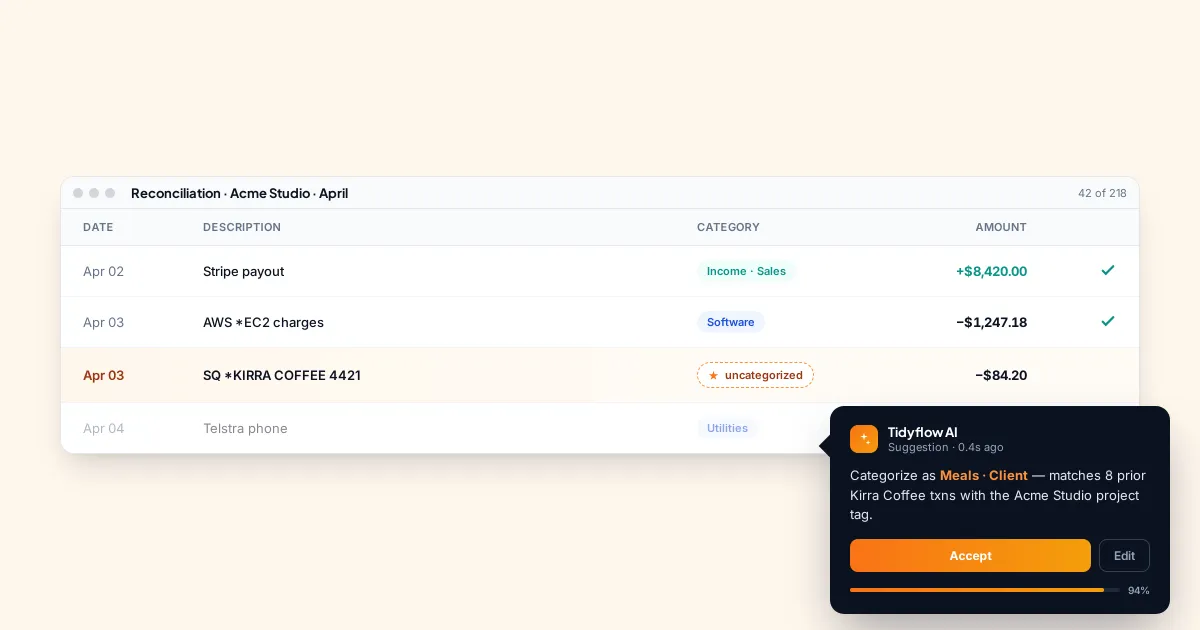
- QuickBooks — AI-assisted categorization and insights
- Various practice management tools — AI-generated client summaries and workflow suggestions
These are generally more useful than standalone AI tools because they work within your existing data and workflow.
Document Processing
AI-powered OCR and data extraction tools can read receipts, invoices, and bank statements:
- Dext (formerly Receipt Bank) — AI-powered receipt and invoice processing
- Hubdoc — Document collection and extraction
- AutoEntry — Automated data entry from documents
These tools save hours of manual data entry per week and are one of the most immediately impactful AI applications for accounting firms.
Getting Started With AI
Step 1: Start With One Use Case
Don’t try to “implement AI across your firm.” Pick one task where AI can save you time:
Best starting points:
- Drafting client emails (low risk, immediate time savings)
- Research questions (regulatory lookups, deduction lists)
- Creating SOP first drafts from your notes
Step 2: Create a Few Prompt Templates
Once you find prompts that work well, save them:
- “Draft a [type of email] to a client about [topic]. Tone: [professional/friendly/formal]. Include: [key points].”
- “Summarize this P&L data for a non-financial client. Highlight: revenue trend, major expenses, cash position. Keep it under 200 words.”
- “List the common tax deductions for [industry] in [country] for the [year] financial year.”
Step 3: Set Data Handling Rules
Before your team starts using AI, put the rules in writing:
- Never paste client-identifiable or confidential information (names, tax IDs, bank details, payroll data, or unredacted financial statements) into a public AI tool — anonymize inputs first
- Use firm-approved tools with appropriate privacy controls — business plans that keep your data out of model training are the baseline
- Have a qualified professional verify every output — financial, tax, regulatory, and client-facing — before it’s used or sent
- Disclose when appropriate — some clients will want to know if AI was used in preparing their work
A one-page policy is enough to start. We’ve published a complete AI policy template for accounting firms that you can copy and adapt.
Step 4: Measure the Impact
Track how much time AI saves on the tasks you’ve adopted it for. If drafting client emails now takes 3 minutes instead of 15, that’s 12 minutes saved per email × 10 emails/week = 2 hours/week. That’s tangible and justifies further adoption.
The Realistic AI Timeline for Accounting Firms
Available now: Email drafting, research acceleration, content creation, document OCR, bank transaction categorization.
Coming next (1–2 years): More capable AI agents that carry out multi-step work — chasing documents, preparing research files, drafting across a whole job — behind human review gates. Plus AI-assisted tax return review and predictive cash flow analysis.
Further out (3–5 years): AI handling routine compliance work end-to-end with human oversight, automated advisory insights from client data.
The firms that will benefit most from AI in the future are the ones building familiarity with it now — not through massive investments, but through consistent, practical use in daily work.
The Bottom Line
AI isn’t going to replace accountants. It’s going to replace accountants who spend all their time on tasks AI can do — freeing the good ones to focus on advisory, client relationships, and strategic work that AI can’t touch.
Start small. Use AI for one repetitive task this week. See how much time it saves. Expand from there.
The firms that integrate AI thoughtfully into their workflow will be more efficient, more profitable, and better positioned for the future. The firms that ignore it will slowly fall behind — not because AI replaces them, but because competing firms will simply be faster and more productive.
Frequently asked questions
How is AI used in accounting?
Accounting firms use AI to draft client emails and letters, summarize financial data in plain English, speed up tax and regulatory research, extract data from receipts and invoices, suggest transaction categorizations, and turn rough notes into SOPs and checklists. In every case AI produces a first draft, and a qualified professional verifies the output before it reaches a client.
How do you start using AI in an accounting firm?
Pick one low-risk task — drafting client emails is the usual starting point — and use a general AI assistant for it for a few weeks. Save the prompts that work, set written data-handling rules before the wider team joins in, and measure the time saved. Expand from there once the first use case sticks.
What is generative AI in accounting?
Generative AI refers to models that produce new text — drafts, summaries, explanations — from instructions, rather than following pre-programmed rules. In accounting that means drafting correspondence, explaining financial results in plain English, structuring notes into procedures, and preparing research summaries. It complements older automation like OCR and rules-based categorization.
Can AI do bookkeeping?
AI can suggest transaction categorizations, match obvious reconciling items, and extract data from source documents, and modern bookkeeping software builds these features in. It cannot yet run bookkeeping end to end. Unusual transactions, judgment calls, and accountability still need a human, so treat AI as a fast first pass with a bookkeeper reviewing everything.