Try Tidyflow
Get your firm organized.
Watch a 4-minute demo, or start a free trial. No credit card required.
An accounting tech stack is the set of software your firm runs on: where client books live, where returns get prepared, where work is tracked, how documents come in, how clients sign and pay, and how it’s all kept secure. Most small firms either pay for tools that overlap or are missing the one that would stop the chasing.
This guide lays out the accounting firm tech stack in layers, with common options for each, what you can skip, and a short list of apps for accountants by the job they do. It’s written for small tax, bookkeeping and CPA firms.
The Accounting Firm Tech Stack at a Glance
| Layer | What it does | Common options | Does Tidyflow cover it? |
|---|---|---|---|
| 1. Ledger | Holds client books | QuickBooks Online, Xero | No. Imports clients and syncs invoices to QuickBooks Online or Xero |
| 2. Tax preparation | Prepares and e-files returns | Drake Tax, UltraTax CS, Lacerte, ProConnect, CCH Axcess Tax | No. Tracks the work around the return; doesn’t prepare or file it |
| 3. Practice management and workflow | Jobs, deadlines, team workload, client records | Tidyflow, Karbon, TaxDome, Canopy, Financial Cents | Yes |
| 4. Client portal and document collection | Secure uploads, requests, organizers, reminders | Built into most practice management tools; standalone portals such as SmartVault or ShareFile | Yes |
| 5. E-signature | Engagement letters, authorizations, approvals | DocuSign, Adobe Acrobat Sign, or built into practice management | Yes |
| 6. Billing and payments | Invoices, online payments, receivables | Practice management invoicing, QuickBooks Online invoicing, Ignition | Yes |
| 7. Communication | Email, calls, internal chat | Google Workspace or Microsoft 365, Zoom or Google Meet, Slack or Teams | Partly. Shared inbox linked to clients, job comments and booking links; not video calls or team chat |
| 8. Security | Passwords, MFA, backups, your written security plan | 1Password, Bitwarden, device encryption, cloud backup | Partly. Keeps client documents out of email; doesn’t replace a password manager or backups |
The rest of this guide goes through each layer.
1. Ledger (Accounting Software)
The foundation: where client books live.
- QuickBooks Online. The default for most US firms. QuickBooks Online Accountant, the firm-side workspace for managing client files, is free for accounting professionals.
- Xero. Common in the US among firms that like its interface, and the default in Australia, New Zealand and the UK. Xero runs a partner program for accounting firms.
Standardize on one where you can. It simplifies training and hiring. If clients come to you on a different platform you still need to be competent in it, but steer new clients to your preferred ledger.
2. Tax Preparation Software
For firms that prepare returns, this is the most specialized layer and the hardest to switch.
| Tool | Vendor | Deployment |
|---|---|---|
| Drake Tax | Drake Software | Desktop, plus Drake Tax Online in the browser |
| UltraTax CS | Thomson Reuters | Desktop, with hosting available |
| Lacerte | Intuit | Desktop, with optional hosting |
| ProConnect Tax | Intuit | Browser-based |
| ProSeries | Intuit | Desktop |
| CCH Axcess Tax | Wolters Kluwer | Cloud |
Pricing models vary (per return, bundles, unlimited packages, per user), so get a current quote for your return mix. Use our US tax software comparison for vendor sources and a demo checklist. For an Intuit shortlist, compare Lacerte vs ProConnect or ProSeries vs ProConnect.
3. Practice Management and Workflow
Practice management is where the firm’s work lives: clients, jobs, deadlines, who’s doing what, and what’s waiting on the client. Without it, work gets tracked in spreadsheets, inboxes and memory, which breaks down as soon as there’s more than one person or a busy season.
| Tool | Often chosen by |
|---|---|
| Tidyflow | Small firms (1 to 30) that want one tool for work, portal, signatures and billing |
| Karbon | Mid-size firms that run on a shared email inbox |
| TaxDome | Tax-focused firms that want the broadest suite |
| Canopy | Firms doing IRS tax resolution work |
| Financial Cents | Small firms that want workflow first |
After the ledger and tax software, this is the layer that changes daily life the most. Tidyflow brings the work around a return into one place: engagement proposals, ready-made tax organizers, document reminders, preparation and review jobs, signatures and invoices. Keep preparing returns in your tax software and doing bookkeeping in QuickBooks Online or Xero; use Tidyflow to see what the client and team still need to finish.
For prices and features side by side, see our practice management software guide and comparison page.
4. Client Portal and Document Collection
This is where most of a tax season’s wasted time goes: chasing W-2s, 1099s and bank statements across email threads. A portal gives each client one place to see what you need, upload it and answer questions, with reminders that follow up for you.
Most practice management tools include a portal, so check before buying a standalone one. In Tidyflow, client requests list exactly what’s outstanding, tax organizers carry last year’s answers forward, and clients who won’t log in can use a no-login upload link. See our roundup of client portals for accounting firms.
5. E-Signature
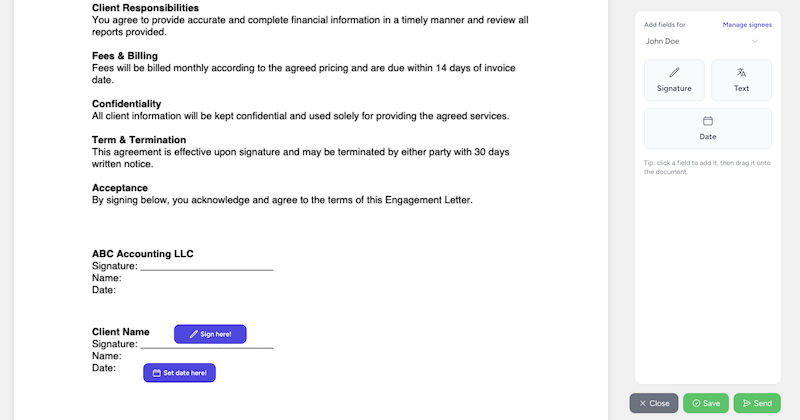
You need signatures on engagement letters, authorizations and sometimes financial statements. Standalone tools like DocuSign and Adobe Acrobat Sign work, but if your practice management software includes e-signature, a separate subscription is usually redundant. Tidyflow includes electronic signatures with unlimited standalone PDF signing on every plan, an audit trail, and guest signing without an account.
6. Billing and Payments
Invoicing that’s disconnected from the work is how billable time goes unbilled. Look for invoicing from tracked time or fixed fees, recurring invoices for monthly clients, online card and ACH payments, and sync to your ledger. Tidyflow’s billing and payments cover all of those and sync invoices to QuickBooks Online or Xero.
7. Communication
| Need | Common options |
|---|---|
| Google Workspace or Microsoft 365 | |
| Video calls | Zoom, Google Meet or Microsoft Teams |
| Internal chat | Slack or Microsoft Teams |
| Client email linked to client records | Shared inbox in your practice management tool |
Key principle: client communication should be visible to the team, not trapped in personal inboxes. Tidyflow’s email management connects Gmail, Microsoft 365 or IMAP and links email to the right client and job. See our email management guide for accounting firms.
8. Security
Accounting firms hold Social Security numbers, bank details and full financial pictures. The IRS says federal law requires tax and accounting professionals to create and maintain a written information security plan (WISP), and IRS Publication 5708 is a sample plan written for small practices.
The tools behind that plan:
- Password manager such as 1Password or Bitwarden, with a unique password for every login
- Multi-factor authentication on email, your ledger, tax software and practice management
- Device encryption and updates on every laptop and desktop
- Backups for anything stored locally, since cloud apps back up their own data but not your desktop files
- A secure portal so sensitive documents stop arriving as email attachments
See our cybersecurity guide for accounting firms for more.
Apps for Accountants: A Short List by Job to Be Done
If you’re searching for apps for accountants, start from the job, not the app store. One solid choice per job beats three overlapping ones.
| Job to be done | Apps to look at | Where Tidyflow fits |
|---|---|---|
| Keep client books | QuickBooks Online Accountant, Xero | Doesn’t keep books. Imports clients and syncs invoices |
| Prepare and e-file returns | Drake Tax, UltraTax CS, Lacerte, ProConnect | Doesn’t prepare or file returns. Tracks each return from documents to filed |
| Capture receipts and bills | Dext, Hubdoc | Doesn’t post to the ledger. Files client uploads and suggests names and folders |
| Run payroll | Gusto, ADP, QuickBooks Payroll | Doesn’t run payroll. Repeating payroll jobs keep it on schedule |
| Track jobs and deadlines | Tidyflow, Karbon, TaxDome | Yes |
| Collect documents and answers | Your practice management portal | Yes, with requests, organizers and reminders |
| Send proposals and engagement letters | Ignition, or built into practice management | Yes, with sign and pay in one flow |
| Get signatures | DocuSign, Adobe Acrobat Sign | Yes, unlimited standalone PDF signing |
| Invoice and get paid | QuickBooks Online, practice management invoicing | Yes, card and ACH |
| Book client meetings | Calendly, Microsoft Bookings | Yes, booking links on the Pro plan |
| Store passwords | 1Password, Bitwarden | No |
| Connect apps together | Zapier | Yes, through Tidyflow’s Zapier integration |
| Check work on your phone | Your practice management mobile app | Yes, iOS and Android apps |
The pattern: Tidyflow is the layer around the ledger and the tax software. It doesn’t replace either, and it isn’t a password manager or payroll tool. It does replace the spreadsheet tracker, the standalone portal, the e-signature subscription and the separate invoicing tool.
What You Probably Don’t Need
A separate CRM (HubSpot, Salesforce). Unless you have a dedicated sales team and a high-volume lead pipeline, the client management in your practice software covers it. A second system means duplicate client data.
General project management (Asana, Monday, ClickUp). They need a lot of setup to model recurring accounting work and don’t include a portal or billing. See Tidyflow vs ClickUp and Tidyflow vs Asana.
A standalone e-signature tool or client portal. If your practice management software includes them, separate ones add cost and another login for clients.
AI note-takers before the basics. Useful for client meetings, but fix document collection and job tracking first.
Lean vs Sprawling: Count the Logins
A quick test for your stack: list every tool a single tax return touches, from engagement to invoice.
A sprawling stack often looks like this: a spreadsheet to track returns, email for documents, a standalone portal, a separate e-signature tool, a proposal tool, an invoicing tool, a CRM nobody updates, and the tax software. Eight places to check, and clients get several different links.
A lean stack looks like this: the ledger, the tax software, one practice management tool that covers the portal, signatures, proposals and billing, plus email and a password manager. Clients get one portal login.
Every per-user subscription multiplies with headcount, so for a 5-person firm each overlap costs five times over. Tidyflow Core is $39 per user a month, or $29 billed yearly, and includes the portal, e-signatures and invoicing; see pricing for Pro.
Building Your Stack: Decision Framework
For each tool, ask:
- Does my practice management software already do this? If yes, don’t add a separate tool.
- Will my team and clients actually use it? Unused software is wasted money, and a portal clients can’t figure out fails no matter what it costs.
- Does it connect to the rest of the stack? Disconnected tools mean retyping and data that drifts apart.
- What does it cost per user per year? A tool priced per user grows with every hire.
Add a tool when a specific job needs specialized software (tax preparation, payroll) or the team spends real time on a manual process.
Consolidate when you pay for overlapping features, the team switches between three or more tools for one workflow, or client information lives in several places.
Getting Started
If you’re building from scratch or simplifying:
- Choose your ledger (QuickBooks Online or Xero)
- Choose your tax software, if you prepare returns
- Choose your practice management software (Tidyflow if you want work, portal, signatures and billing in one)
- Set up a password manager and MFA today, and write your security plan
- Add everything else only when a job needs it
Start lean, add tools on purpose, and consolidate when they overlap.
Frequently Asked Questions
What is an accounting tech stack?
An accounting tech stack is the set of software a firm runs the practice on. For most tax and bookkeeping firms it has eight layers: ledger software for client books, tax preparation software, practice management, a client portal for document collection, e-signature, billing and payments, communication tools, and security tools.
What software does a small CPA firm need?
At minimum, a ledger (QuickBooks Online or Xero), professional tax software if you prepare returns, practice management software that tracks jobs and deadlines, a secure way to collect client documents, email, and a password manager. Many practice management tools include the portal, e-signature and invoicing, which removes three separate subscriptions.
What apps do accountants use?
Most accountants use QuickBooks Online Accountant or Xero for client books, a professional tax package such as Drake Tax, UltraTax CS, Lacerte or ProConnect, a practice management tool such as Tidyflow, Karbon or TaxDome, Google Workspace or Microsoft 365 for email, and a password manager such as 1Password or Bitwarden.
Does an accounting firm need a separate CRM?
Usually not. Unless you have a dedicated sales team, the client management built into accounting practice management software covers client records, contacts and new enquiries without keeping a second system in sync.
Do tax firms need a written information security plan?
Yes. The IRS says federal law requires tax and accounting professionals to create and maintain a written information security plan (WISP). IRS Publication 5708 is a sample plan written for small practices.