Try Tidyflow
Get your firm organized.
Watch a 5-minute demo, or start a free trial. No credit card required.
A client intake form (also called a new client information sheet or new client form) is the fastest way to collect everything you need from a new client in one go, instead of chasing details over a dozen emails. This guide covers exactly what an accounting client intake form should include, the extra questions for bookkeeping and individual tax clients, and a free template you can copy today.
Want a version tailored to one client type? Use the free client intake form builder: pick an individual or business client, toggle the sections you need, add your own questions, and download it for Word.
What is a client intake form?
A client intake form is a structured questionnaire you send to a new client to gather their business details, contacts, financial setup, and the information you need to start work. For accounting firms it does two jobs at once: it collects the practical details you need to set up the engagement, and it captures the identity and ownership information you need to verify who you are working for.
Done well, a single intake form replaces the back-and-forth that usually eats the first two weeks of a new engagement.
What to include in an accounting client intake form
Business information
- Legal entity name and trading (DBA) name
- Entity type (sole proprietor, partnership, LLC, S-corp, C-corp, trust)
- EIN or other tax registration numbers (or your country’s equivalent)
- Registered and mailing addresses
- Industry and a one-line description of the business
- Date the business started and state of formation
Primary contact
- Full name and role
- Email and phone
- Preferred contact method and best times
- Whether they are authorized to act on the entity’s behalf
Additional contacts
- Other people you’ll deal with (bookkeeper, office manager, business partner)
- Their role and what they’re authorized to discuss
Current financial setup
- Accounting software in use (QuickBooks, Xero, or other) and how you’ll get access
- Who currently does the bookkeeping
- Prior accountant’s details, if switching firms
- Bank and payment processors used
- Payroll provider, if any
Services required
- The services the client wants (bookkeeping, tax preparation, payroll, advisory)
- Frequency (monthly, quarterly, annual)
- Any immediate issues or deadlines they’re worried about
Key dates and deadlines
- Fiscal year end
- Upcoming filing or payment deadlines
- Any dates already at risk
Identity and ownership (know-your-client)
- Identity verification for signatories (government ID, proof of address)
- Owners and their percentages, plus anyone else with effective control
- Source of funds, if your firm’s policy requires it
Whether these checks are a legal requirement depends on where you practice. UK accountants, for example, must run them under the Money Laundering Regulations 2017. Even where they aren’t required, confirming who you are working for protects your firm against identity theft and fraudulent returns.
Bookkeeping client intake form: extra questions
Monthly bookkeeping clients need more detail on systems and access than a once-a-year tax client:
- QuickBooks Online or Xero company name, and an admin or accountant user invite
- Every bank and credit card account, and whether bank feeds are connected
- Payroll platform and pay frequency (weekly, every two weeks, twice a month, monthly)
- States where the business collects sales tax, and how often it files
- How current the books are (up to date, a few months behind, more than a year behind)
- Point-of-sale, invoicing or other apps that feed the books
Individual (1040) client intake form: extra questions
For individual tax clients, swap the business sections for:
- Filing status (single, married filing jointly, married filing separately, head of household)
- Spouse details and dependents
- Copy of last year’s return, and the prior preparer’s contact
- Any IRS or state letters received
- How they want to receive documents and sign their return
The intake form is a one-time step. The documents you need each tax season belong in a 1040 tax organizer instead.
Free accounting client intake form template
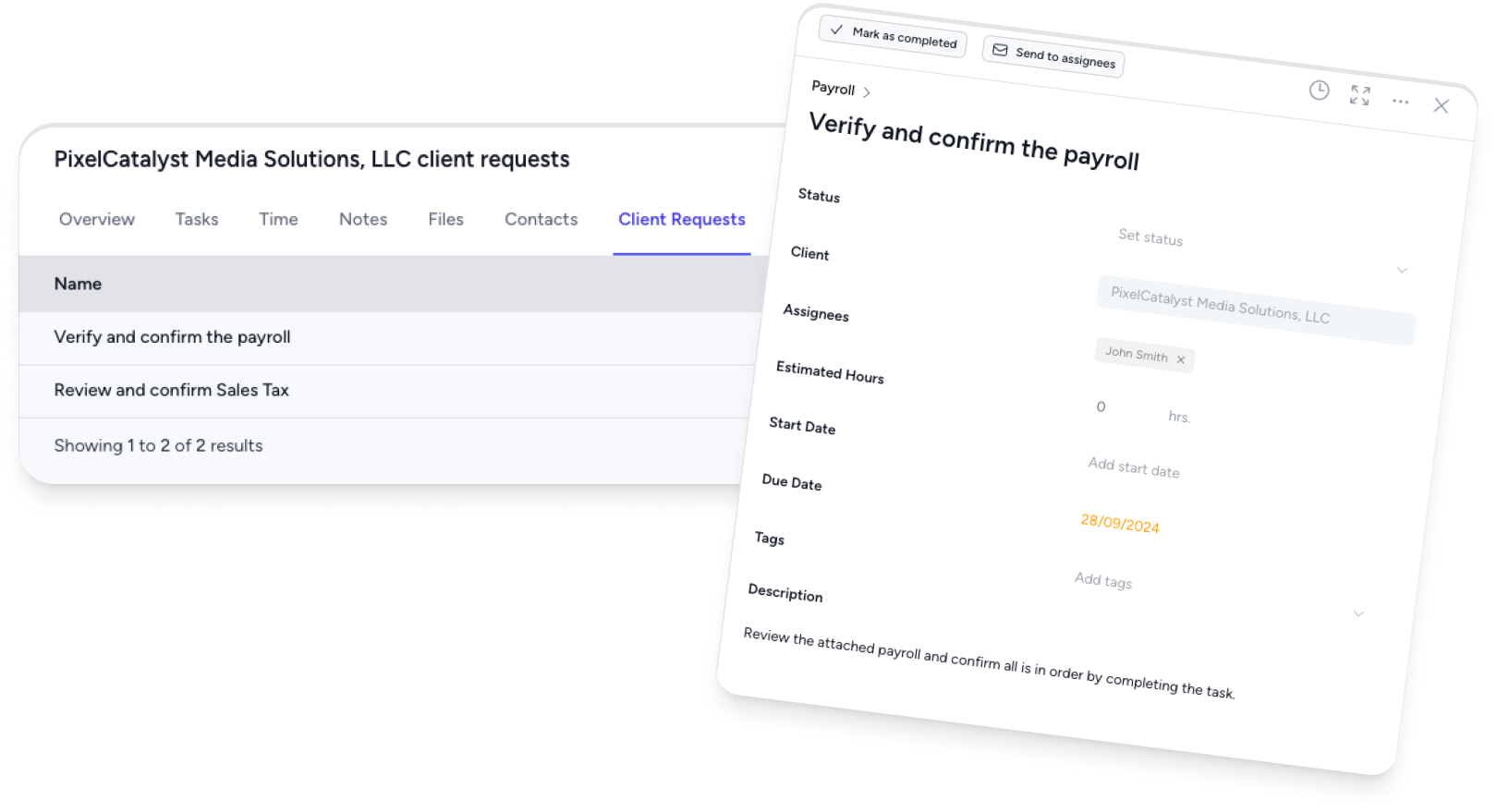
Copy the fields below into your own form, or rebuild them as a digital client request so responses feed straight into your workflow:
Business: Legal name · DBA name · Entity type · EIN / tax numbers · Addresses · Industry · Start date
Primary contact: Name · Role · Email · Phone · Preferred contact method · Authorized to act? (Y/N)
Additional contacts: Name · Role · What they’re authorized to discuss
Financial setup: Accounting software + access · Current bookkeeper · Prior accountant · Banks · Payroll provider
Services: Services needed · Frequency · Immediate concerns
Key dates: Fiscal year end · Upcoming deadlines · Dates at risk
Identity and ownership: ID for signatories · Owners and percentages · Source of funds (if your policy requires it)
Paper form vs digital intake
A PDF or paper intake form works for your first few clients, but it doesn’t scale. Every returned form has to be read and re-keyed into your systems, chased when it’s incomplete, and stored somewhere you’ll actually find it again.
A digital intake form fixes all three problems. Clients complete it online, you can see at a glance what’s outstanding, automatic reminders chase the gaps, and the answers land straight in your workflow with nothing to re-type. In Tidyflow you can turn this template into a reusable client request with conditional questions and document uploads, so the information and supporting documents come back in one secure step.
Best practices for client intake
- Send it early. As soon as the engagement letter is signed, so you have everything before you start work.
- Ask only what you’ll use. A shorter form gets completed; a 60-field form gets abandoned.
- Make it easy to return. Online beats a printable PDF the client has to fill, scan, and email back.
- Keep sensitive data out of email. SSNs, ID scans and bank details belong in a secure portal. The IRS reminds tax professionals that they are legally required to have a written information security plan for client data.
- Chase missing fields automatically. Don’t let an incomplete form stall the engagement.
- Store it where the work happens. The intake details should live against the client record, not in an inbox.
Where the intake form fits in onboarding
The intake form is one step in a bigger process. For the full sequence, from engagement letter and identity checks through to the kickoff meeting, see the new accounting client checklist, which you can run as a job template.
Frequently asked questions
What should an accounting client intake form include?
At minimum: business and entity details, primary and additional contacts, current accounting software and financial setup, the services the client needs, key deadlines, and identity and ownership details for signatories. Bookkeeping clients need software, bank, payroll and sales tax questions; individual tax clients need filing status and dependents.
Is a new client information sheet the same as an intake form?
Yes. Firms use “client intake form”, “new client information sheet”, “new client form” and “client questionnaire” for the same thing, a one-time set of questions a new client answers so you can set up the engagement.
What’s the difference between a client intake form and an engagement letter?
The intake form collects the information you need to do the work (contacts, entity details, software access, deadlines). The engagement letter is the contract that defines scope, fees, and responsibilities. You typically send the intake form alongside or just after the signed engagement letter.
What’s the difference between an intake form and a tax organizer?
The intake form is sent once, when a client joins the firm, and captures who they are and how you will work together. A tax organizer is sent every tax season and collects that year’s income documents, deductions and life changes.
Should an accounting client intake form be paper or digital?
A digital intake form is faster to complete, easier to chase, and feeds straight into your systems without re-keying. Paper or PDF forms mean manual data entry and version confusion, and emailed PDFs full of SSNs and bank details are a security risk.
When should you send the client intake form?
Send it as soon as the engagement letter is signed, during the first few days of onboarding. Collecting this information early means you have everything ready before you start the actual work, rather than stopping midway to chase missing details.