Try Tidyflow
Get your firm organized.
Watch a 5-minute demo, or start a free trial. No credit card required.
Client management software for accountants is the one place your firm keeps everything about each client: who they are, who you talk to, what you’ve asked them for, what you’re working on, and what they owe. Some vendors call it a CRM. For an accounting firm the label matters less than whether the client record is connected to the actual work.
This guide covers what accountants actually need from client management software, why a generic sales CRM is usually the wrong fit, and how to choose the right tool for a small tax and bookkeeping firm.
What client management software does for an accounting firm
CRM stands for customer relationship management, and in most industries it means a sales pipeline: leads, deals, stages and close rates. Accounting firms work differently. A client you sign this year is likely to need returns, books or payroll every year after, so the relationship is the work.
Good client management software answers the questions your team asks every day:
- What do we know about this client, and who do we talk to there?
- What have we asked them for, and what’s still missing?
- Which jobs are open for them, and when are they due?
- What did we last say to them, and who said it?
- What have we billed, and what’s outstanding?
If answering any of those means searching an inbox, a shared drive and a spreadsheet, client information is scattered, and that’s where dropped balls come from.
What accountants actually need from client management software
Client records and contacts
One record per client, whether that client is an individual, a business, a trust or a partnership. Contacts are the people behind them: owners, spouses, office managers, a client’s outside bookkeeper. One person is often connected to several clients (a business owner who is also an individual tax client, a spouse on a joint return and a family business), so the software should let one contact belong to many clients without duplicate records.
Entity details
A name and email is not enough. You need entity type, tax ID, fiscal year end, filing requirements, state registrations and anything else your team checks before starting work. Look for custom fields, so you can store what your firm actually uses without bending a generic form.
Requests and documents
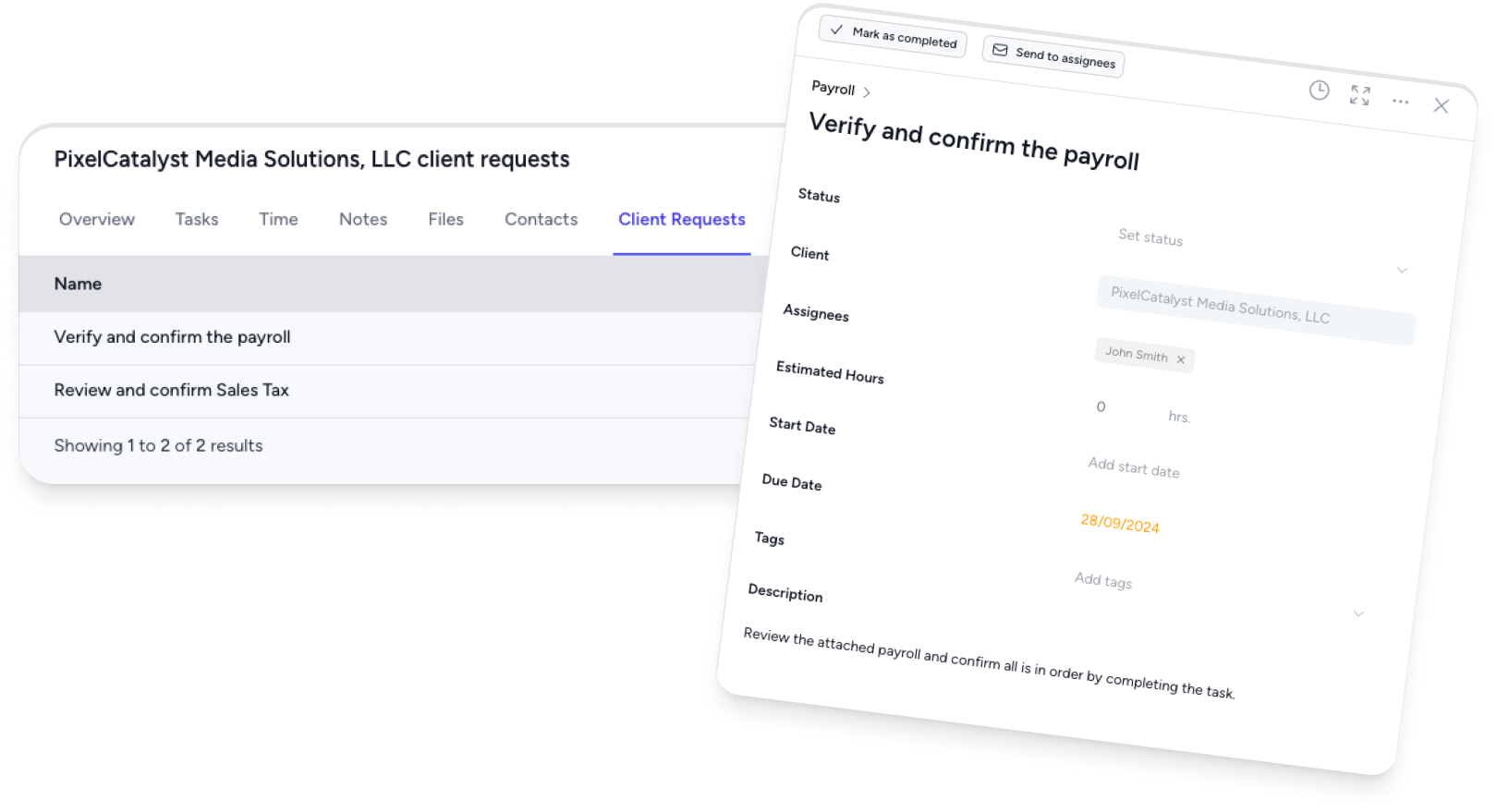
Most of the friction in an accounting relationship is collecting information. Client management software should let you send a request for specific documents and answers, show the client exactly what’s outstanding, and chase it with automatic reminders. Every file should land against the client, not in someone’s inbox.
Jobs and deadlines per client
Open a client and you should see every job in progress and every job completed: the 1040, the monthly close, the payroll filings. A client record that doesn’t know about the work is just an address book.
Communication history
Any team member should be able to see what’s been said to a client without asking the person who said it. That means email linked to the client record, plus internal notes and comments.
A client portal
A secure portal where clients upload documents, answer questions, sign and approve, and see invoices. It replaces long email threads and keeps sensitive documents like W-2s and bank statements out of email. It has to be simple enough for your least technical client.
Billing
Invoices, payments and what’s outstanding should show on the client record, so the person talking to a client knows whether they’re behind before the call.
Prospects and new enquiries
This is the part a CRM usually covers. You still need somewhere to record new enquiries, send a proposal or engagement letter, and turn a prospect into an active client without re-entering everything.
Client management software vs a CRM for accountants
| Generic sales CRM (HubSpot, Salesforce) | Client management in accounting practice software | |
|---|---|---|
| Built around | Leads, deals and pipeline stages | Clients and the recurring work you do for them |
| Client record | Contacts and company details | Entity details, contacts, files, notes, jobs, time and invoices |
| Document collection | Not built in | Client requests with reminders and a portal |
| Deadlines and jobs | Not built in, or added through configuration | Jobs, due dates and repeating work per client |
| E-signatures and engagement letters | Usually an add-on or integration | Often built in |
| Billing | Usually a separate tool | Often built in, with ledger sync |
| Best for | Firms with a dedicated sales team and a high-volume lead pipeline | Most tax, bookkeeping and CPA firms |
A sales CRM can make sense alongside your practice software if you run large marketing campaigns or have people whose whole job is selling. For a 5 to 10 person firm, a separate CRM usually means keeping client details in sync across two systems, and the one nobody updates goes stale.
How Tidyflow handles client management
Tidyflow is accounting practice management software, and the client record is the hub of it. On client management:
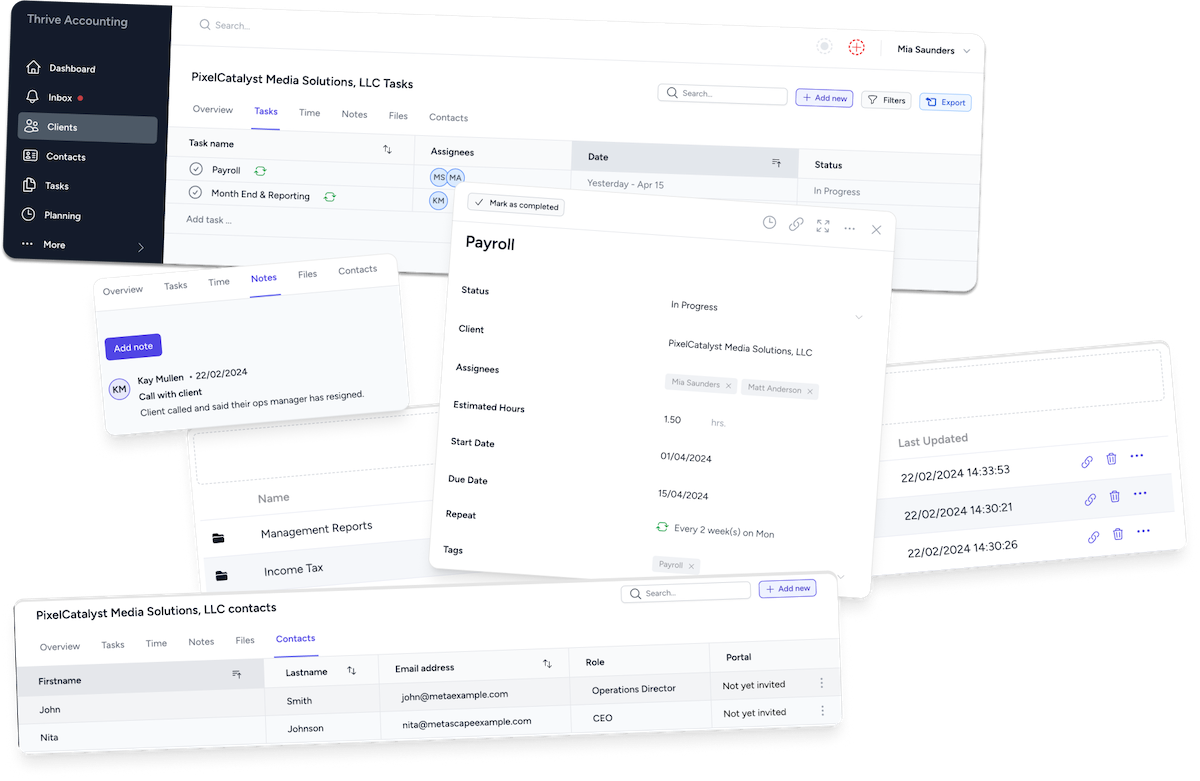
- One record per client holds contacts, files, notes, jobs, time and billing history, with custom fields for the details your firm tracks and client groups to organize by service or anything else
- Contacts link to as many clients as needed, with one portal login per person, so a business owner and their personal return don’t create duplicate records
- Import clients from QuickBooks Online, Xero, or a CSV or Excel template
- Every job for a client, active and archived, sits on the client record, with an audit trail on changes
Around that record:
- Client portal and requests: request documents and answers, send tax organizers, and let automatic reminders do the chasing. Clients can also upload through a no-login link
- Email management: connect Gmail, Microsoft 365 or IMAP, and email from a contact’s address links to their client automatically
- Workflow management: jobs with due dates, checklists and repeating schedules for every client
- E-signatures and proposals and engagement letters: send an engagement, get it signed, and take the first payment
- Billing and payments: invoice from time or fixed fees, and clients see invoices in the portal with a Pay now button
For new enquiries, Tidyflow marks clients who haven’t engaged you yet as prospects. A Get started page on your portal address adds enquiries as prospects automatically, and accepting a proposal makes them active.
What Tidyflow isn’t: a marketing CRM. It doesn’t do lead scoring or marketing email campaigns. If you need those, use a marketing tool for campaigns and keep client records in Tidyflow.
How to choose the best client management software for your firm
- Name the problem. If it’s “client information is scattered and we keep chasing documents,” you need client management connected to requests and jobs, not a sales pipeline.
- Check the record is connected to the work. Open a demo client: can you see their jobs, deadlines, requests, files, emails and invoices from one screen?
- Test the client side. Send a request to yourself as a client on your phone. If you’d struggle, your least technical client will give up.
- Confirm imports and integrations. You should be able to bring clients in from QuickBooks Online, Xero or a spreadsheet, and sync invoices back.
- Count the tools it replaces. A good fit replaces a spreadsheet, a shared drive, an e-signature tool and a billing tool, not just your address book.
- Trial it with real clients. Start with a handful of clients and one workflow before moving everyone.
For a side-by-side of the main options, see our accounting practice management software guide. When you sign a client, our new client checklist covers what to collect on day one.
Frequently asked questions
What is client management software for accountants?
It’s the system that holds everything about each client in one record, including entity details, contacts, documents, requests, the jobs and deadlines you’re working on, email history and billing, so anyone on the team can answer “where does this client stand” without asking around.
What is the best client management software for accountants?
The best fit is the one that connects the client record to the work. For most small tax and bookkeeping firms that means accounting practice management software such as Tidyflow, Karbon, TaxDome, Canopy or Financial Cents rather than a generic sales CRM. Compare how each handles client requests, a portal, deadlines and billing, and trial it with a few real clients.
Do accountants need a CRM?
Most accounting firms need client management more than a sales CRM. A CRM is built around a sales pipeline. Accounting relationships are long-term and recurring, so what matters is one record per client connected to their jobs, documents, requests and invoices.
Can I use HubSpot or Salesforce as client management software for my firm?
You can, but generic sales CRMs are built for pipelines and deals, not recurring compliance work. They have no built-in idea of a client’s returns, deadlines, document requests or a client portal, so you end up managing the actual work in another tool.
What’s the difference between a CRM and practice management software?
A CRM manages contacts and the sales pipeline. Practice management software manages clients and the work you do for them, including jobs, deadlines, requests, documents, time, billing and a client portal. Accounting-specific platforms fold client management into practice management for that reason.
Can I import my clients from QuickBooks Online or Xero?
Most accounting practice management tools import clients from QuickBooks Online, Xero or a spreadsheet. Tidyflow imports directly from QuickBooks Online or Xero, or from a CSV or Excel template.