Try Tidyflow
Get your firm organized.
Watch a 4-minute demo, or start a free trial. No credit card required.
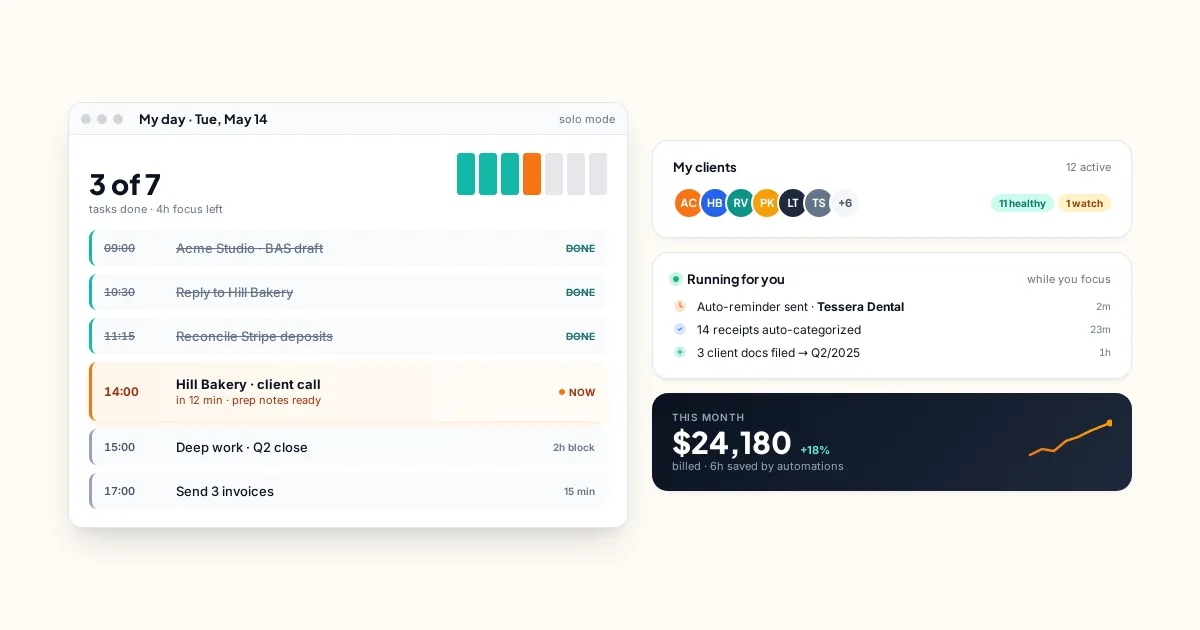
Solo accountants have different needs than a 20-person firm. You don’t need team collaboration features, complex permission systems, or enterprise-grade workflow automation. You need software that keeps track of your clients, your jobs, and your deadlines — without taking longer to manage than the work itself.
Most practice management tools are built for teams. This guide covers what solo accountants actually need, what’s overkill, and which tools fit best.
Looking for a broad comparison across firm sizes? Our guide to the best accounting practice management software covers every option in depth. This page is specifically about what a solo practitioner needs.
What Solo Accountants Actually Need
1. Job and Deadline Tracking
The core problem: keeping track of what needs to be done, for which client, by when. (For the client records side, see our guide to client management software for accountants.) At 10 clients, you can manage this in your head. At 25, things start slipping. At 40+, missed deadlines become inevitable without a system.
You need:
- A list of all active jobs with deadlines
- Recurring job templates (so you don’t manually create the same bookkeeping job every month for every client)
- Status tracking (not started → in progress → done)
- A view of what’s due this week/month
2. Client Information in One Place
Client name, contact details, entity type, accounting software, engagement scope — all in one place. Not scattered across spreadsheets, email threads, and sticky notes.
3. Document Storage
A place to store client documents — organized by client, accessible when you need them. Doesn’t need to be fancy. Needs to be reliable and secure.
4. Client Requests
The ability to request documents from clients and track what’s been received. Even better: automated reminders so you’re not manually chasing every client.
5. Invoicing
Sending invoices and getting paid. Recurring invoices for fixed-fee clients. Online payment acceptance (Stripe/credit card) so clients can pay immediately.
What You Don’t Need (Yet)
Team workload management. There’s no team. Skip it until you hire.
Complex workflow automation. Conditional logic, multi-stage approvals, automated task creation based on triggers — this is for larger firms with complex processes. A simple recurring template does the job for solo practitioners.
Enterprise security features. Role-based access controls, audit trails, and compliance certifications matter for multi-user environments. As a solo practitioner, basic security (MFA, encryption) is sufficient.
CRM and sales pipeline. Unless you have a systematic sales process generating dozens of leads per month, a CRM is overhead you don’t need.
The Best Options for Solo Accountants
Tidyflow — Best All-in-One for Solo
The Tidyflow Core plan at $39/user/month ($29 billed annually) includes:
- Job management with recurring templates
- Client portal for document sharing and requests
- Invoicing with Stripe payments
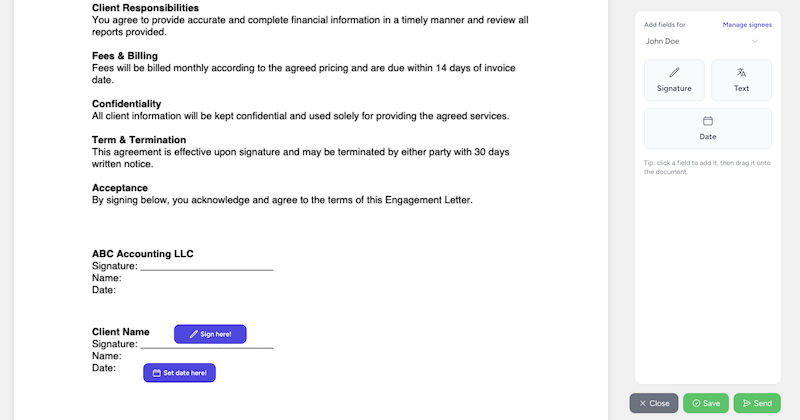
- E-signatures built in
- Email integration
- Time tracking
- Automated client requests with reminders
- Ready-made US tax organizers and prior-year answer reuse
- Proposals and engagement letters
- Document management
Pro adds conditional organizer questions, document approvals and payment-gated document access. A solo tax practice can start with the ready-made intake workflow, then choose the plan that covers its approval and delivery process. Watch the organizer walkthrough.
Why it works for solo: Everything’s in one tool. You don’t need separate subscriptions for invoicing, e-signatures, and document sharing. Setup takes an afternoon, and the recurring job templates mean adding a new client takes minutes.
Free trial, no credit card. Start here.
Jetpack Workflow — Simplest Task Tracking
If you truly only need task and deadline tracking (and nothing else), Jetpack Workflow at $40/user/month is simple and focused. But it lacks a client portal, invoicing, and e-signatures — so you’ll need separate tools for those.
Spreadsheets — Free But Limited
Google Sheets or Excel can track jobs and deadlines for free. It works until about 15–20 clients, at which point maintaining the spreadsheet becomes a job in itself. If you’re just starting and have under 10 clients, a spreadsheet is fine temporarily.
TaxDome — Tax-Focused All-in-One
If your practice is heavily tax-focused, TaxDome at $800/year (Essentials, single-user) or $1,000/year (Pro) includes CRM, client portal, tax organizers, and e-signatures. Note pricing is annual upfront only with no refunds. Compare the specific client experience, automations and connected services you need. Both TaxDome and Tidyflow support tax organizers and recurring tax workflows, so being a tax-focused practice alone does not decide the choice.
How to Decide
If you want one tool for everything (jobs, portal, invoicing, e-signatures): Tidyflow at $39/month ($29 billed annually) is the most complete option for the money — one subscription replaces separate tools for invoicing, e-signatures, and document sharing.
If you only need task tracking: Jetpack Workflow is the simplest option.
If your practice is primarily tax: TaxDome’s tax-specific features may be worth the higher price.
If you have under 10 clients: Start with a spreadsheet and upgrade when it starts holding you back.
When to Upgrade From Spreadsheets
Move to practice management software when:
- You’ve missed (or nearly missed) a deadline because it wasn’t tracked properly
- You spend more than 30 minutes/week updating and maintaining your tracking system
- Clients are asking for a portal or more professional document exchange
- You’re doing mental gymnastics to remember which clients need what this month
- You’re ready to grow beyond your current client count
The investment in software pays for itself quickly. At $39/month, Tidyflow costs less than one billable hour for most accountants. If it saves you 2+ hours per month in admin, tracking, and chasing clients — that’s a positive ROI from month one. Sticker price isn’t the whole story, though. Here’s the true cost of practice management software.
Setting Up as a Solo Practitioner
Here’s a realistic setup timeline:
Day 1 (2 hours):
- Sign up and explore the interface
- Add your client list
- Create 2–3 job templates (monthly bookkeeping, quarterly BAS, annual tax return)
Day 2 (1 hour): 4. Set up recurring jobs for all active clients 5. Configure invoicing (recurring invoices for fixed-fee clients) 6. Invite 2–3 clients to the portal as a test
Day 3 (30 minutes): 7. Send your first document request through the portal 8. Review and refine your templates based on the test run
By end of week 1: You’re running your entire practice through the tool.
The firms that succeed with practice management software are the ones that commit to using it for everything — not just some clients or some jobs. Full adoption from day one is the key.
Start your free Tidyflow trial and set up your practice in a day.