Try Tidyflow
Get your firm organized.
Watch a 4-minute demo, or start a free trial. No credit card required.
Most accounting firms don’t need to pick a side. ChatGPT and Claude are both capable enough for daily firm work, the real differences are workflow-specific, and the best answer is a short structured trial of both. In practice, Claude tends to win on long documents and careful drafting; ChatGPT on data analysis and breadth of features.
This comparison stays at the capability level on purpose. Both products ship significant updates several times a year, so any dated head-to-head — including this one — expires quickly. We refresh this page regularly, but verify current capabilities before committing your firm to either.
Important: Never paste client-identifiable or confidential information (including names, tax IDs, bank details, payroll data, or unredacted financial statements) into a public AI tool. Use anonymized inputs and only firm-approved tools with appropriate privacy controls. Verify every financial, tax, regulatory, and client-facing output before using it.
ChatGPT vs Claude: quick comparison
| Workflow | ChatGPT | Claude | Try first |
|---|---|---|---|
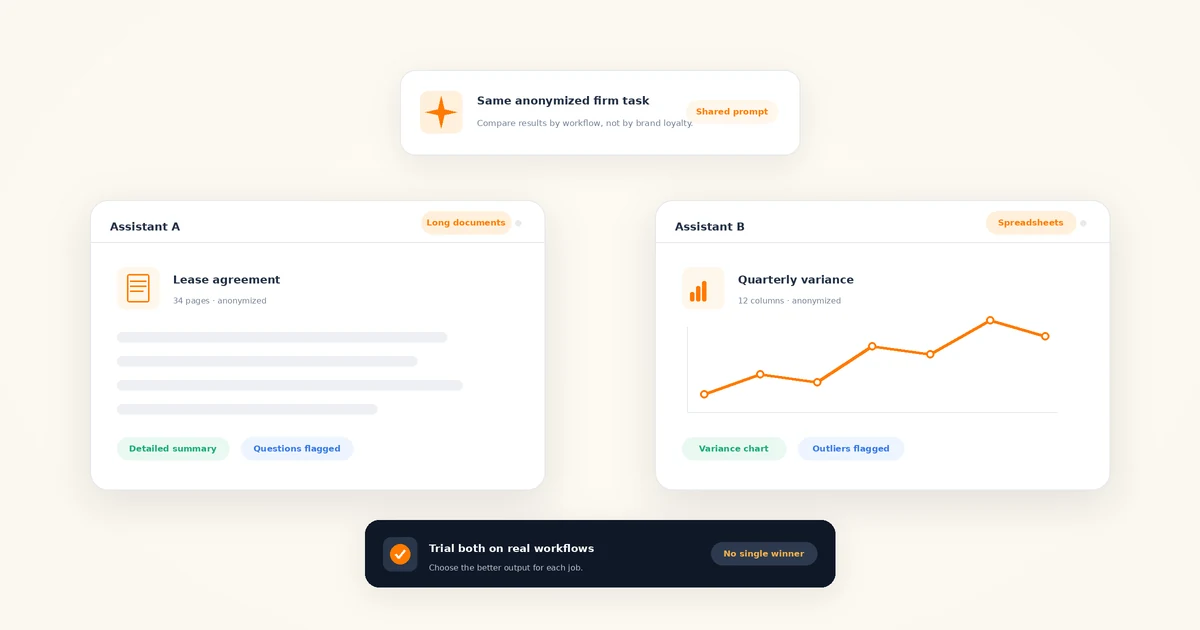
| Long documents (engagement letters, leases, agreements) | Handles uploads well; can lose detail across very long files | Long-context document work is a core strength; holds detail across a full document | Claude |
| Spreadsheets and data | Mature data analysis that writes and runs code against uploaded files | Can analyze uploaded data; tooling is solid but arrived later | ChatGPT |
| Client email drafting | Fast, competent drafts; can drift into generic corporate tone | Often more natural, restrained business writing out of the box | Test both |
| Tax research support | Useful with web search on; must be verified | Useful with web search on; must be verified | Tie |
| Privacy and admin controls | Business tiers add data-use commitments and admin controls | Business tiers add data-use commitments and admin controls | Tie — the tier matters more than the vendor |
| Ecosystem and integrations | Larger ecosystem: custom assistants, wide third-party support | Growing set of connectors into business tools | ChatGPT |
The rest of this post walks through each row and ends with a two-week trial plan you can run without disrupting client work.
Which is better for long documents?
Claude, for most firms. Anthropic has made long-context document work a central focus, and it shows in the tasks accountants actually bring: reading a full engagement letter and flagging scope gaps, comparing this year’s lease against last year’s, pulling every covenant out of a loan agreement, or summarizing a lengthy piece of official guidance before you read it properly yourself.
The practical difference isn’t whether a tool can accept a long file — both can. It’s whether the answer on page two still reflects what was said on page sixty. In our experience Claude holds detail across a long document more reliably, and it’s the tool we’d hand a 100-page agreement to first.
A fair test: take one real (anonymized) contract your firm reviewed recently, give both tools the same file and the same questions, and check the answers against what your reviewer actually found. That tells you more than any benchmark.
Which is better for spreadsheets and data?
ChatGPT, in most cases. Its data-analysis capability writes and runs actual code against the file you upload, which means calculations are computed rather than estimated — a meaningful difference when you’re asking for variance percentages, aging buckets, or a recalculated total. Claude can analyze uploaded data too, and it has closed much of the gap, but ChatGPT’s tooling here is the more established of the two.
Two cautions apply regardless of tool. First, anonymize before you upload — strip client names, tax IDs, and account numbers from any export. Second, spot-check the arithmetic anyway. Code-based analysis reduces calculation errors; it doesn’t eliminate misread columns or wrong assumptions about what a figure means.
Which drafts better client emails?
This one is genuinely a matter of taste, which is why the verdict is: test both on the same email. Give each tool an identical prompt — a fee increase, a document chase, a plain-English explanation of a tax outcome — and see which draft needs less editing to sound like your firm.
The common pattern firms report: ChatGPT’s drafts are fast and structurally solid but lean corporate until you push on tone; Claude’s default register is often closer to how a practitioner actually writes. Your mileage will vary with your house style. Either way, the prompt matters more than the model — a specific, well-structured prompt beats a better model with a vague one. Our ChatGPT prompts for accountants library works nearly verbatim in Claude, so use it as the shared test script for both tools.
Which is better for tax research?
Neither — and treating either as a tax authority is the fastest way to get burned. Both models can confidently produce outdated thresholds, misremembered deadlines, and citations that don’t exist. Both are also genuinely useful for the work around research: structuring the question, building a checklist of facts to confirm, summarizing a primary source you paste in, and drafting the client explanation once you’ve verified the position.
The capability that matters most here is web search with sources, which both offer. Ask for current primary sources, then open and verify every one yourself before anything reaches a client. Used that way, the two tools are close enough that this workflow shouldn’t decide your choice. Our guide to AI for accounting firms covers the research workflow — and its limits — in more depth.
Which is safer with client data?
At the business tier, they’re comparable — and at the free tier, neither is acceptable for client work. That’s the honest summary of the privacy question.
Both vendors sell business and enterprise tiers built for exactly this concern. At the capability level, both offer:
- Data-use commitments — business-tier terms that, by default, exclude your conversations and files from model training. Read the current terms yourself; don’t take this post’s word for it, and don’t assume consumer-tier settings match.
- Workspace administration — centralized user management, so the firm controls who has access and offboards leavers, rather than staff running personal accounts.
- Enterprise controls — higher tiers add stronger identity, access, and audit capabilities for firms that need them.
We’re deliberately not quoting prices — check current pricing with each vendor, because both change their tiers often. The decision rule is simpler than the tier charts make it look: if AI touches anything client-related, someone in your firm is on a business tier, and free personal accounts are off-limits for client work. Write that rule down formally — our AI policy template for accounting firms gives you a starting point you can adapt.
Ecosystem: which fits your firm’s stack?
ChatGPT has the larger ecosystem — more integrations, custom assistants you can shape for repeat firm tasks, and the widest third-party support, simply because it has the largest user base. Claude’s ecosystem is smaller but growing, with an increasing set of connectors that let it work directly with business tools.
Two stack-specific notes. If your firm lives in Microsoft 365, also weigh Microsoft Copilot before buying anything — it may already be bundled into your licensing, and we cover it alongside both of these tools in our roundup of the best AI tools for accounting firms. And if you’re evaluating the newer wave of tools that don’t just answer but act — drafting, chasing documents, working through queues — that’s a separate decision with its own risks; see what AI agents can actually do in accounting firms before believing any vendor’s demo.
One boundary worth stating plainly, since we sell software in this space: a general assistant is not a practice management system, and vice versa. Tidyflow (our product) includes an AI assistant and email summaries inside practice management — useful because they sit on top of your jobs, clients, and deadlines — but your team will still want a general assistant like ChatGPT or Claude for open-ended drafting and analysis. They’re complements, not competitors.
How to run a two-week trial
Don’t decide from reviews — including this one. Run both tools against real work:
- Pick three workflows that recur weekly. Good candidates: a document-request email, a long-document review, and a data question on an anonymized export. Use work you’ve already completed so you can compare against a known-good answer.
- Feed both tools identical inputs. Same files, same prompts, same follow-ups. Different prompts make the comparison meaningless.
- Score the output, not the vibe. For each task: how many edits before you’d send it? Did it miss anything your reviewer caught? Did it invent anything?
- Decide per workflow, not overall. It’s normal to land on Claude for documents and ChatGPT for data. Choosing one tool for everything is tidier for IT and worse for the work.
- Record the outcome in your AI policy. Which tools are approved, at which tier, for which data. A trial that doesn’t end in a written rule just resets the debate in three months.
The bottom line
ChatGPT vs Claude is the wrong question if it means picking a permanent winner. The right question is which tool wins each of your firm’s actual workflows this quarter — and the answer is cheap to find: two business-tier trials, three recurring tasks, identical inputs, two weeks.
If you skip the trial and want a default: Claude first for long documents and client-facing writing, ChatGPT first for spreadsheet analysis and ecosystem breadth, and either one — verified against primary sources — for research support. Both change fast enough that you should re-run the comparison when you review your AI policy, not assume last year’s verdict still holds.
Frequently asked questions
Is Claude good for accounting?
Yes, within limits. Claude is a strong general assistant for accounting work — reviewing long documents, drafting client communication, structuring research, and summarizing anonymized financials. It is not accounting software and not an authority on tax law. Use a business tier with privacy controls, anonymize inputs, and have a qualified professional verify every output.
Which is better for accountants, ChatGPT or Claude?
Neither wins outright. In practice, Claude tends to be stronger on long documents and natural business writing, while ChatGPT tends to be stronger on spreadsheet analysis and has the broader ecosystem. Research support is roughly even when web search is on. Trial both on real workflows for two weeks and decide per workflow.
Is it safe to put client data into ChatGPT or Claude?
Not on free or personal tiers. Never paste client-identifiable or confidential information into a public AI tool. Business tiers of both products offer stronger data commitments — typically excluding your data from model training — plus admin controls. Even then, anonymize where you can, verify the current terms yourself, and follow your firm’s AI policy.
Can accountants use both ChatGPT and Claude?
Yes, and many firms do. The tools are strong at different things, so pairing them is reasonable — one for long-document review, the other for data analysis, either for drafting. The overhead of two subscriptions is usually small next to the time saved by using the better tool for each job. List both as approved tools in your AI policy.