Try Tidyflow
Get your firm organized.
Watch a 4-minute demo, or start a free trial. No credit card required.
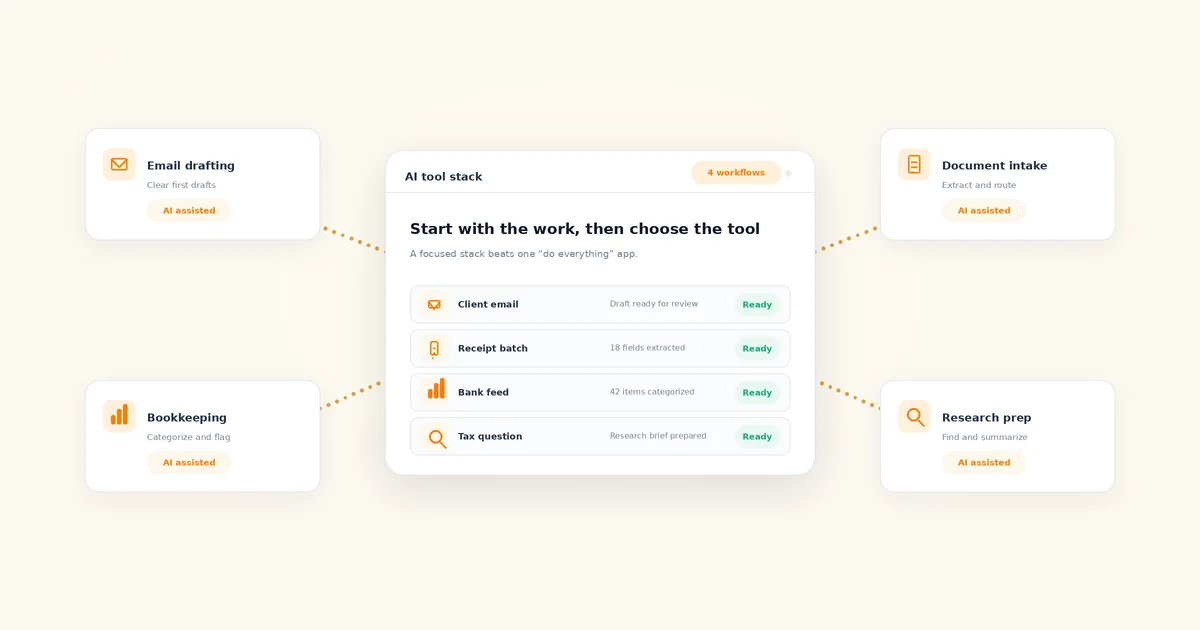
The best AI tools for accounting firms in 2026 are not one product. Most firms get the biggest gains from a small stack: a general assistant like ChatGPT or Claude, the AI already built into their ledger software, a document-extraction tool, and AI-assisted tax research. This guide organizes the real options by workflow, with honest verdicts.
Every tool below is described at capability level — what it actually does — because AI features change monthly and prices change faster. Check current pricing before committing, and plan to re-evaluate your stack quarterly. For the broader picture of where AI fits in firm work, start with our AI for accounting firms guide.
Important: Never paste client-identifiable or confidential information (including names, tax IDs, bank details, payroll data, or unredacted financial statements) into a public AI tool. Use anonymized inputs and only firm-approved tools with appropriate privacy controls. Verify every financial, tax, regulatory, and client-facing output before using it. If your firm doesn’t have written rules for this yet, our AI policy template for accounting firms is a practical starting point.
What is the best AI accounting software?
There isn’t one — and any list that crowns a single winner is selling something. “AI accounting software” spans at least seven different jobs: drafting client email, collecting and reading documents, categorizing transactions, researching tax questions, managing client work, capturing meetings, and general-purpose assistance. The best tool depends entirely on which job you’re hiring it for.
So this list is organized by workflow, not alphabet. Find the workflow that eats the most time in your firm, and start there.
The best AI tools for client communication and email
Client communication is the fastest AI win for most firms: low risk, immediate time savings, and no new data pipeline to build.
Gemini in Gmail
If your firm runs on Google Workspace, Gemini drafts and refines email directly in Gmail and summarizes long threads. The advantage is placement — it works where your team already writes, so adoption is nearly frictionless.
Copilot in Outlook
The Microsoft 365 equivalent. Copilot drafts replies, adjusts tone, and summarizes email threads inside Outlook. If your firm is on Microsoft 365, trial the AI you may already be paying for before buying anything new.
Grammarly
Less flashy than a chatbot, but it standardizes tone and clarity across everything your team writes — useful when five people email clients in five different voices. Its AI rewriting handles the “make this firmer but still friendly” adjustments that eat time.
Verdict: Use the assistant built into your existing email platform first. For from-scratch drafting — fee increases, document chases, scope conversations — a general assistant with a good prompt still produces the best first draft; our ChatGPT prompts for accountants library covers the common ones.
The best AI tools for document collection and processing
Document processing remains one of the most immediately impactful AI categories for accounting firms: the technology is mature, the accuracy is good, and the manual alternative is data entry.
Dext
Extracts data from receipts, invoices, and supplier statements, then publishes clean transactions to your ledger. Built for firm use across many clients, with review workflows before anything posts.
Hubdoc
Focused on collection: it fetches recurring documents like bank and supplier statements automatically and extracts the key data. Tightly integrated with Xero and QuickBooks Online.
AutoEntry
Automated data entry from invoices, receipts, and bank statements, with line-item extraction. A solid option for firms in the Sage ecosystem, though it connects to the major ledgers.
Verdict: If your team still keys in source documents by hand, this category pays for itself faster than anything else on this list.
The best AI bookkeeping and transaction categorization tools
Be skeptical of “fully automated bookkeeping.” What actually works in 2026 is AI-suggested categorization with human review — genuinely faster, but not hands-off.
QuickBooks Online
Suggests transaction categories, learns from your corrections, and surfaces anomalies. If your clients are on QBO, the AI you need is already in the file.
Xero
Bank reconciliation predictions and categorization suggestions that improve with use, plus AI assistance expanding across the product. Same logic as QBO: use what’s already inside the ledger first.
Botkeeper
A bookkeeping automation platform built specifically for accounting firms, combining machine learning categorization with human review layers. Aimed at firms doing bookkeeping at volume, not a bolt-on for a handful of client files.
Verdict: Ledger-native AI first, dedicated platforms only at scale. And treat every “autonomous bookkeeping agent” pitch with caution — we cover what agents can and can’t actually do in our guide to AI agents for accounting firms.
The best AI tax research tools
For tax questions, purpose-built research platforms beat general assistants because their answers are grounded in maintained, current professional libraries — not training data with a cutoff date.
Checkpoint Edge (Thomson Reuters)
AI-assisted research across primary sources and editorial analysis. You ask in plain language; it returns answers linked to the underlying authority so you can verify.
CCH AnswerConnect (Wolters Kluwer)
A comparable research platform with AI-assisted search across its content library. The practical differentiator between it and Checkpoint is usually which ecosystem your firm already works in.
Blue J
Generative tax research designed around scenario analysis: describe the fact pattern, get an answer with citations to the sources behind it.
Verdict: These are professional-grade subscriptions — check current pricing. But if your firm answers tax questions weekly, grounded research with citations is materially safer than asking a general chatbot, which can be confidently wrong about thresholds, deadlines, and current law. Either way, a qualified professional verifies against primary sources before advising.
AI in workflow and practice management software
Practice management is where AI stops being a separate chat window and starts working inside structured client work — jobs, deadlines, requests, and email threads.
Tidyflow
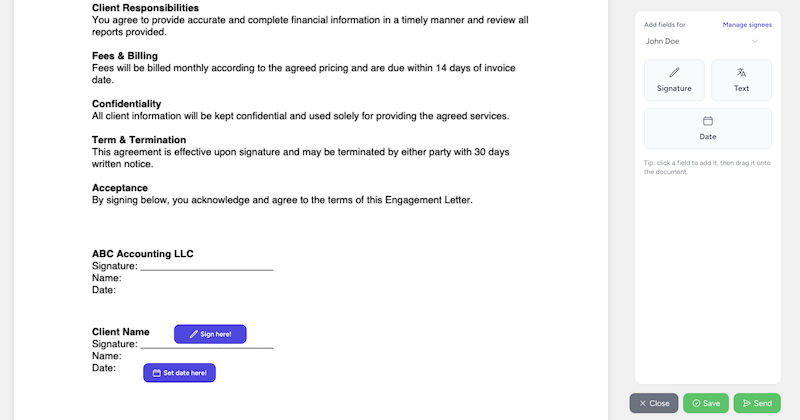
Full disclosure: Tidyflow is our product, so read this entry accordingly. Tidyflow is practice management for growing accounting firms — jobs and workflows, client requests, email, proposals, time and billing, and a client portal — with an AI assistant and AI email thread summaries built in. The assistant works across your actual jobs, clients, and inbox rather than in a vacuum, and firms that want more than answers can assign jobs to Tidyflow Agent, which works them like a teammate behind your review. To be clear about scope: it is not a bookkeeping AI. It won’t categorize transactions or prepare returns — it compresses the admin around client work.
Karbon
Practice management with well-established AI features, including email drafting and summaries of client threads and work. A strong fit for firms whose workflow is heavily email-driven and collaborative.
Canopy
Practice management with roots in tax-focused firms, covering client management, documents, and workflow, with AI assistance being added across the suite.
Verdict: Choose practice management on workflow fit first and AI features second — AI inside the wrong workflow tool is still the wrong workflow tool. All three offer trials; run your actual client work through one before deciding.
The best AI meeting notes and internal knowledge tools
Advisory-heavy firms get the most from this category: every client meeting becomes searchable notes and action items instead of memory.
Otter.ai
Real-time transcription with AI summaries and action items. The default choice for straightforward meeting capture.
Fireflies.ai
Records, transcribes, and summarizes across Zoom, Google Meet, and Teams, with search across your meeting history.
Notion AI
Different job: question-answering across your internal docs. If your SOPs and firm knowledge live in Notion, your team can ask “how do we onboard a payroll client?” instead of hunting for the page.
Verdict: Useful, but two cautions. Recording consent rules vary by state — confirm your obligations before recording client calls. And meeting recordings are client data: route them through firm-approved tools only.
General AI assistants: ChatGPT, Claude, Gemini, and Copilot
Every firm should have at least one general assistant available on a business tier, which adds admin controls and stops your inputs being used for model training. Capabilities across the four converge more every quarter; the practical differences are workflow-specific.
- ChatGPT (OpenAI) — the broadest ecosystem and a strong all-rounder for drafting, research prep, and brainstorming.
- Claude (Anthropic) — strong on long documents, careful writing, and working through spreadsheets and analysis.
- Gemini (Google) — the natural pick for Google Workspace firms, with deep Gmail, Docs, and Sheets integration.
- Microsoft Copilot — the natural pick for Microsoft 365 firms, working inside Outlook, Excel, Word, and Teams.
Verdict: Most firms should trial two rather than debate the choice in the abstract — the differences show up in your work, not in feature lists. We compare the top pair head-to-head in ChatGPT vs Claude for accountants.
AI tools for accounting firms compared
| Tool | Category | Best for |
|---|---|---|
| ChatGPT | General assistant | All-round drafting, research prep, brainstorming |
| Claude | General assistant | Long documents and careful analysis |
| Gemini | General assistant | Firms on Google Workspace |
| Microsoft Copilot | General assistant | Firms on Microsoft 365 |
| Grammarly | Client communication | Consistent tone across team writing |
| Dext | Document processing | Receipt and invoice extraction at firm scale |
| Hubdoc | Document processing | Automated document collection from clients |
| AutoEntry | Document processing | Automated data entry from source documents |
| QuickBooks Online | Bookkeeping | AI categorization inside QBO client files |
| Xero | Bookkeeping | Reconciliation suggestions inside Xero |
| Botkeeper | Bookkeeping | Firms automating bookkeeping at volume |
| Checkpoint Edge | Tax research | Plain-language research over cited authority |
| CCH AnswerConnect | Tax research | Firms in the Wolters Kluwer ecosystem |
| Blue J | Tax research | Scenario-based tax research with citations |
| Tidyflow (our product) | Practice management | AI assistant and email summaries inside client work |
| Karbon | Practice management | Email-driven, collaborative team workflows |
| Canopy | Practice management | Tax-focused firm workflows |
| Otter.ai | Meeting notes | Straightforward meeting transcription and summaries |
| Fireflies.ai | Meeting notes | Meeting capture across Zoom, Meet, and Teams |
| Notion AI | Internal knowledge | Q&A over firm SOPs and documentation |
How to choose AI tools for your accounting firm
- Pick the workflow that eats the most admin time. One workflow, not five. Document chasing, email drafting, and data entry are the usual suspects.
- Trial the AI inside software you already pay for. Your ledger, your email platform, and your practice management tool have probably shipped AI features since you last looked.
- Add one general assistant on a business tier. It covers the drafting and summarization work that specialized tools don’t.
- Set data rules before rollout, not after. Approved tools, prohibited data, anonymization, and mandatory review — in writing, before the team starts experimenting.
- Measure time saved, then expand. If a tool doesn’t produce measurable time savings within a month of honest use, drop it and try the next category.
The bottom line
The best AI stack for an accounting firm in 2026 is boring on purpose: the AI already inside your ledger and email, one document-extraction tool, one general assistant on a business tier, and grounded tax research if you answer tax questions regularly. Add practice management AI when you want assistance working inside structured client work rather than beside it.
None of this replaces professional judgment — the tools change which tasks fill your day, not who is responsible for the answer. We dig into that distinction in Will AI replace accountants? Start with one workflow, measure the result, and build from there.
Frequently asked questions
Is there a single best AI accounting software?
No. Most firms do better with a small stack: the AI inside their existing ledger (QuickBooks Online or Xero), a document-extraction tool like Dext or AutoEntry, a general assistant like ChatGPT or Claude on a business plan, and AI-assisted tax research or practice management where the workload justifies it.
What are the best AI tools for accountants?
The most useful AI tools for accountants today are general assistants (ChatGPT, Claude, Gemini, Microsoft Copilot), document-extraction tools (Dext, Hubdoc, AutoEntry), AI categorization inside QuickBooks Online and Xero, AI-assisted tax research platforms (Checkpoint Edge, CCH AnswerConnect, Blue J), and practice management software with built-in AI such as Tidyflow or Karbon.
Do accounting firms need AI-specific tools or just ChatGPT?
Start with one general assistant on a business tier — it covers drafting, summarization, and research prep. Add specialized tools where a chat window falls short: document extraction, transaction categorization, and tax research grounded in maintained professional libraries. Specialized tools work inside your existing data and workflow, which is where the time savings compound.
Is it safe to use AI tools with client data?
Only with controls in place. Never paste client-identifiable or confidential information into a public AI tool. Use business or enterprise tiers with data-privacy controls, anonymize inputs, adopt a written AI policy for your firm, and have a qualified professional verify every financial, tax, regulatory, and client-facing output before it reaches a client.