Tidyflow Help

AI ASSISTANT

Loading your conversation

Hi there.

How can we help?

Ask anything about Tidyflow. We’ll help you find your next step.

Reading Archive a Client

Try asking

Ask a question…

Checking your sign-in…

Clear this history?

This removes these conversations from this browser. It doesn’t retract requests or emails already sent to the team.

Hi there.

How can we help?

Ask anything about Tidyflow. We’ll help you find your next step.

Reading Archive a Client

Try asking

Looking through Tidyflow Help…

You’re in good hands.

Request received.

We couldn’t confirm receipt. . Retrying the same details won’t create a second request.

Send this to our team

Your conversation is included. We’ll reply by email.

Up to 3 images · 5 MB each, 6 MB total. Only the support team sees these.

By sending, you agree to share this conversation and any screenshots with Tidyflow support. Privacy policy

Tidyflow support · Here to help

Client & Contact Management

Archive a Client

Archive a client

  1. Open the client in the firm app.
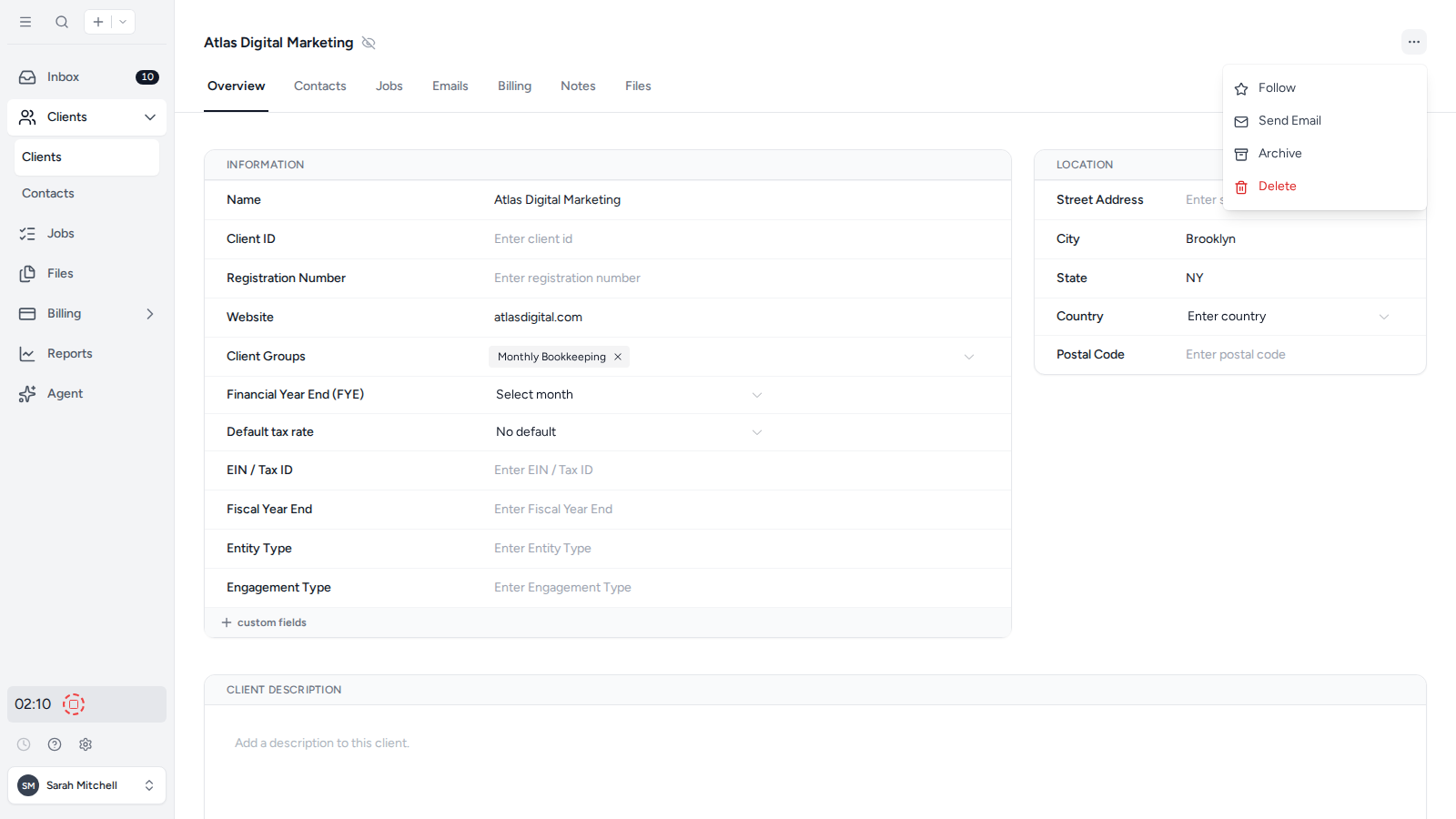
  2. Open the three-dot menu in the top-right corner.
  3. Select Archive.

The client actions menu with Archive selected

If the client has incomplete Jobs, Tidyflow asks whether to complete or delete those Jobs before archiving the client. Review the count, then choose Complete all jobs and archive or Delete all jobs and archive. This action cannot be undone.
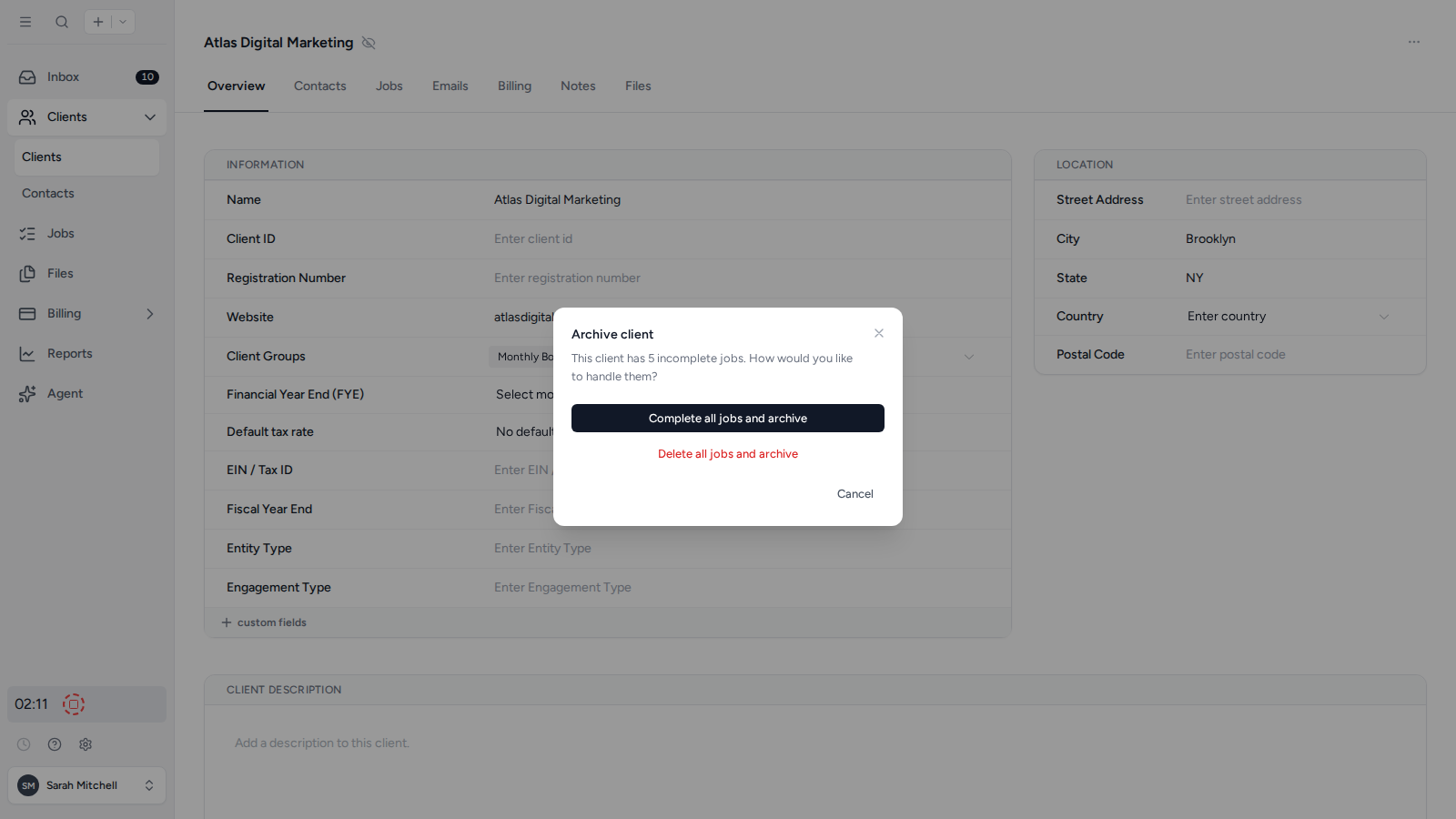
Archive options for a client with incomplete Jobs

Was this page helpful?

What went wrong?

Thanks for your feedback.

Last updated August 25, 2026