
Integrations
Missive Integration
Create Tidyflow jobs directly from emails in Missive, without switching apps.
How it works
Open the Tidyflow panel next to any email in Missive and a pre-filled “Create job” form appears, with the title from the subject, sender details and a link back to the Missive conversation in the notes. Set the client, assignee, and due date, then save.
Open the same email later and the panel shows “Already linked” with a one-click button to view the existing job.
Setup
1. Add the integration to Missive
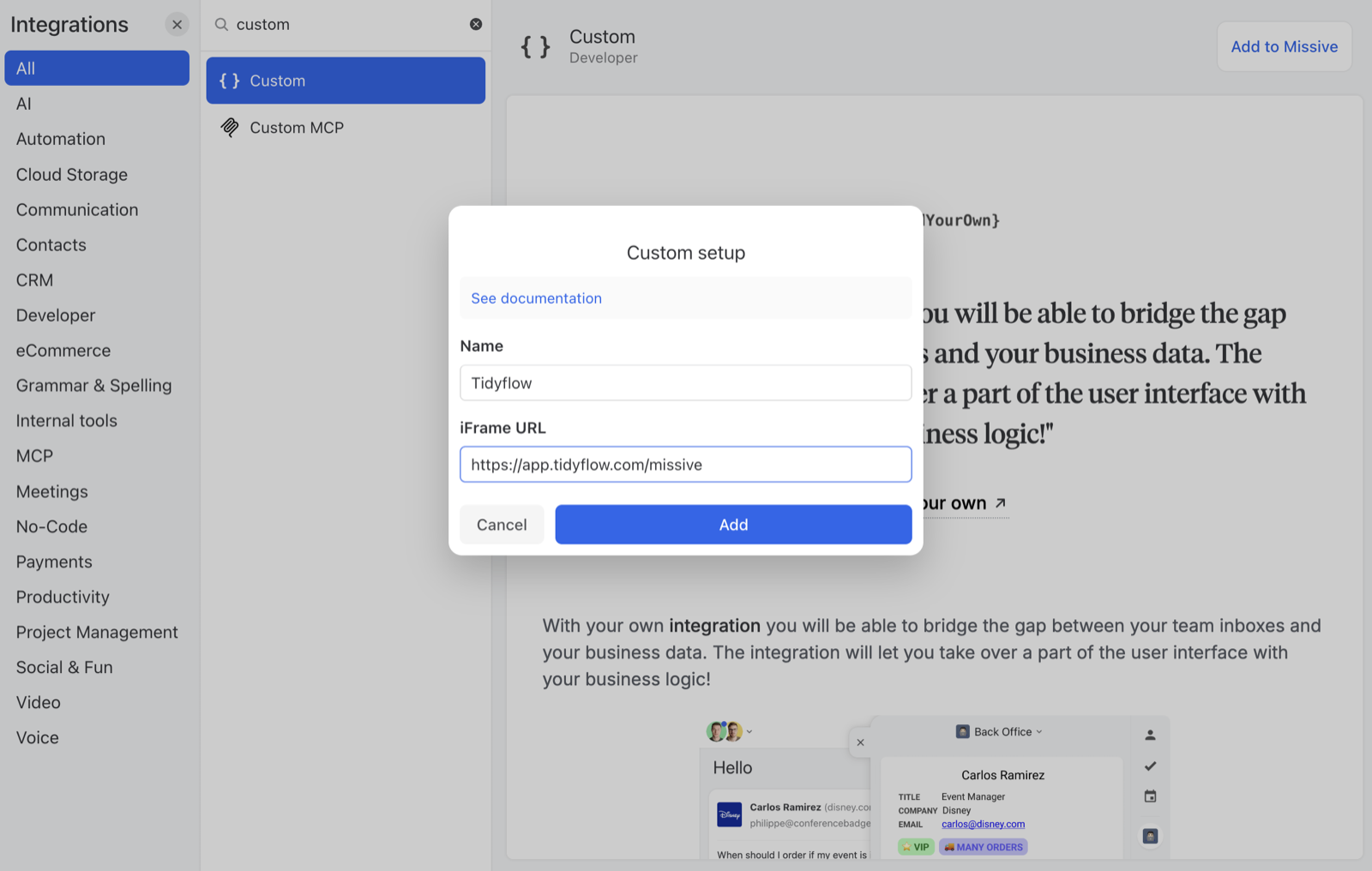
In Missive, go to Settings → Integrations → Custom and click Add to Missive. Fill in:
- Name: Tidyflow
- iFrame URL:
https://app.tidyflow.com/missive
2. Set the avatar (optional)
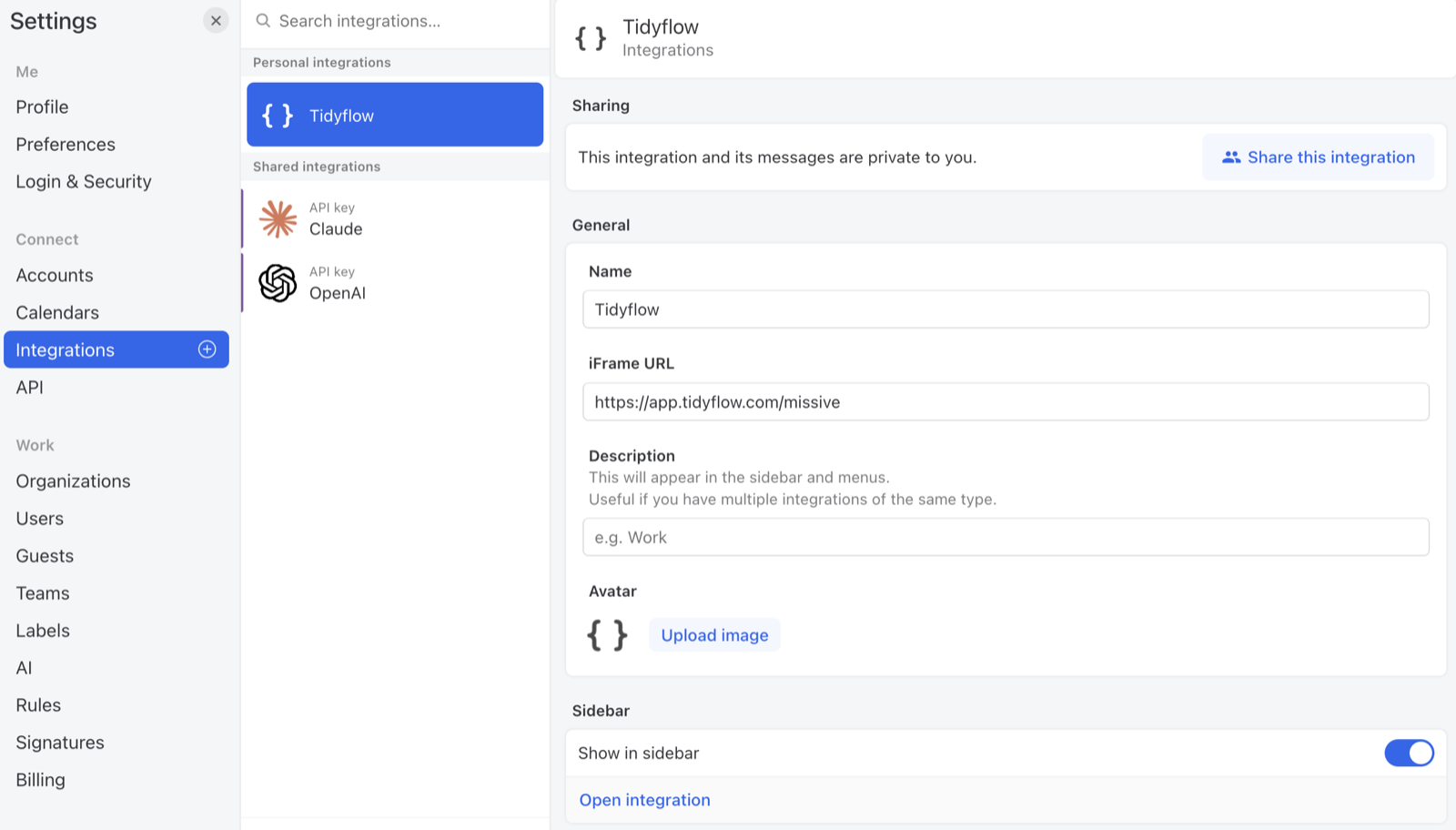
After adding, open the Tidyflow integration in Missive’s settings and click Upload image under Avatar. Use the official Tidyflow icon so it’s easy to recognise in the sidebar:
Download the Tidyflow icon (right-click → Save image as), then upload it in the Avatar field.

3. Connect your Tidyflow account
Open the Tidyflow panel and click Connect to Tidyflow. A popup opens to app.tidyflow.com. Sign in if needed, click Authorize, and the popup closes. You’re connected.
Each team member connects their own Tidyflow account this way.
Creating a job
Open an email → the panel fills in the form:
- Job title: from the subject (editable)
- Client: type to search
- Assignee: defaults to you
- Due date: optional
- Notes: sender, Missive conversation link, email preview
Click Create job → it appears in Tidyflow. Click View Job to open it.
If you’ve already linked a job to this email, the panel shows Already linked with View Job, Create another, or Unlink (forgets the link in Missive, the job in Tidyflow is untouched).
Disconnecting
Click Disconnect at the top of the panel. This clears your authorization in Missive and revokes the access token in Tidyflow. Existing jobs are untouched. Click Connect to Tidyflow again any time to reconnect.
Limitations
- Email attachments aren’t copied. Missive’s API doesn’t expose them to integrations.
- One linked job per email per user. Creating a second job from the same email replaces the link memory (older jobs remain in Tidyflow).
- Sidebar only. There is no keyboard shortcut or list-view trigger.
Was this page helpful?
What went wrong?
Thanks for your feedback.
- Previous
- Update credit card information
Last updated October 12, 2026